

Mobile Android: How to adjust Font Size
Instructions
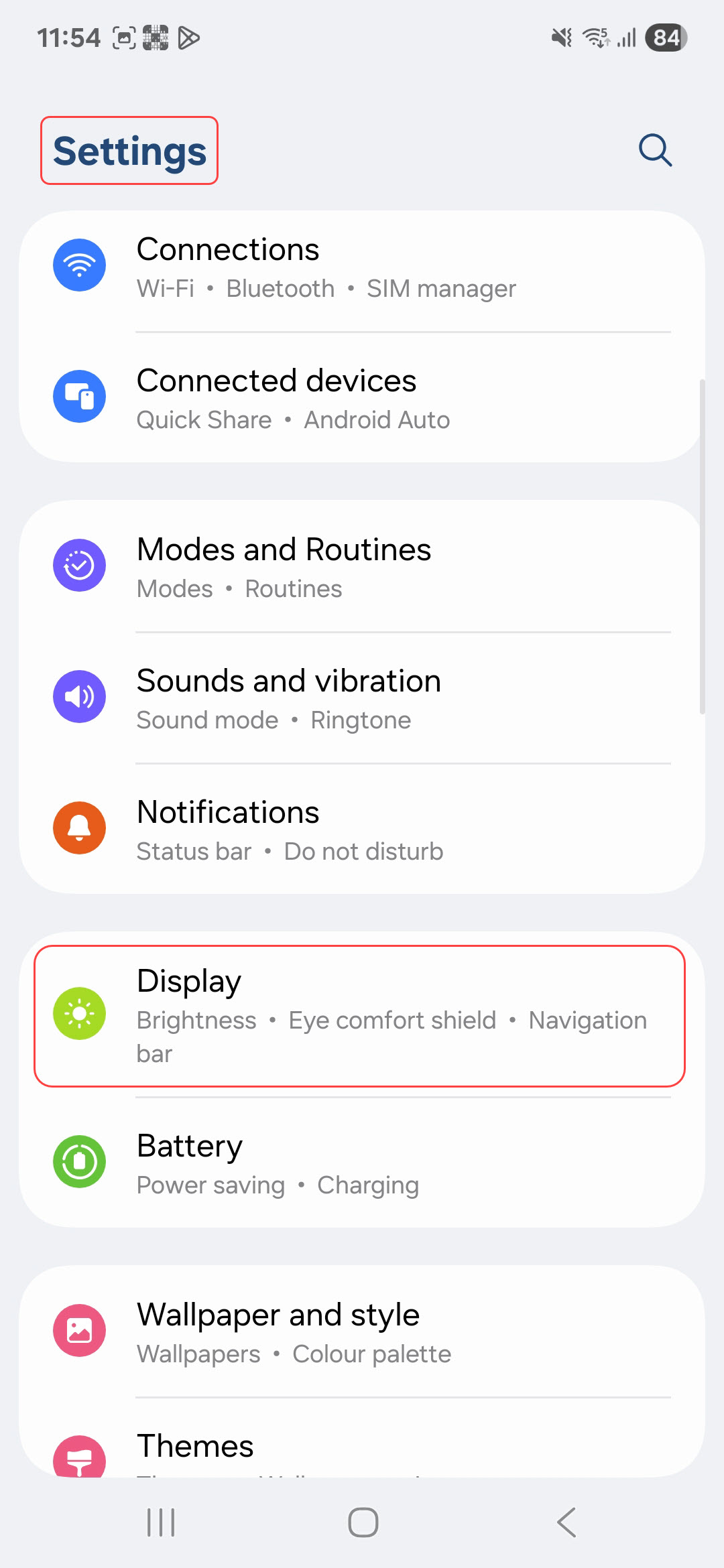
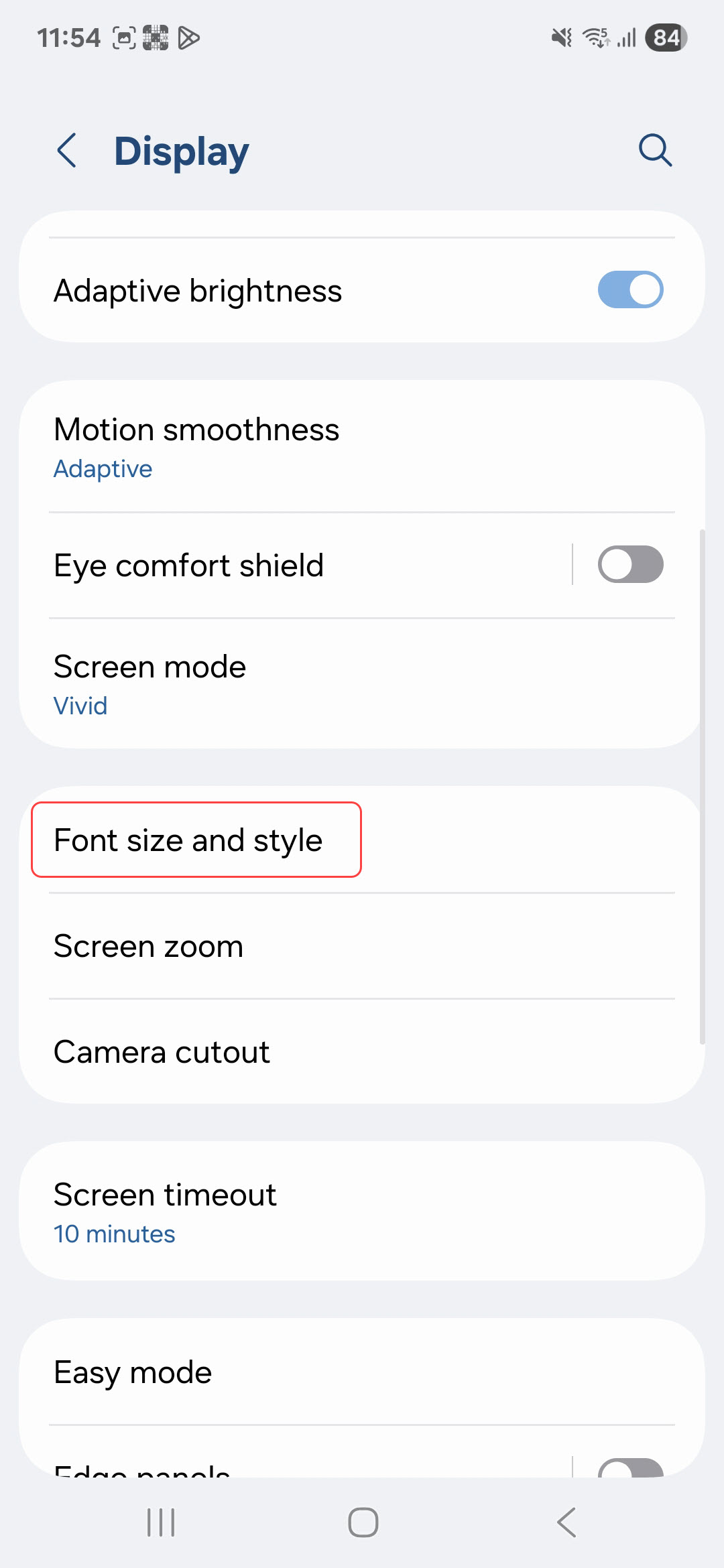
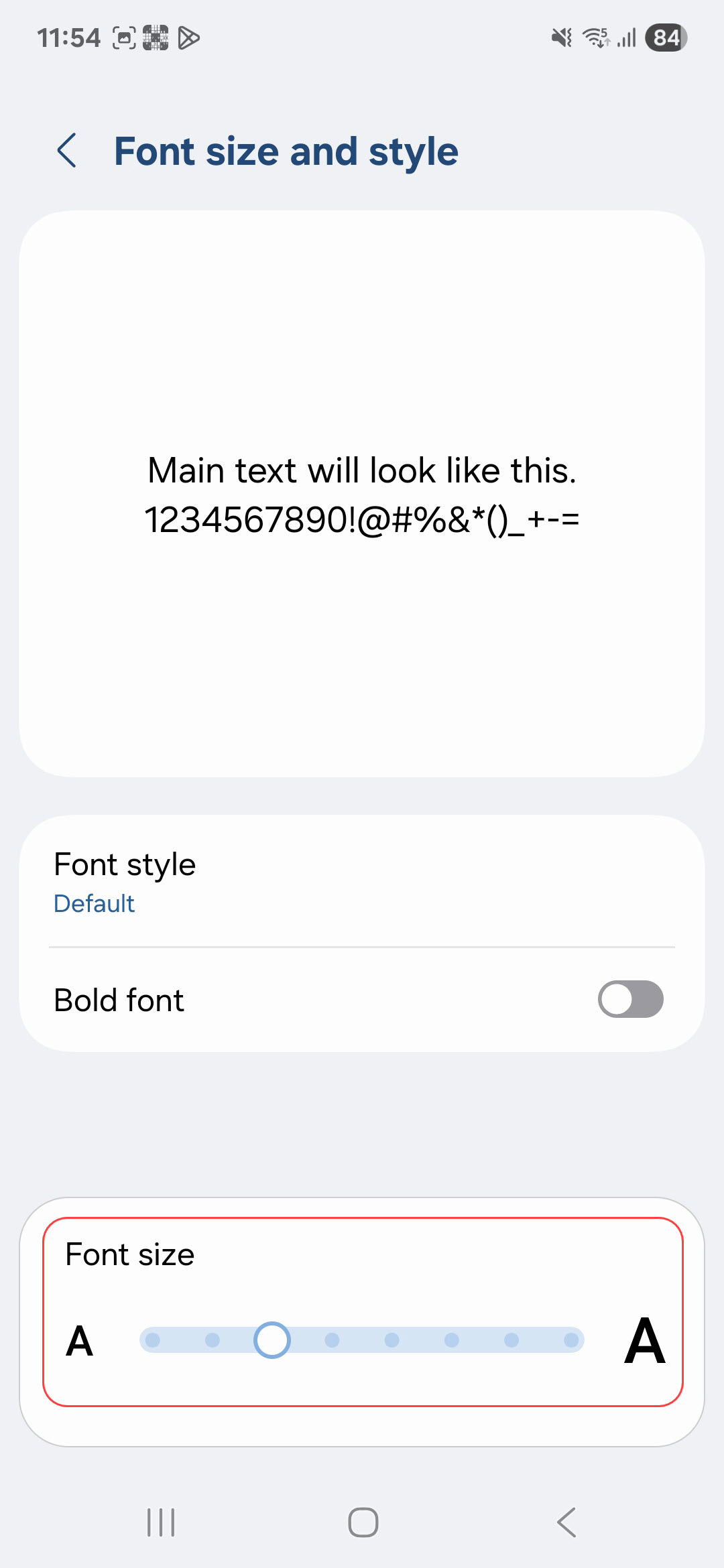
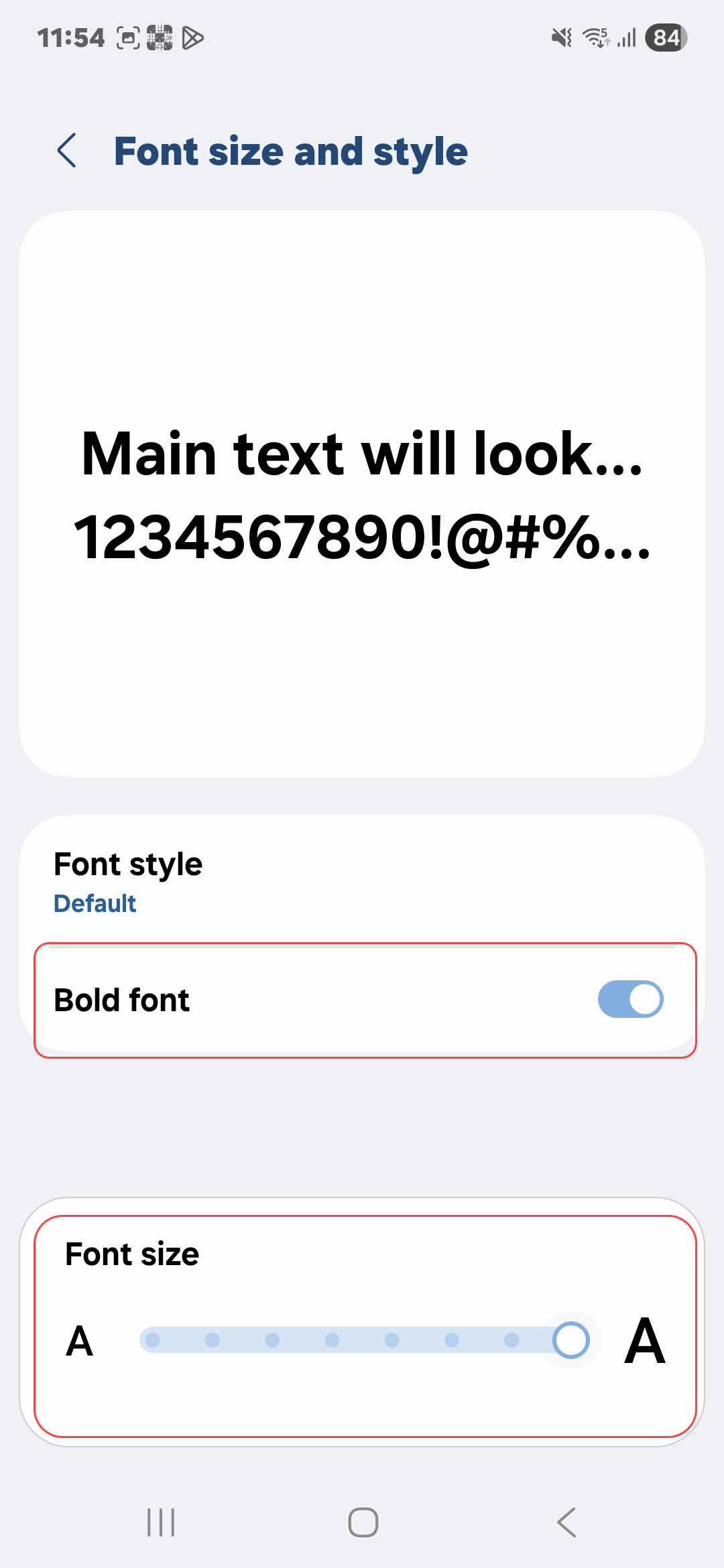
- Go to Settings > Display > Font size and style.
- Use the slider to increase or decrease text size.
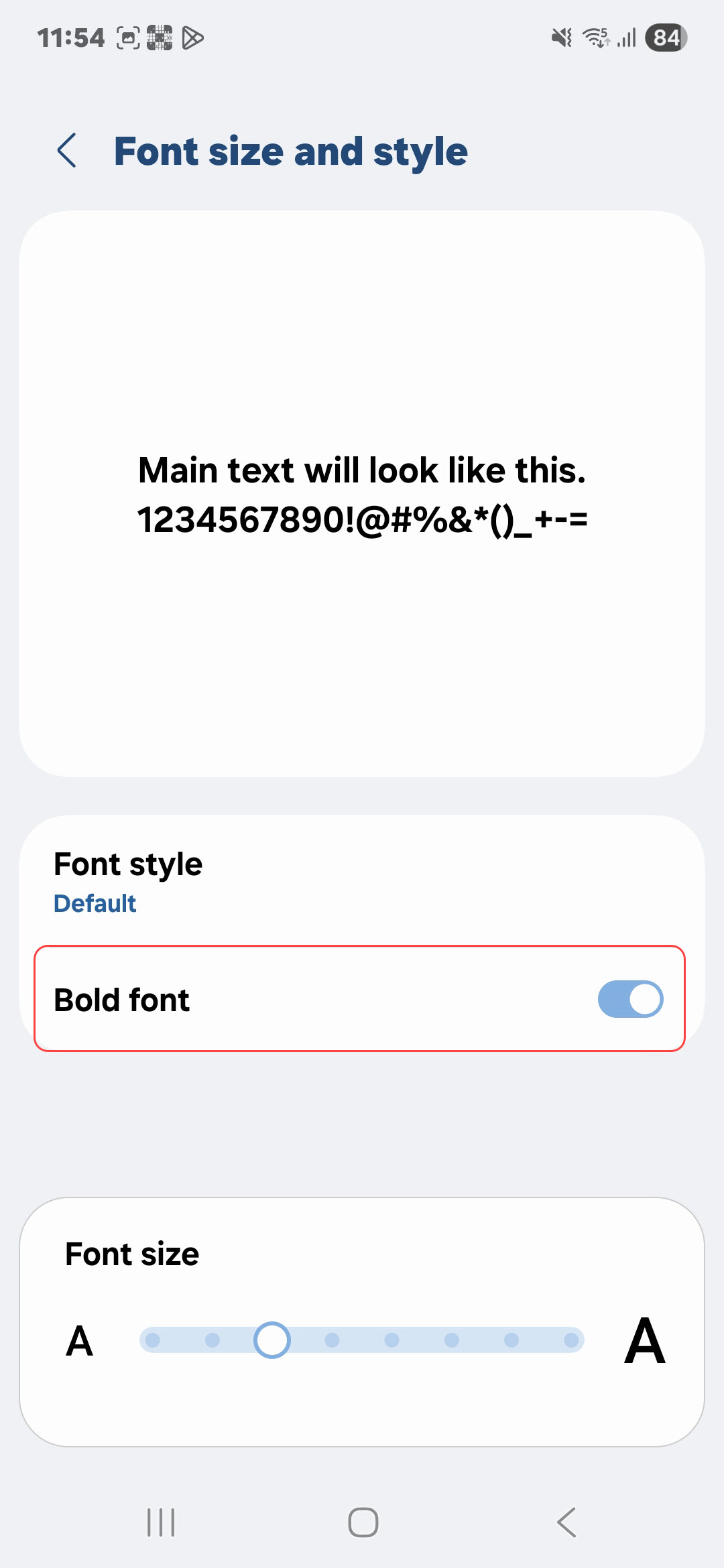
- Toggle Bold text or High contrast text if available.
Last modified: Friday, 29 August 2025, 8:12 AM