

Mobile Android: How to use Live Caption
Instructions
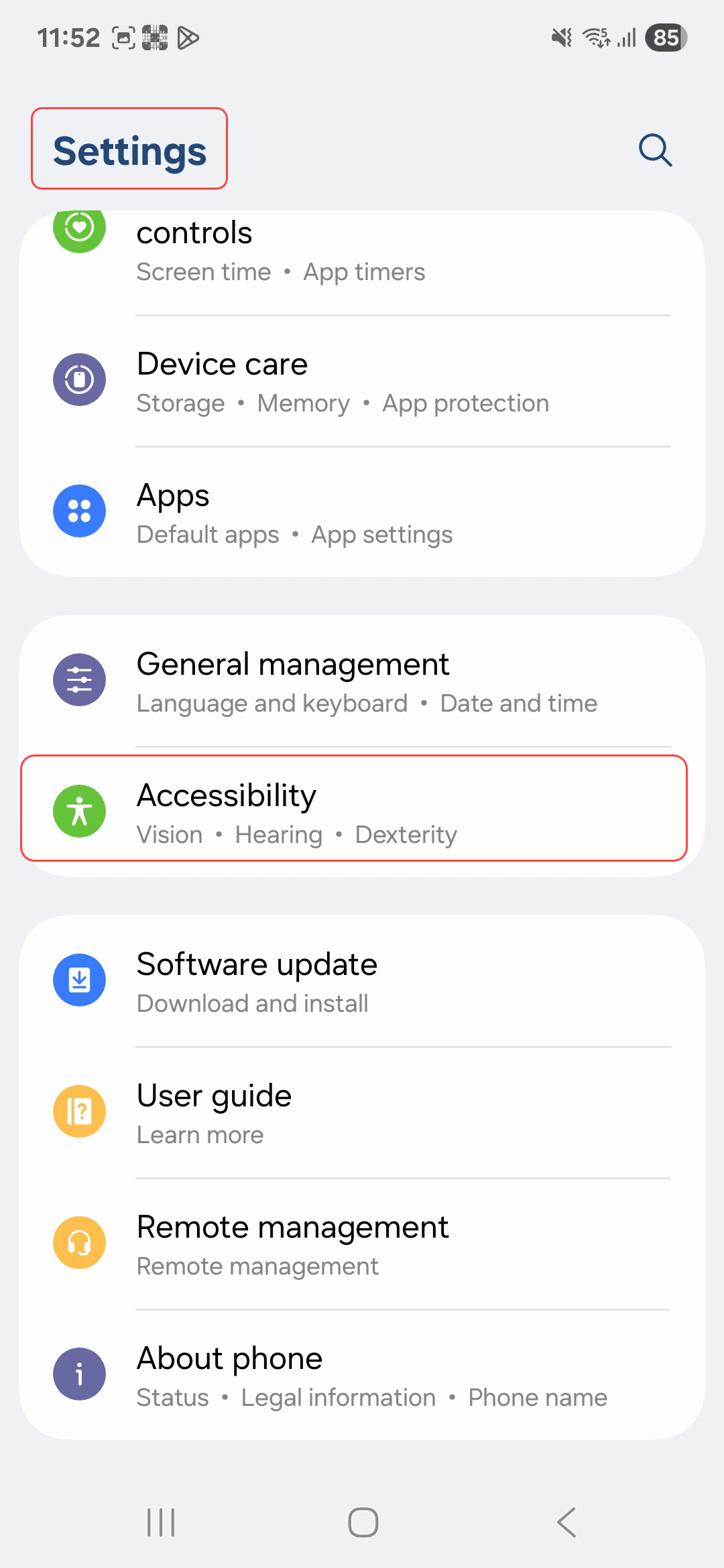
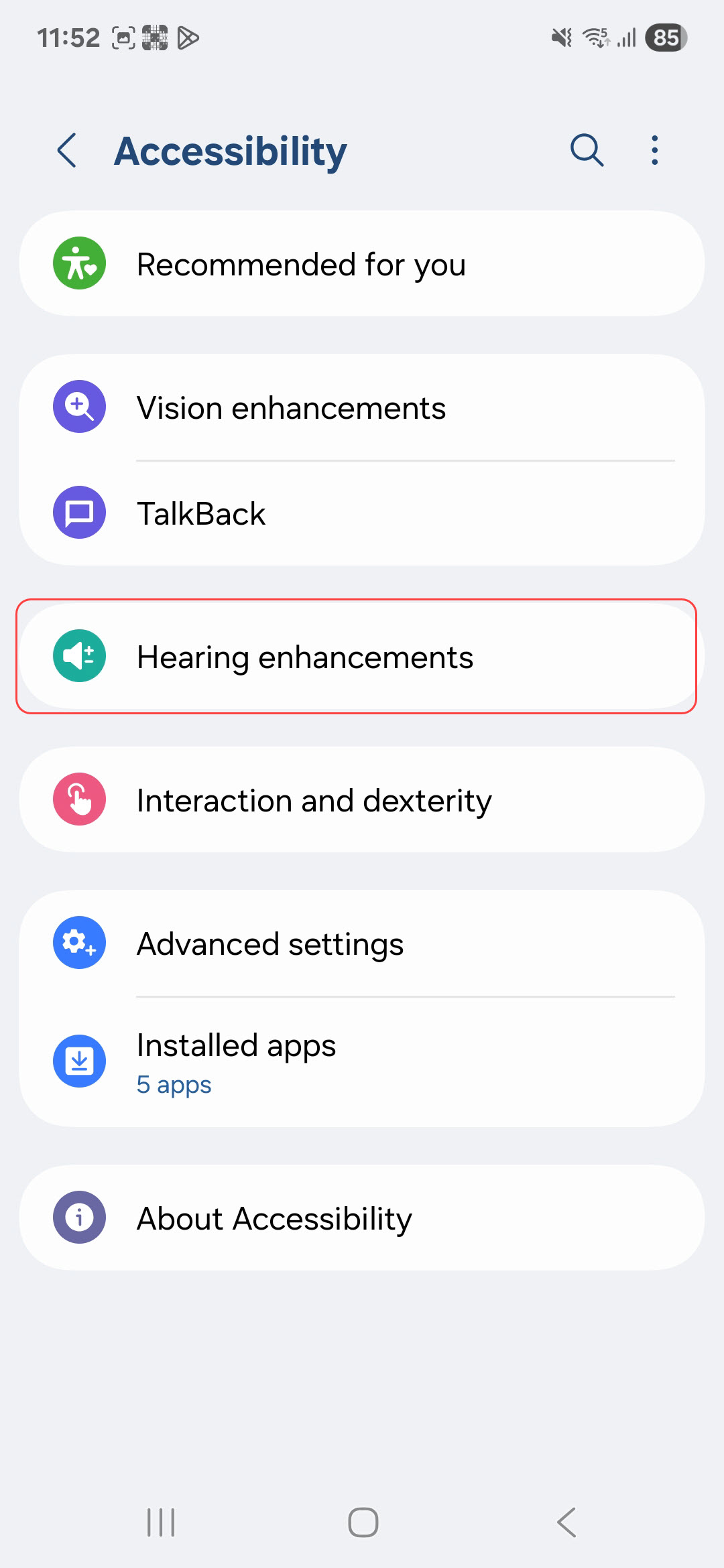
- Open Settings > Accessibility > Hearing enhancements.
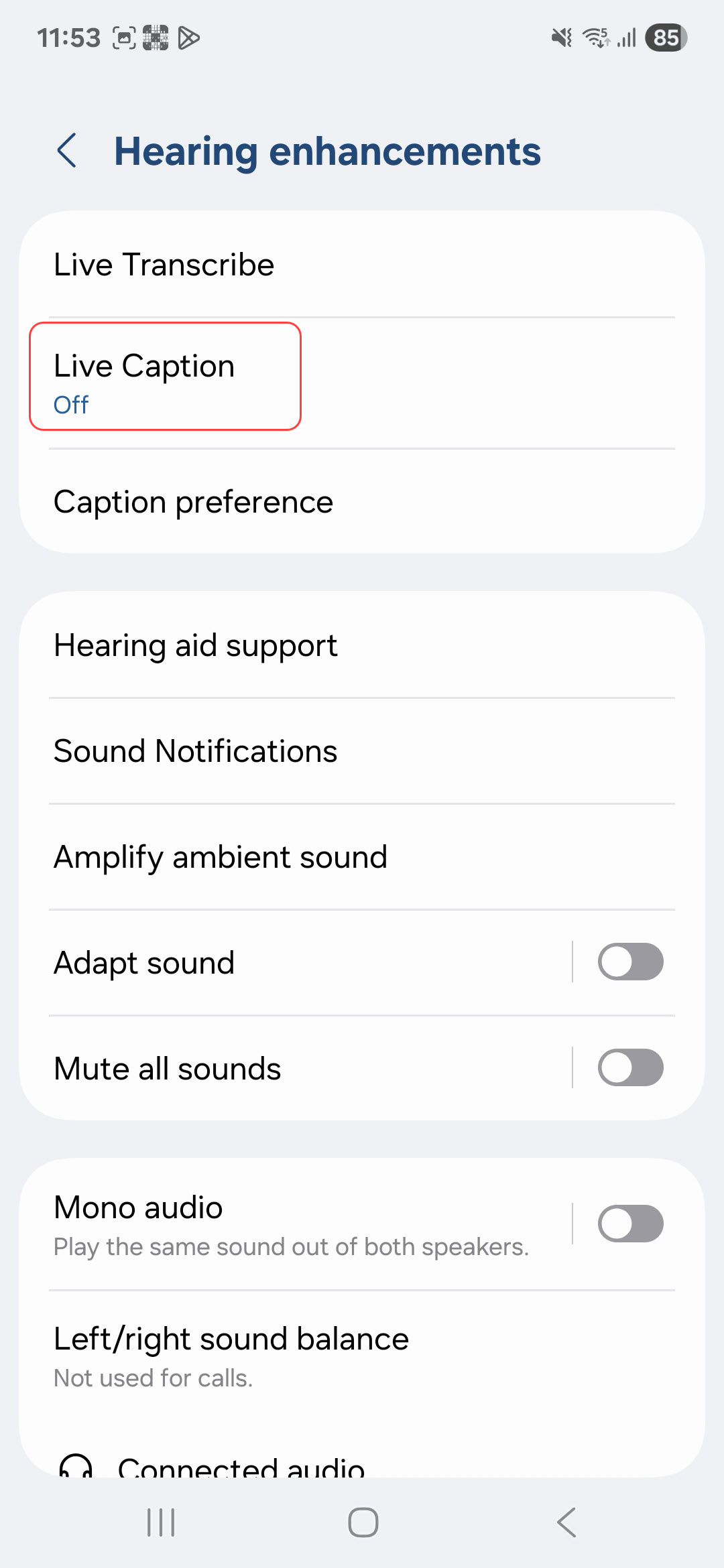
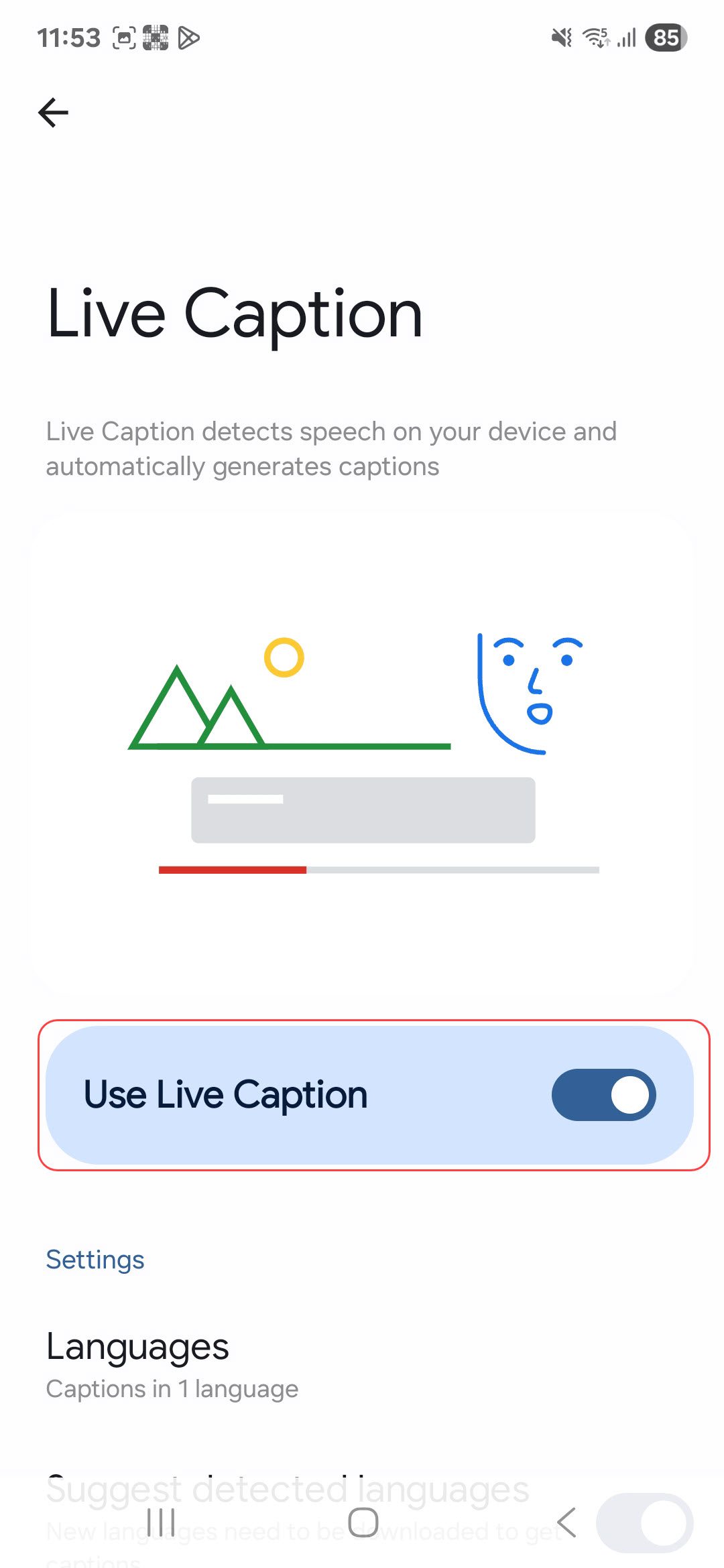
- Select Live Caption.
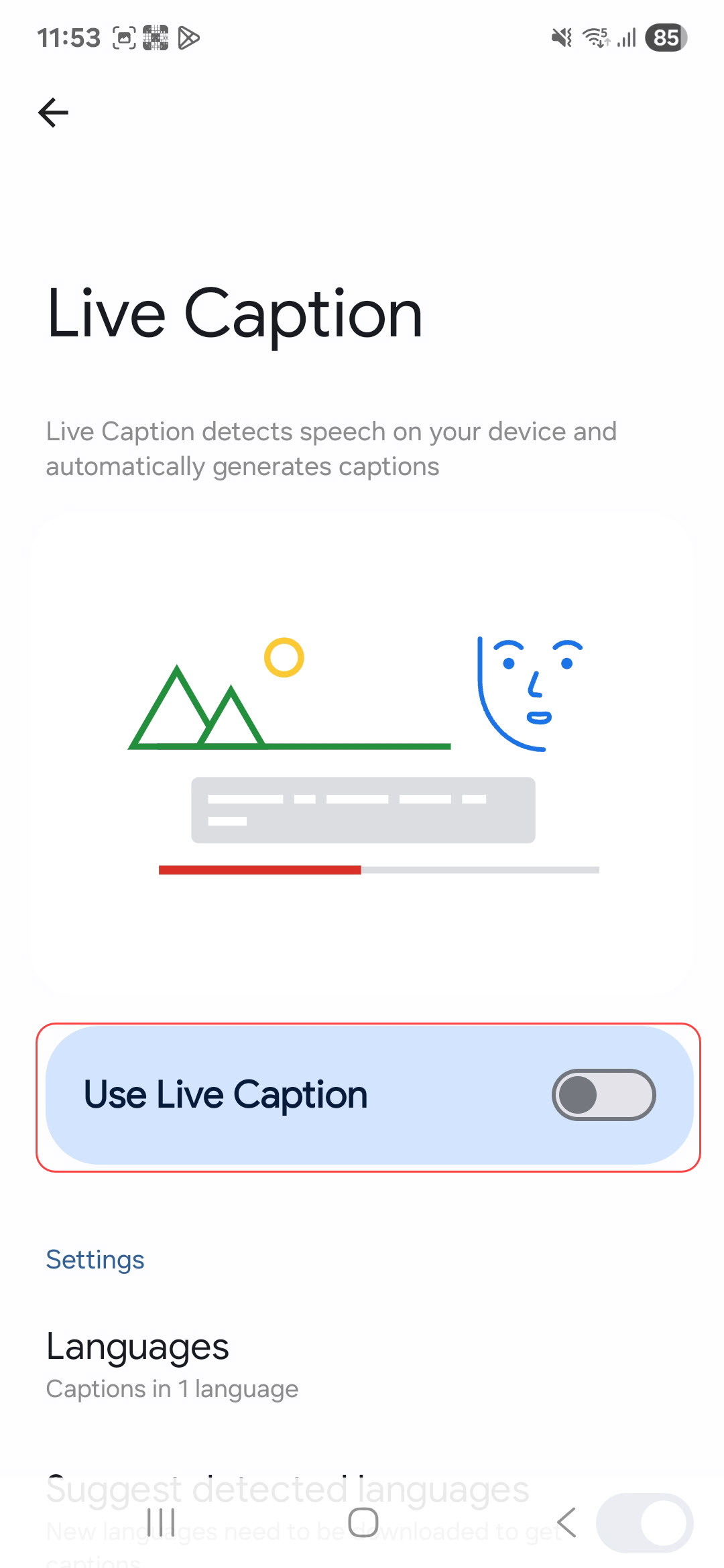
- Toggle on the Use Live Captions.
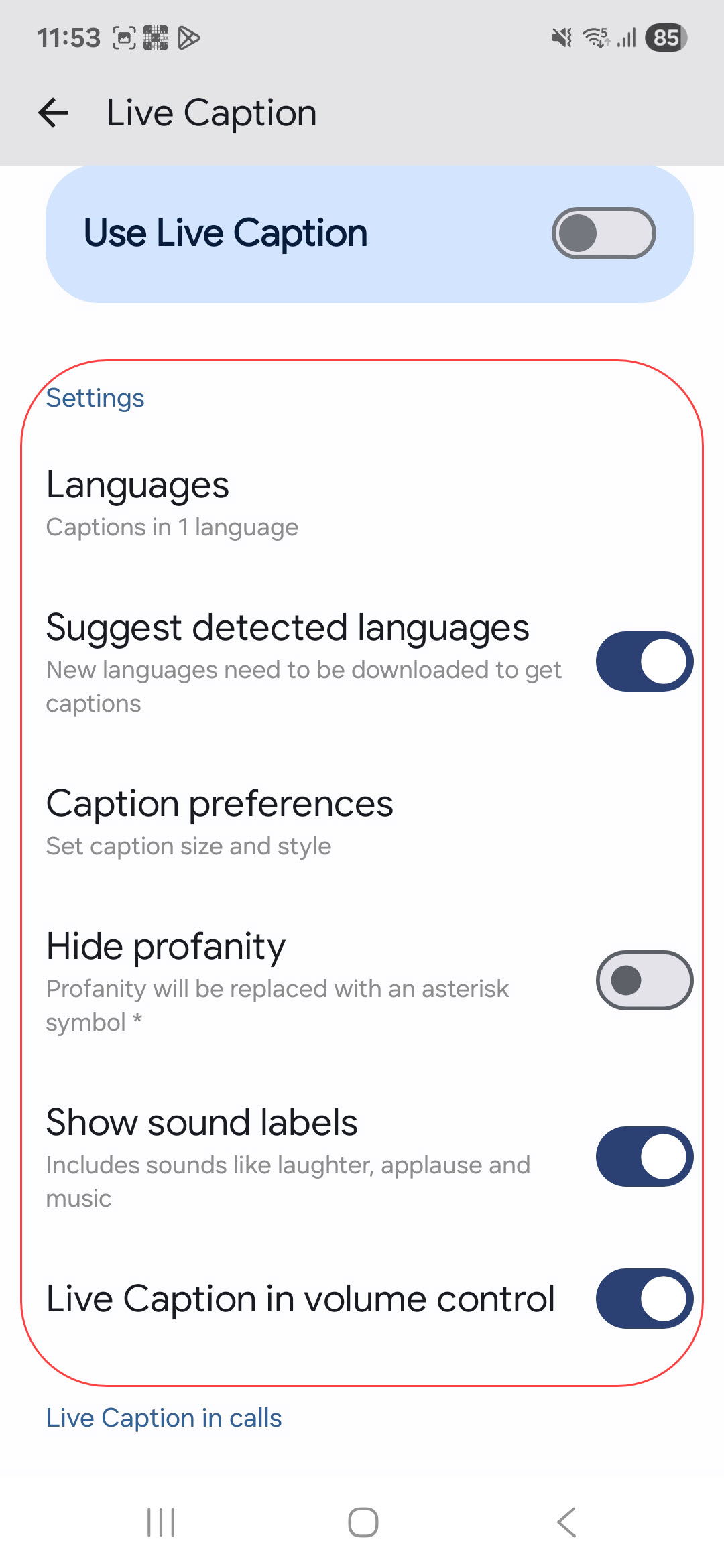
- You scroll down further and adjust the settings.
- Captions appear automatically during videos, podcasts, or calls (on supported devices).
Last modified: Friday, 29 August 2025, 8:11 AM