

Mobile iOS: How to use Speak Screen
Instructions
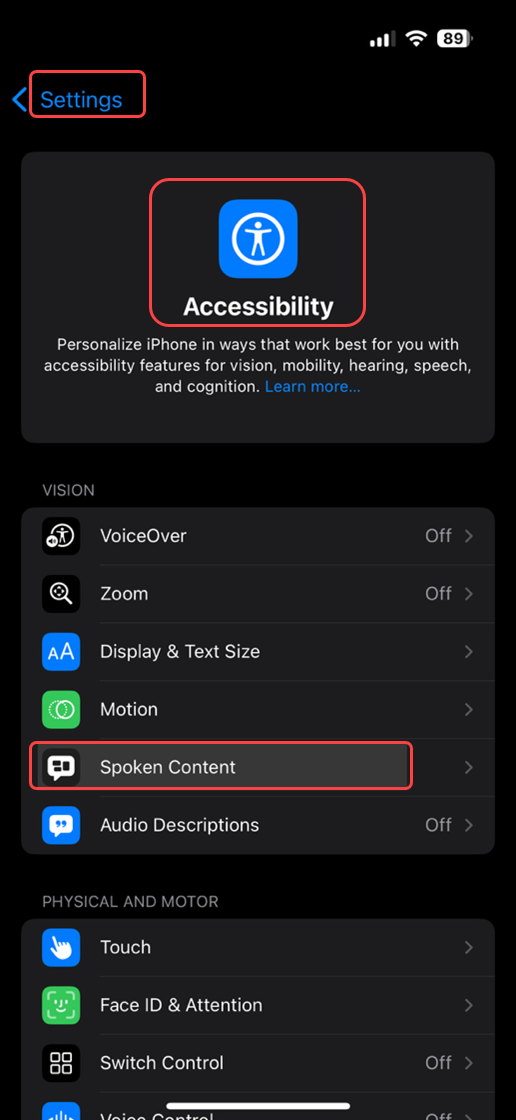
- Open Settings > Accessibility > Spoken Content.
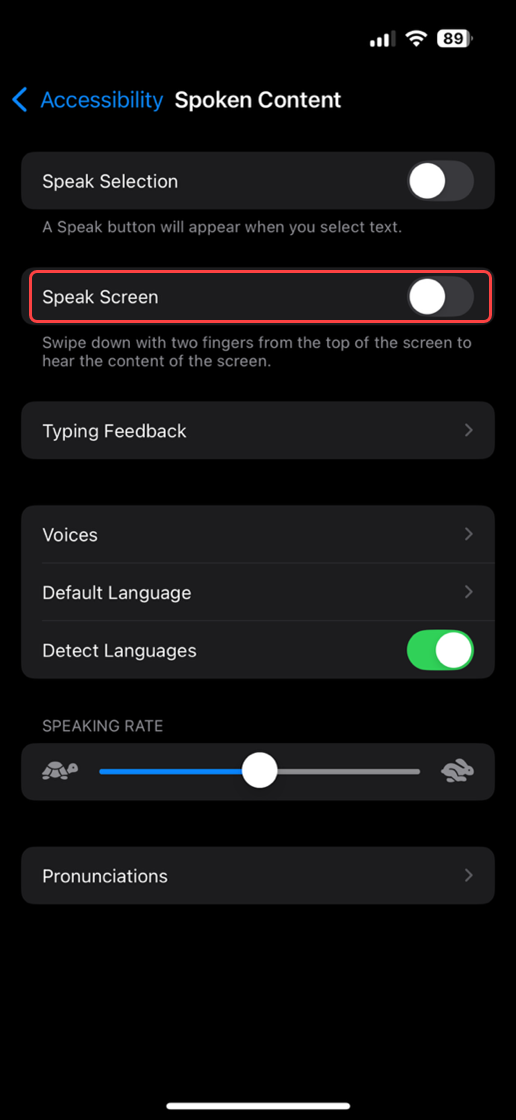
- Toggle Speak Screen on.
Tip: Swipe down with two fingers from the top of the screen to hear the content read aloud.
Last modified: Friday, 29 August 2025, 8:11 AM