

Web/browsers: How to use Voice Typing in Google Docs
Instructions
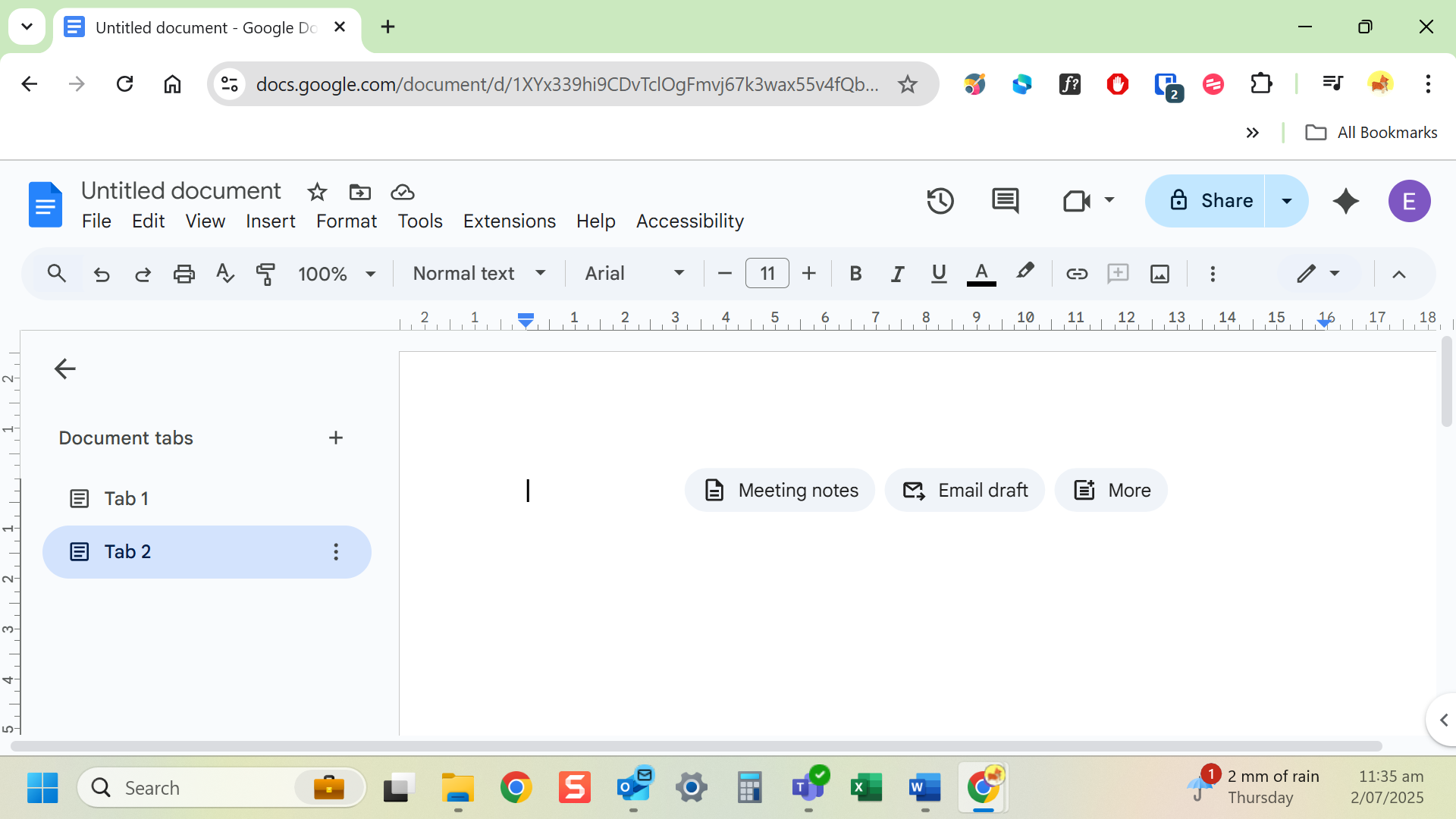
- Open a Google Doc in Chrome browser.
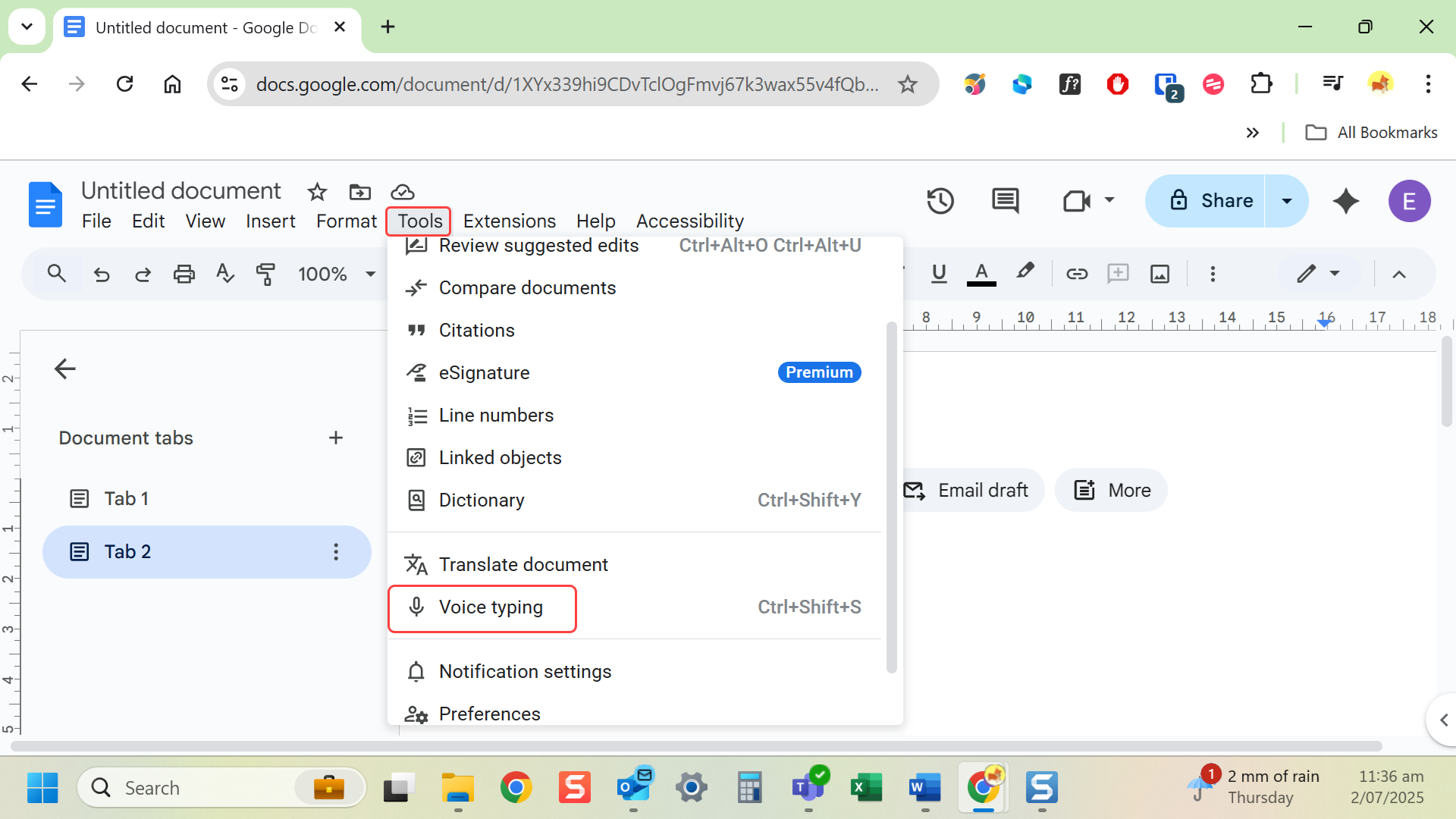
- Go to Tools and select Voice typing.
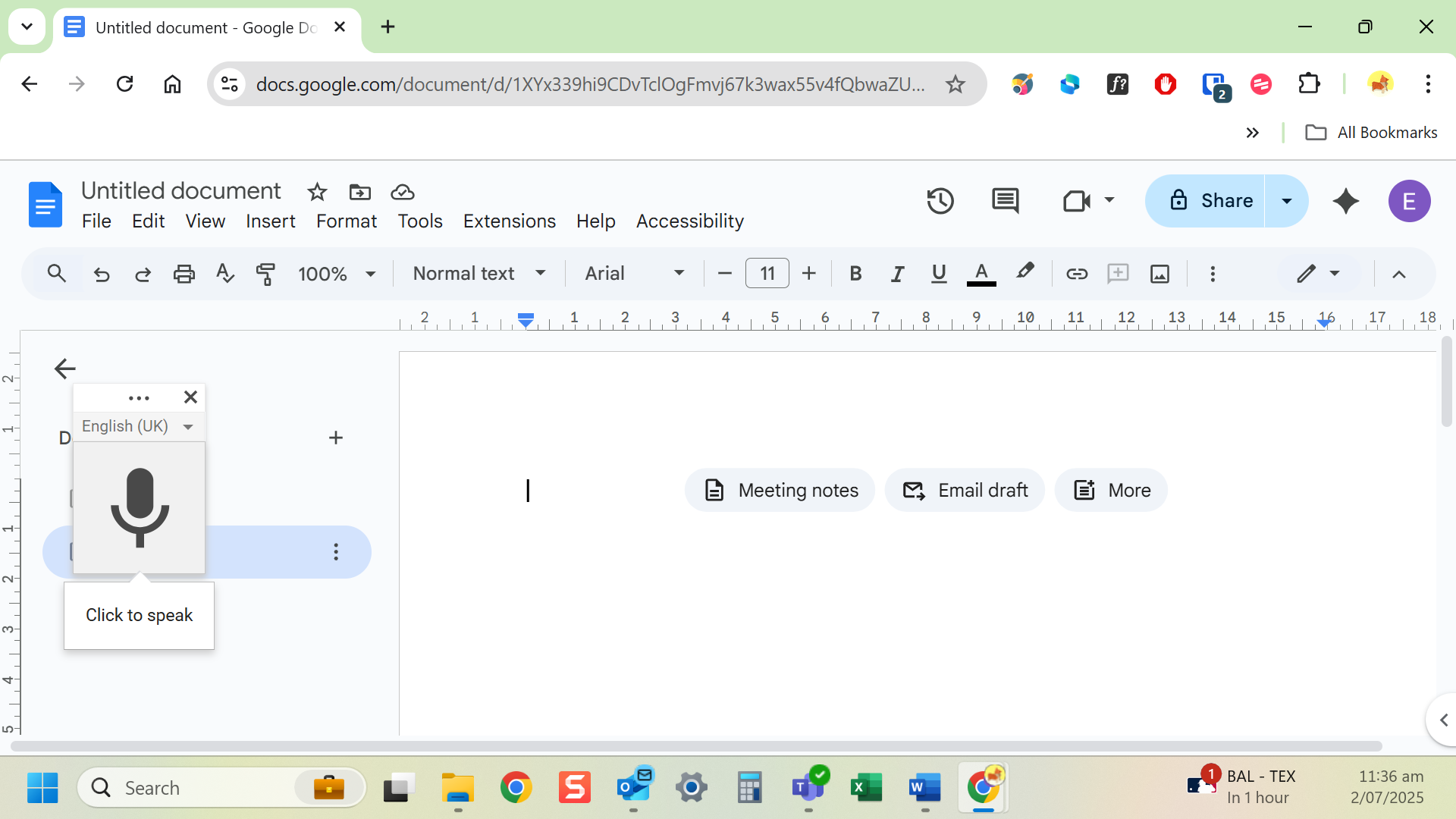
- Select the microphone icon that appears.
- Speak clearly, your words appear in the document.
Last modified: Friday, 29 August 2025, 8:11 AM