

Web/browsers: How to use ChromeVox (Chromebook Screen Reader)
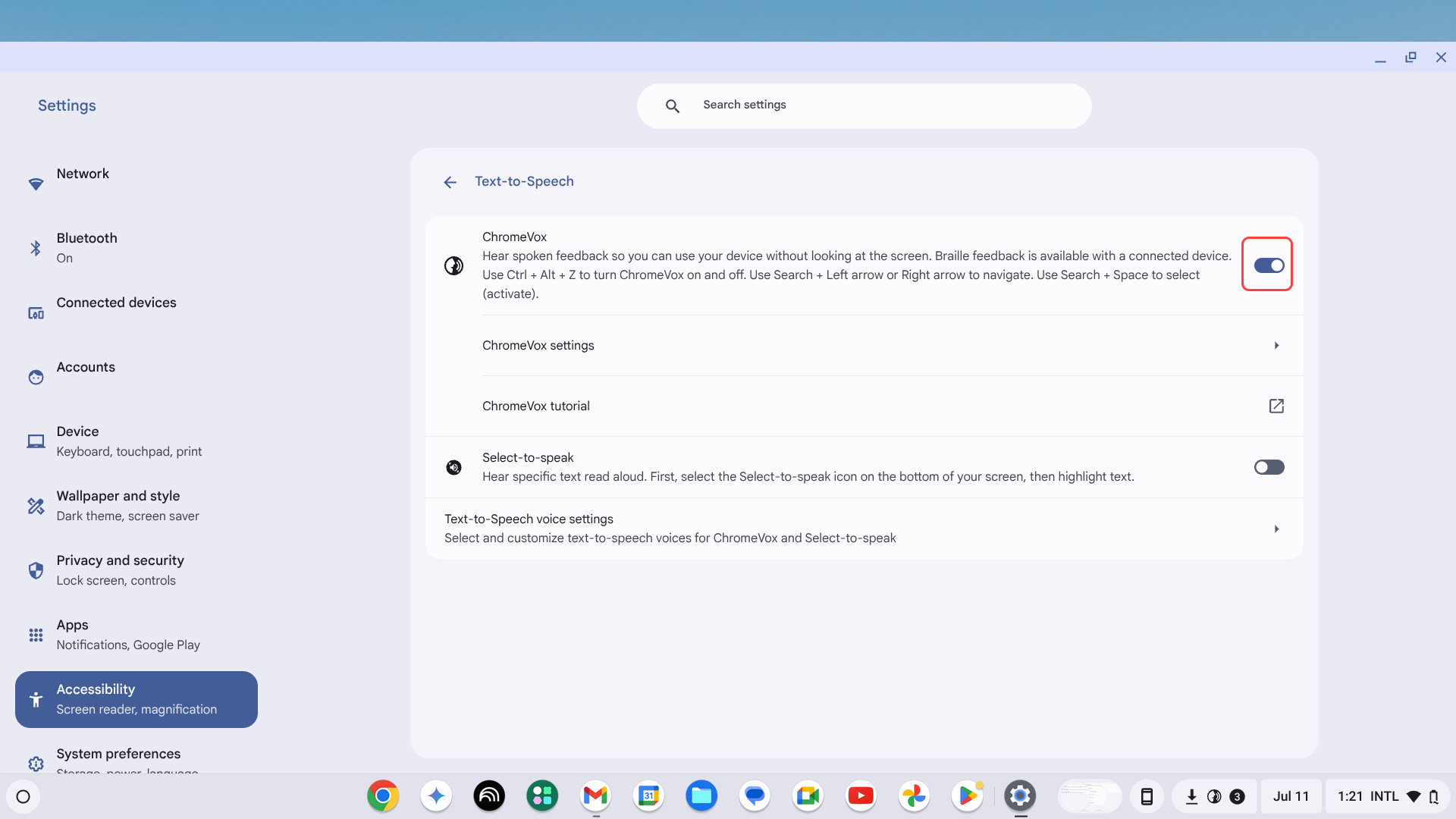
Instructions
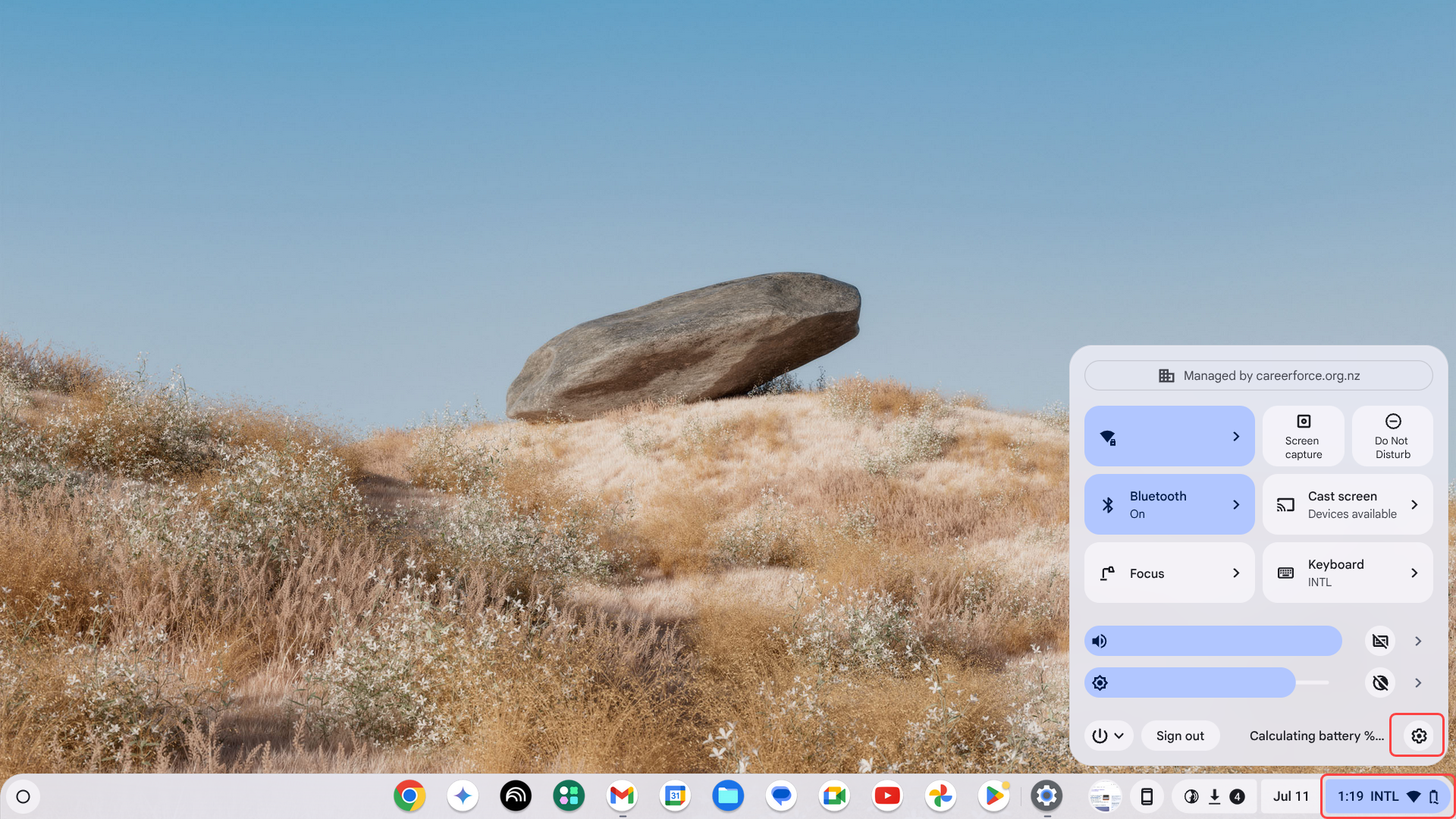
- Select the time at the bottom-right hand corner and select Settings (gear icon).
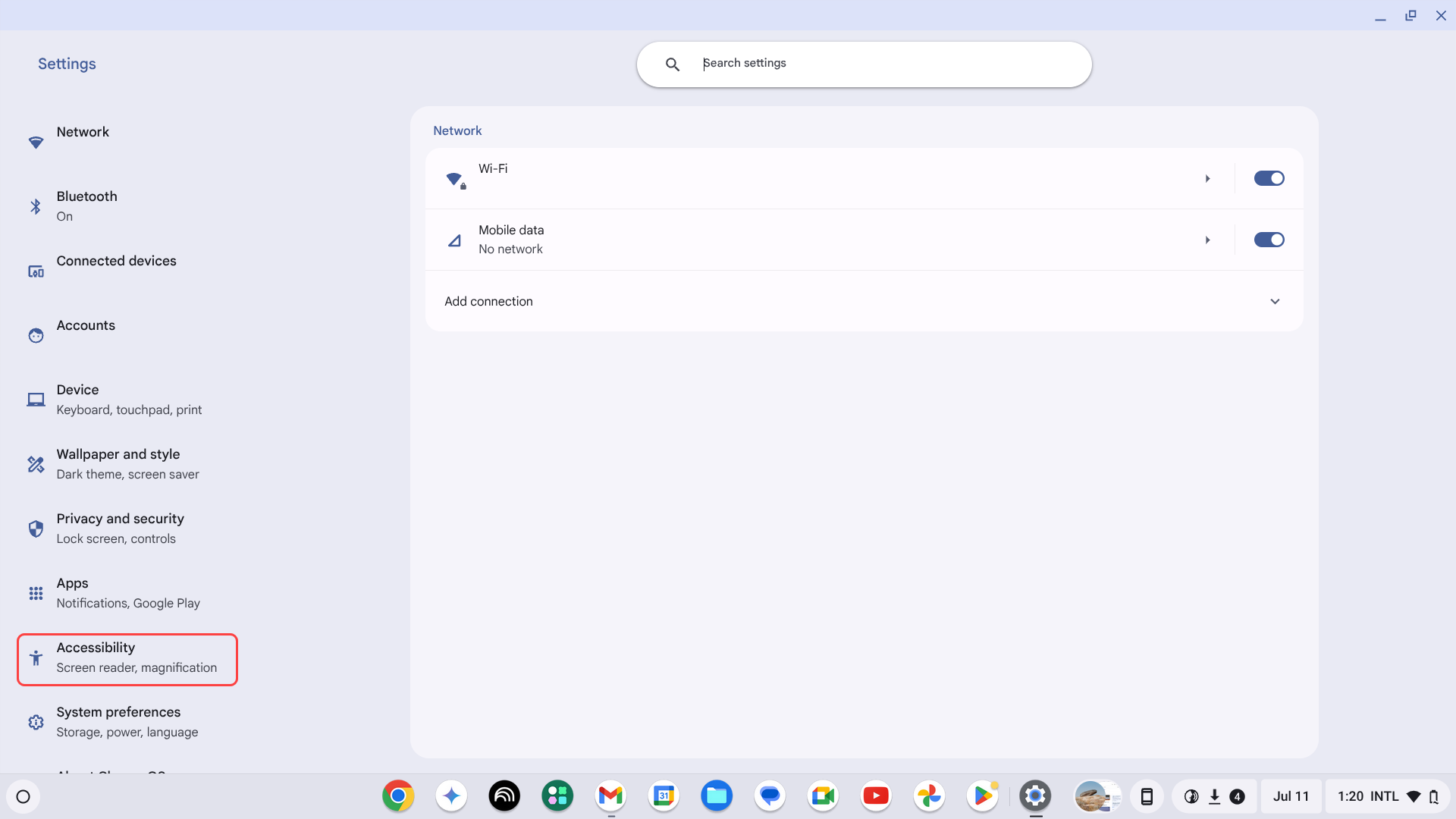
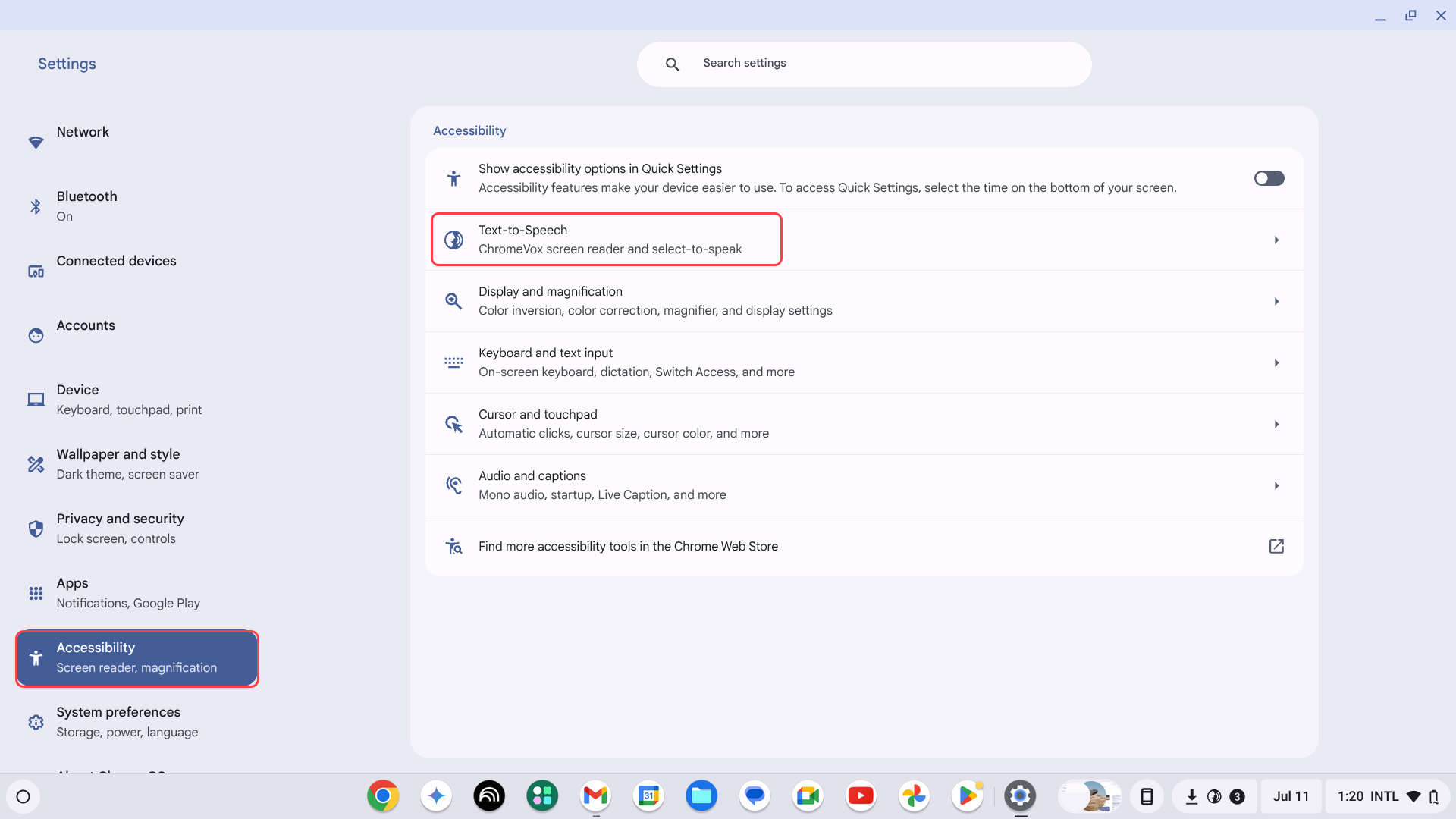
- Go to Accessibility > Text-to-Speech.
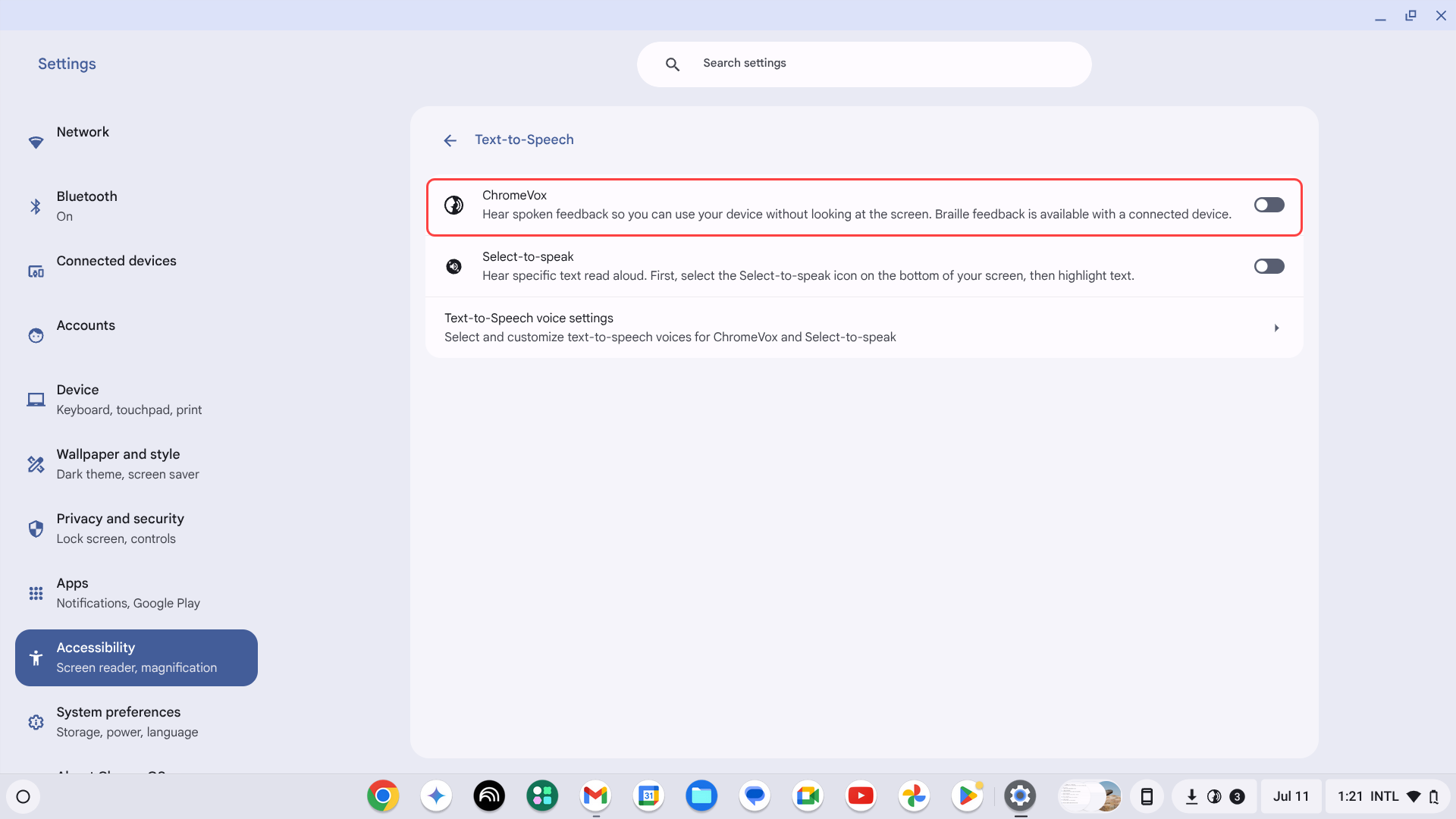
- Toggle Enable ChromeVox (spoken feedback).
Last modified: Friday, 29 August 2025, 8:11 AM