

Web/browsers: How to use Reader Mode
Instructions
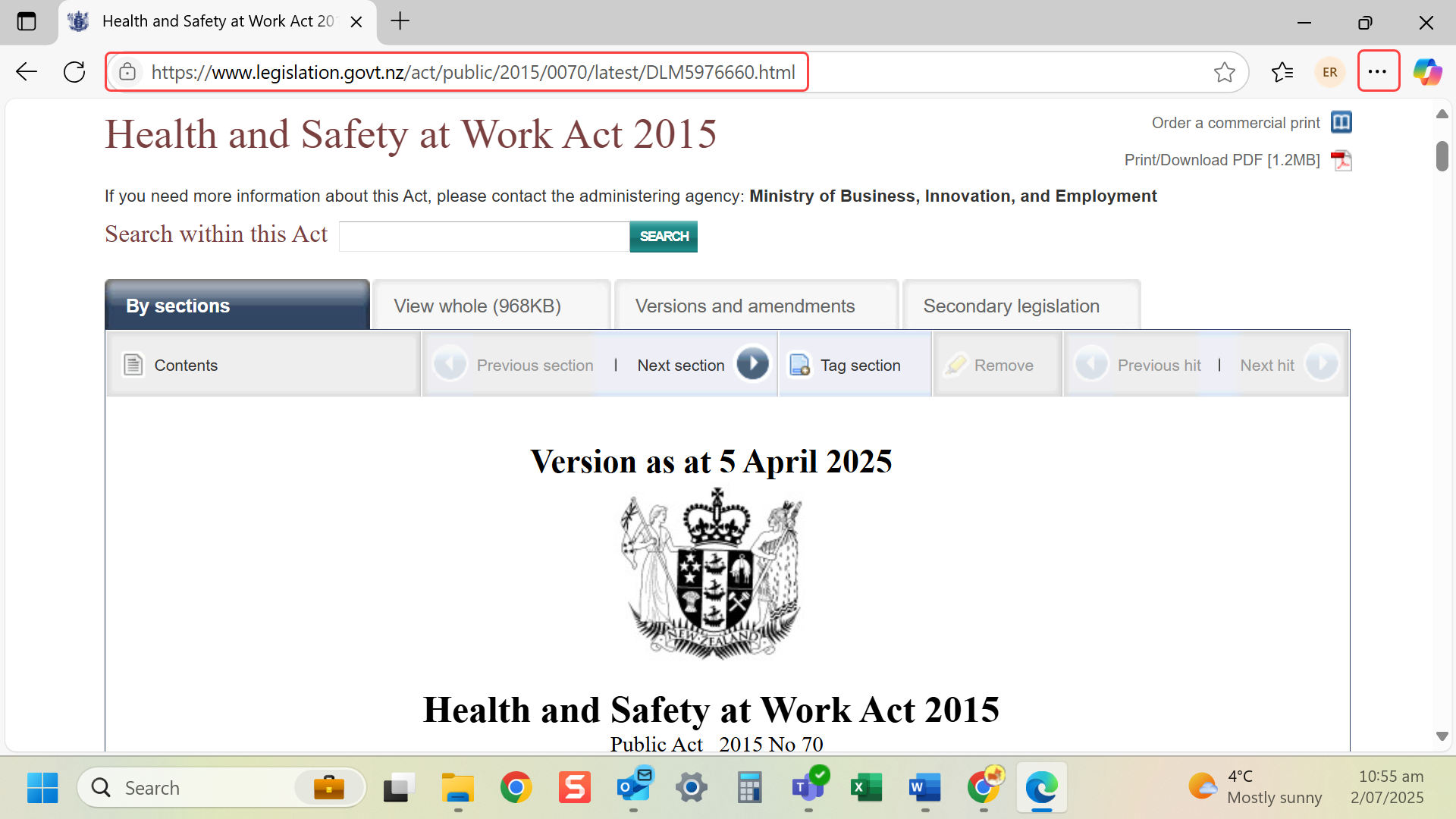
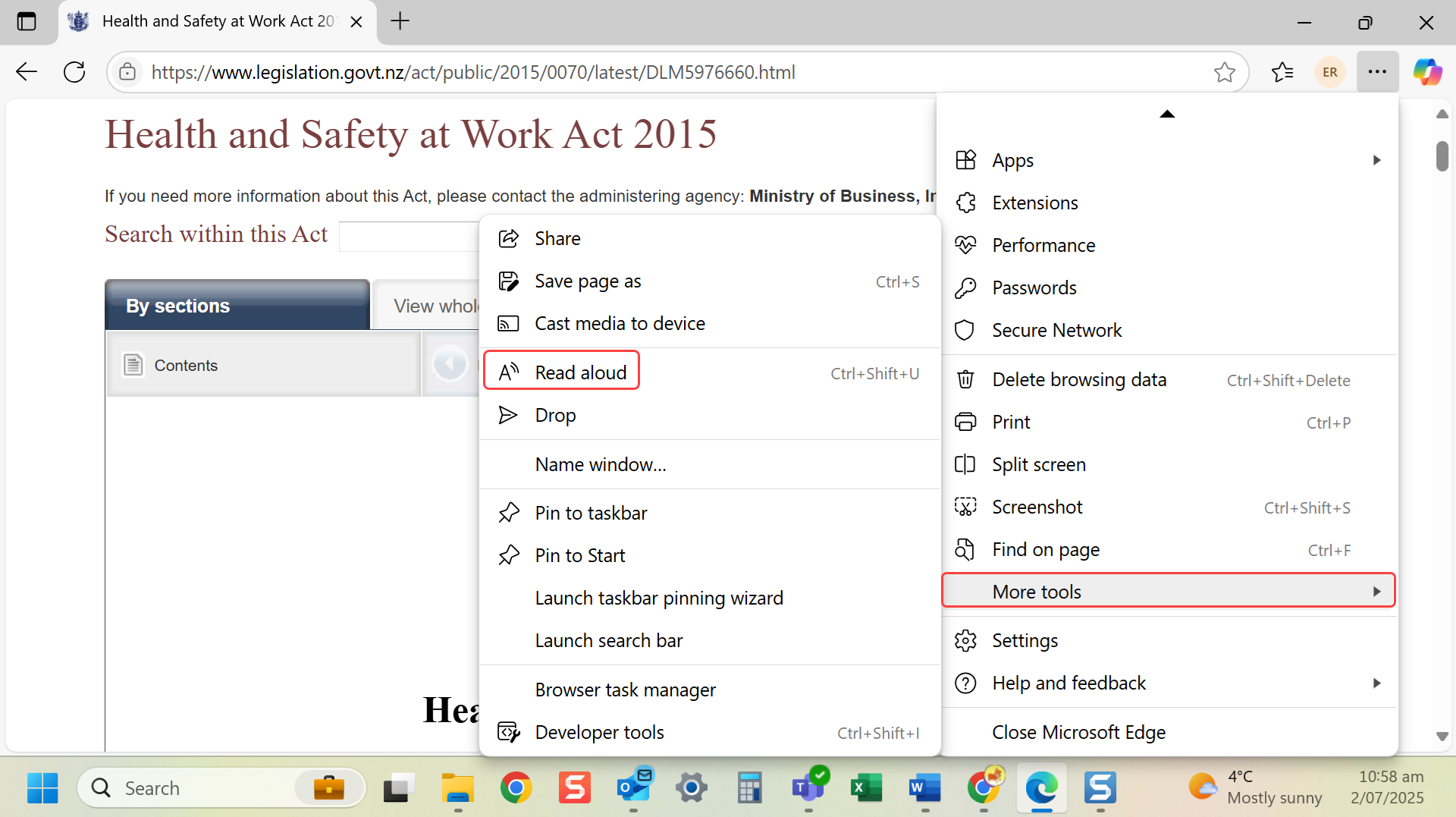
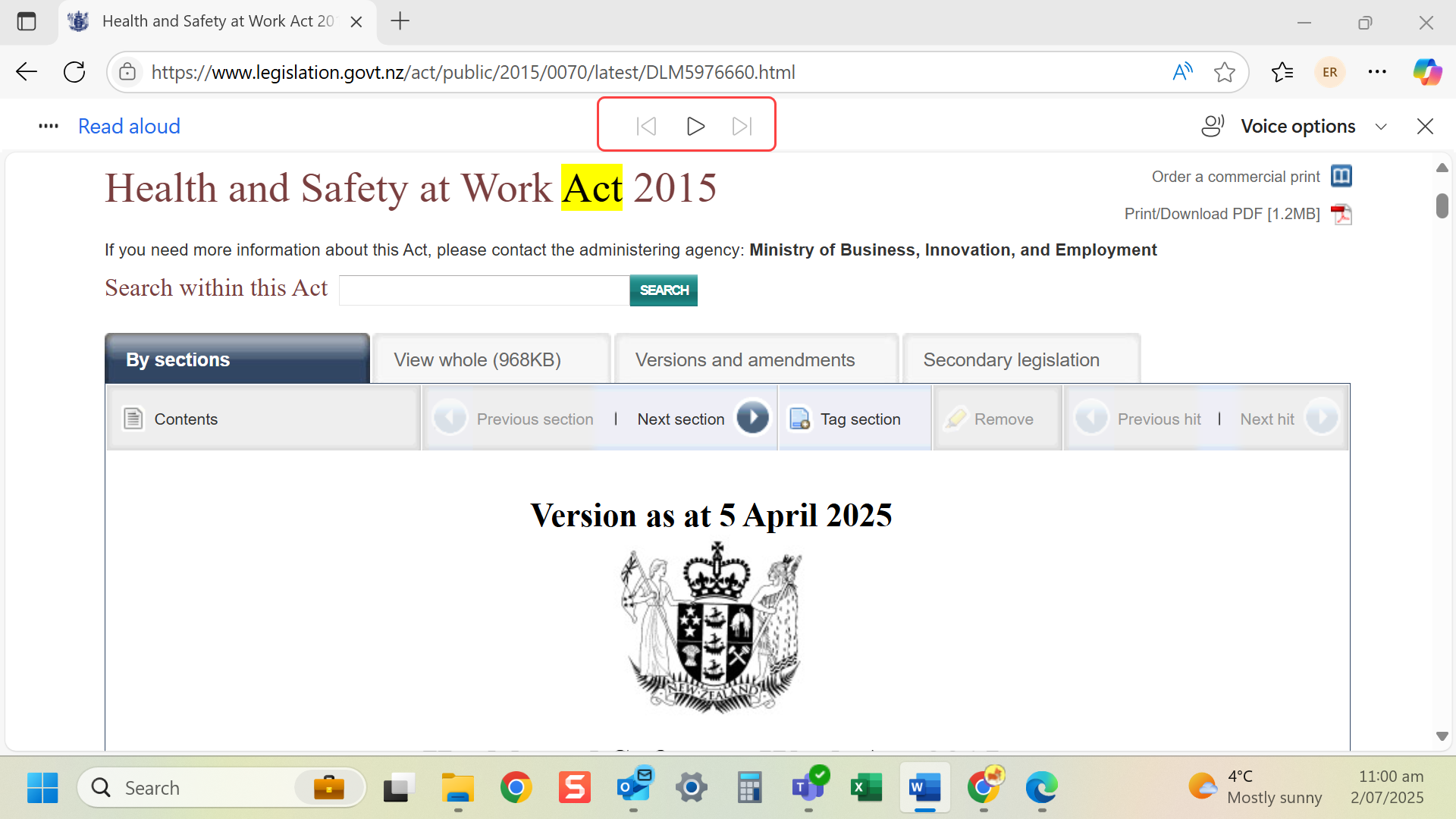
Option 1: Microsoft Edge (Slide 1-3):
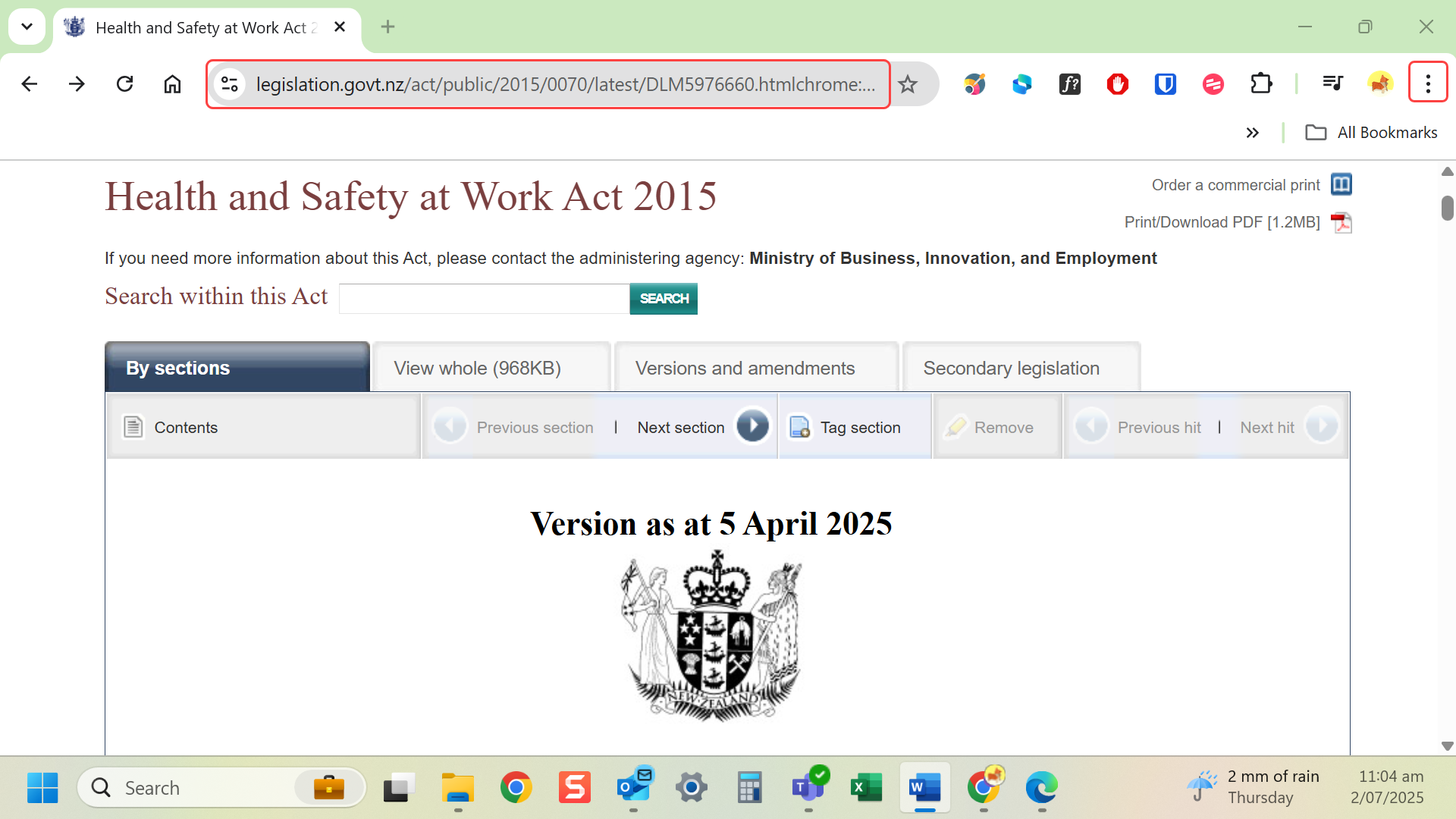
- Open an article or webpage.
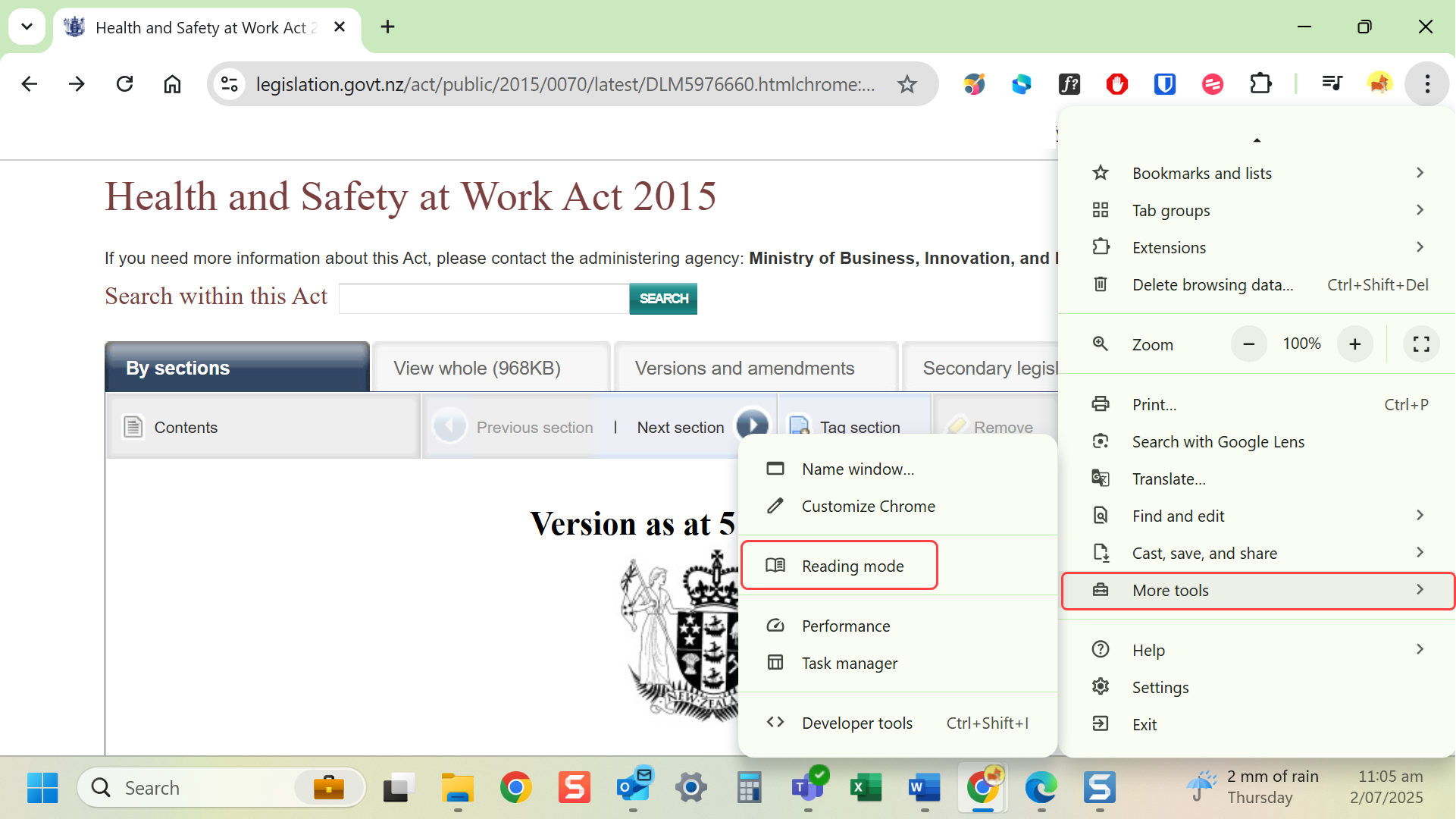
- Navigate to more (…) at the top right-hand corner.
- Select More tools > Read Aloud.
- You can play, move forward or back in content.
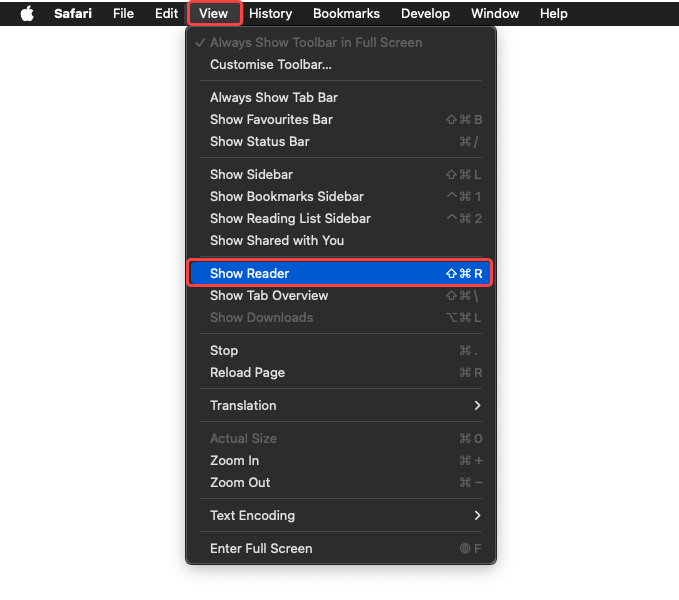
- Select the Reader button in the View menu on the left side of the address bar.
- Open an article or webpage.
- Navigate to more (…) at the top right-hand corner.
- Select More tools > Reading mode.
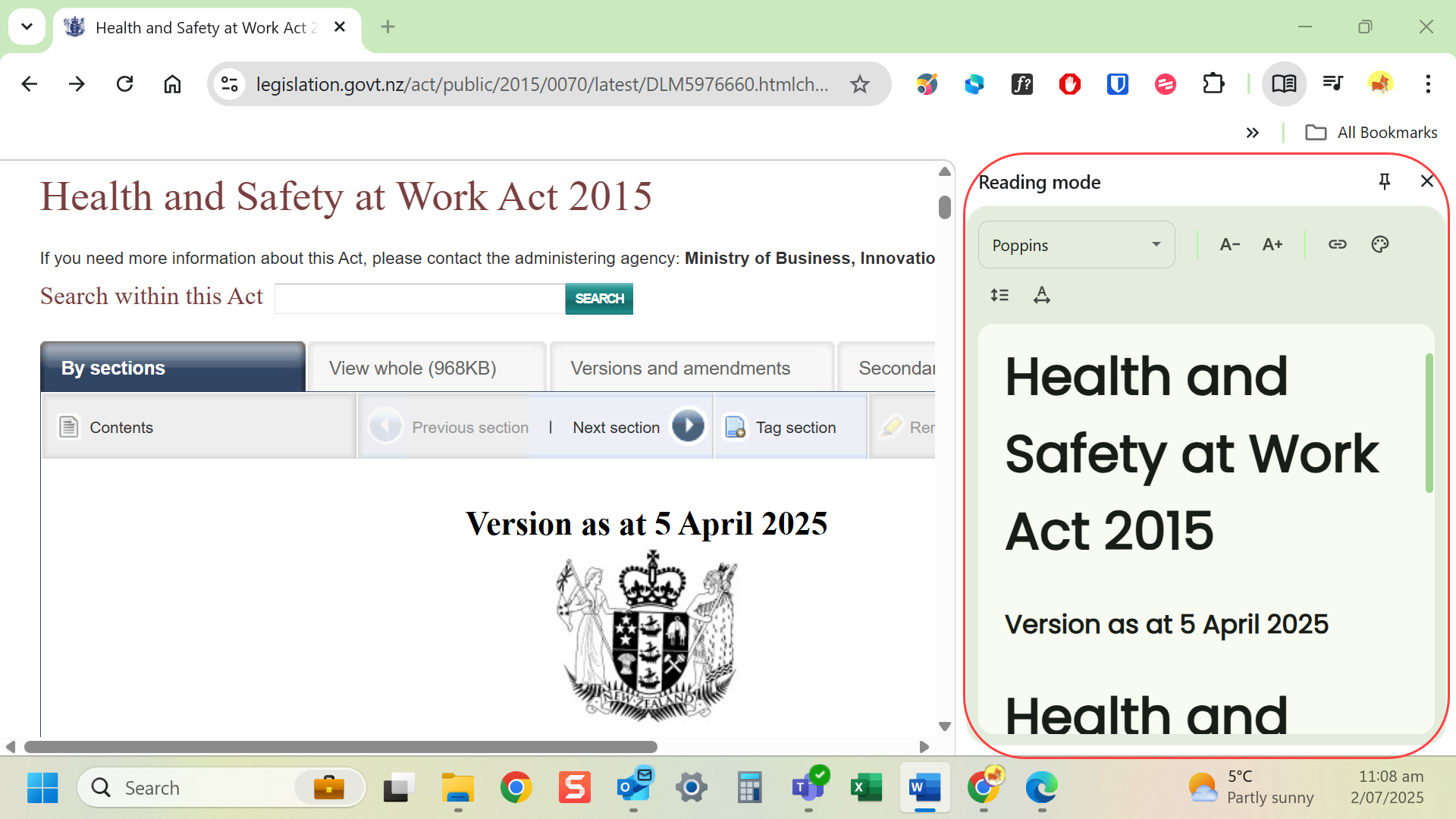
- Reading mode appear on the right-hand side of the screen.
Last modified: Friday, 29 August 2025, 8:10 AM