

PDF (Adobe Reader): Provide captioned videos if embedded
Instructions
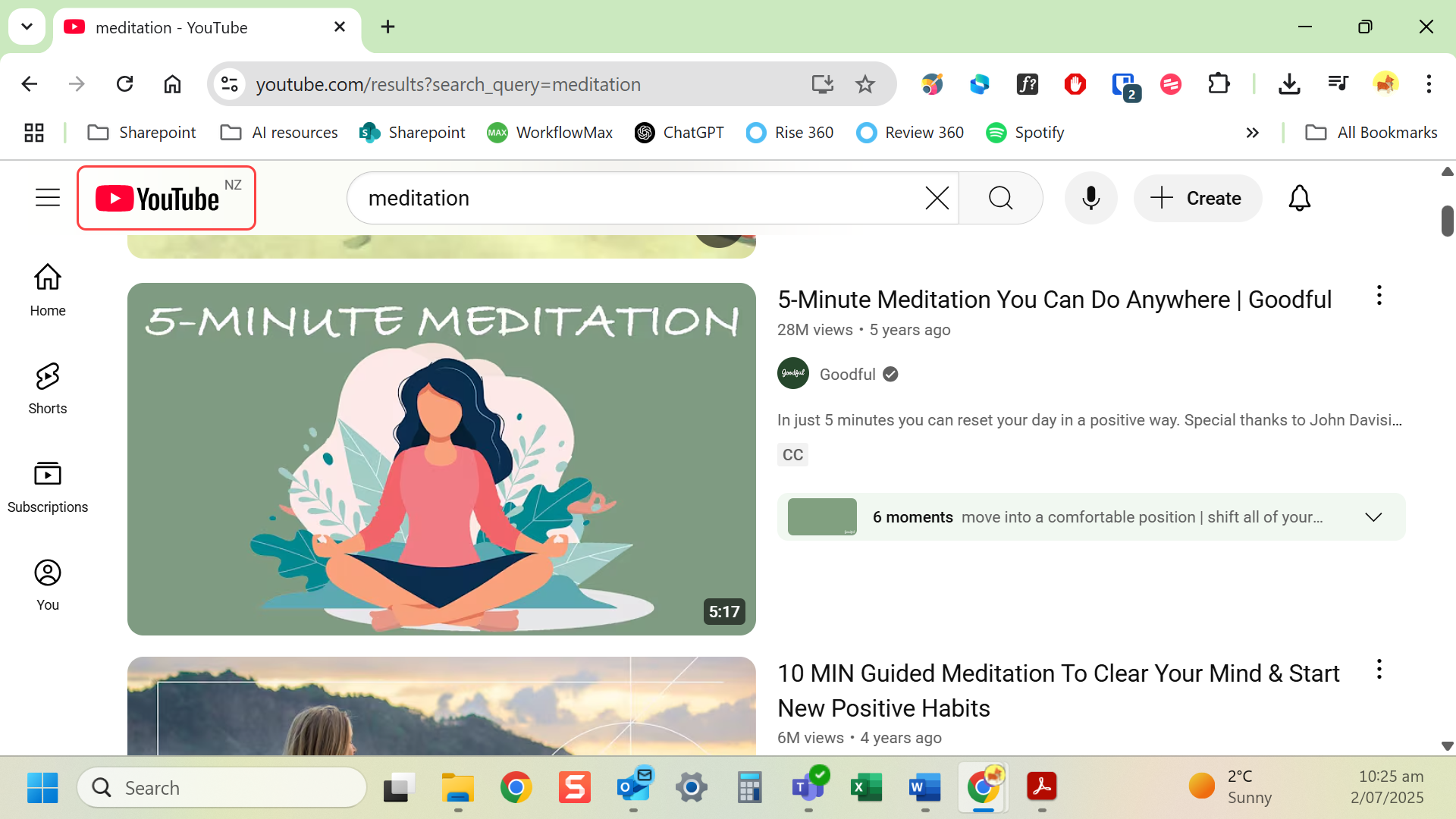
- Caption your video before embedding (use a video editor or YouTube captions).
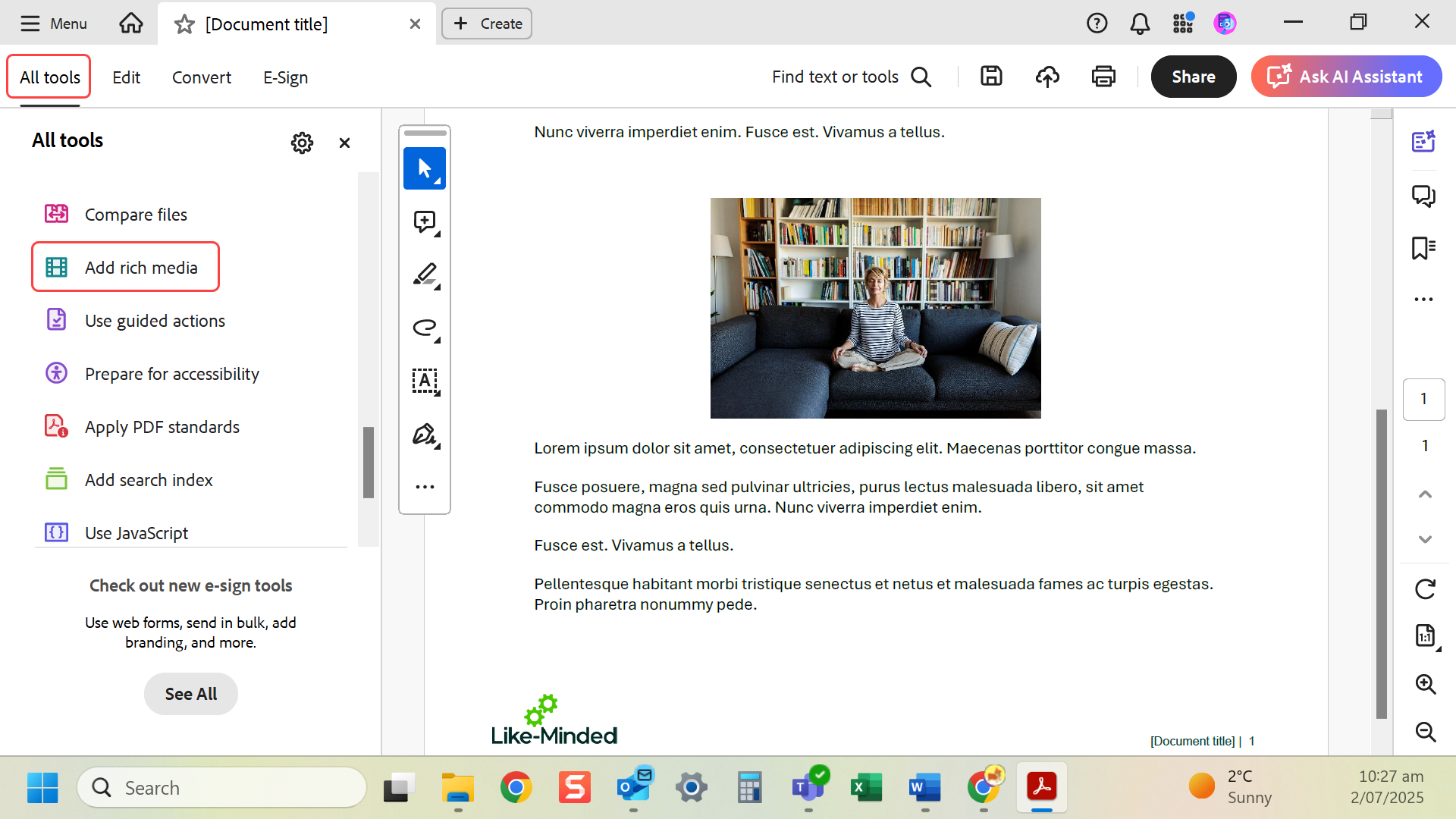
- In Adobe Acrobat Pro, go to All tools > Add rich media.
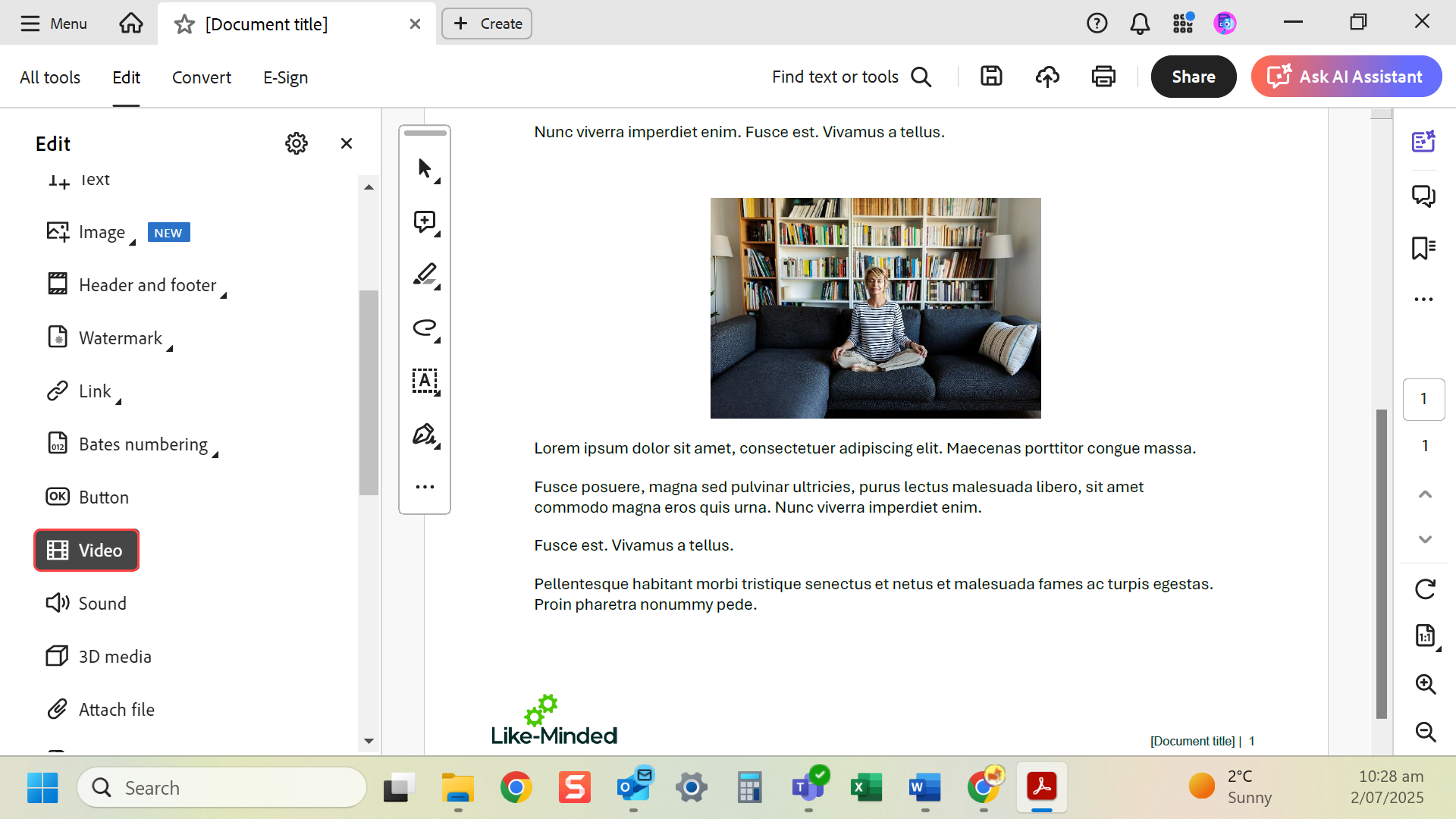
- Select Video and highlight where you want it to sit.
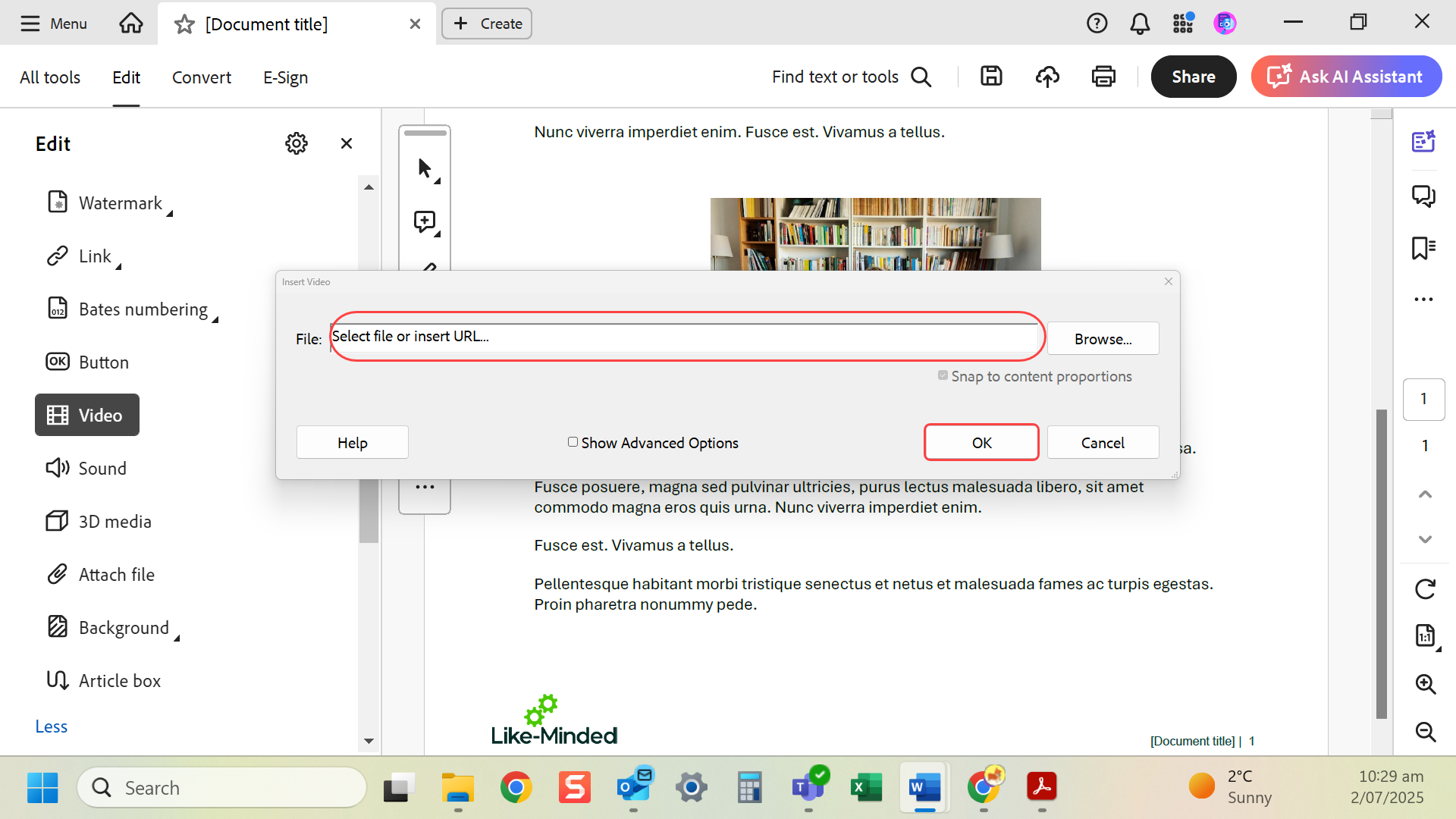
- Embed the captioned version of the video and select OK.
Last modified: Friday, 29 August 2025, 8:10 AM