

PDF (Adobe Reader): Ensure tagged PDFs (Pro version)
Instructions
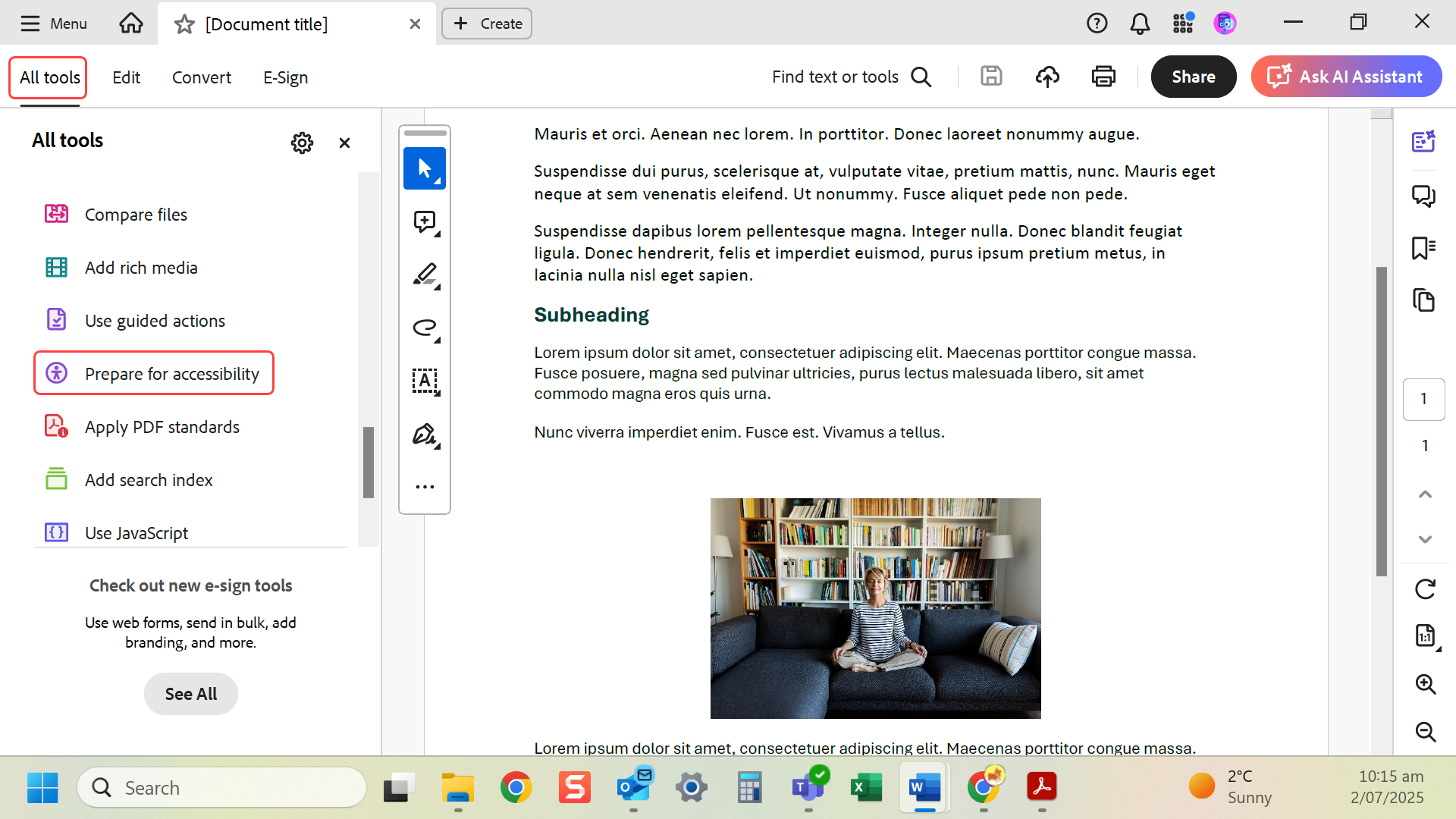
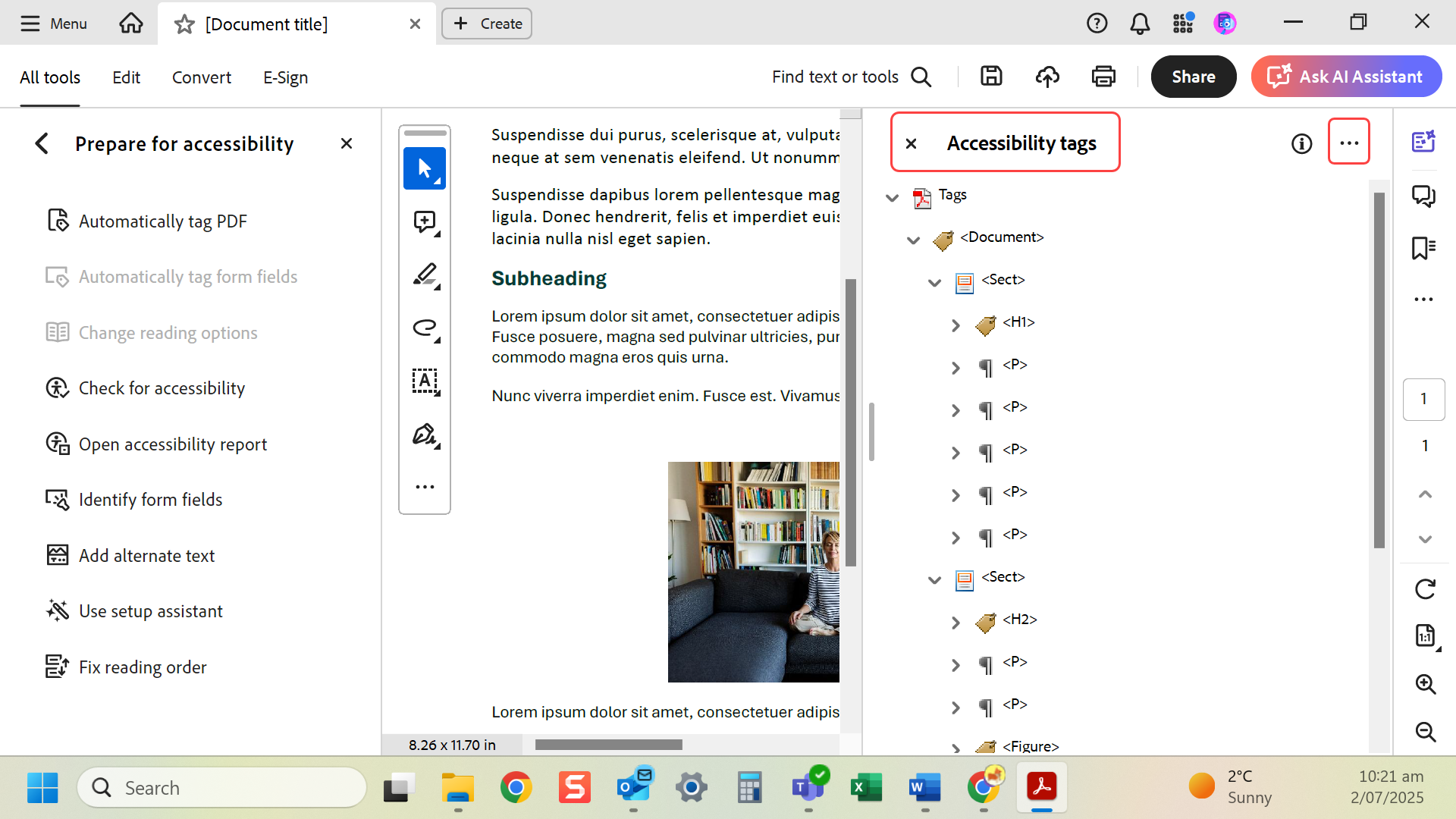
- Open PDF in Adobe Acrobat Pro. Go to All tools > Prepare for accessibility >. NB: sometimes you will need to select View more to find this.
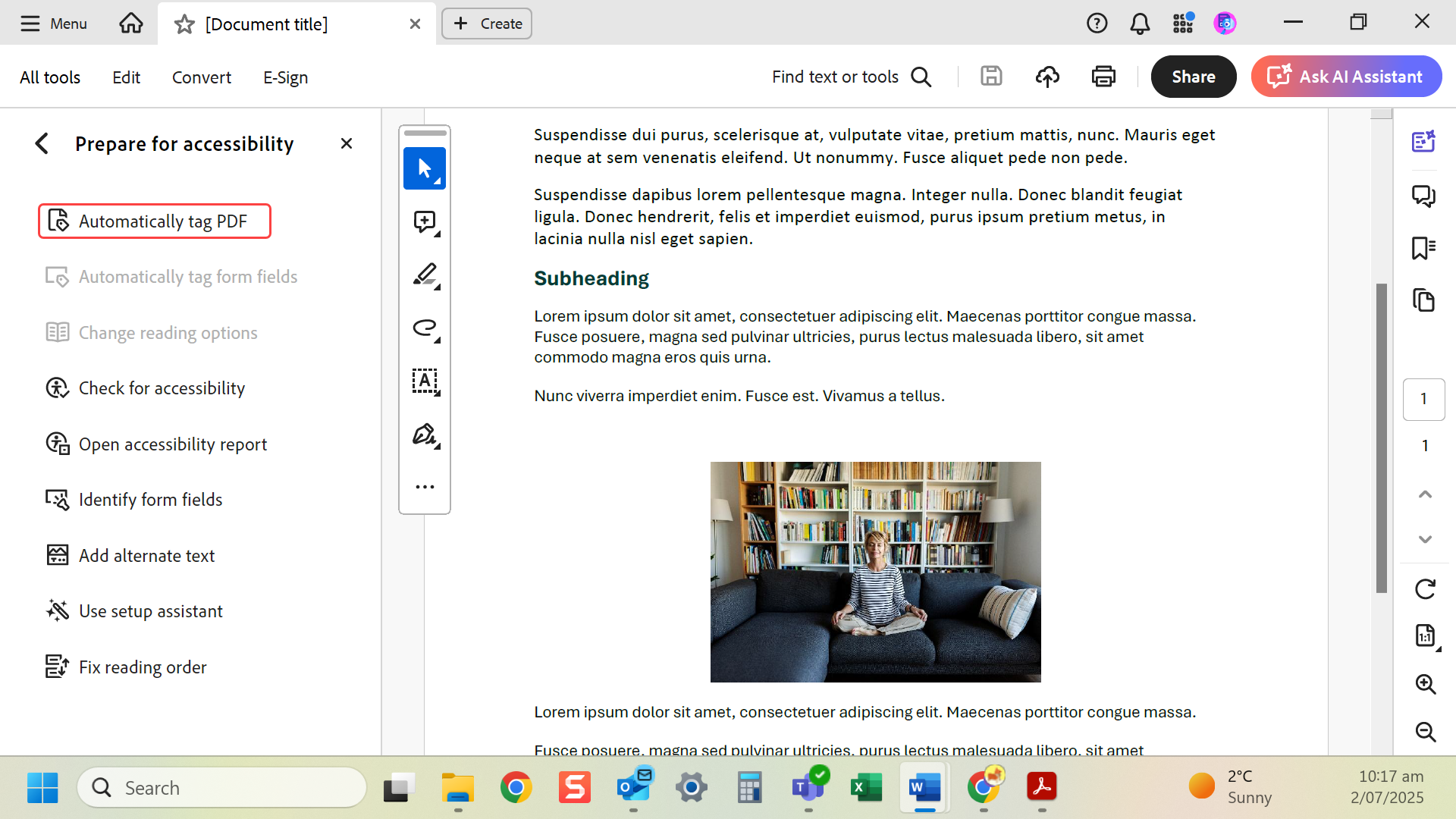
- Select Automatically tag PDF.
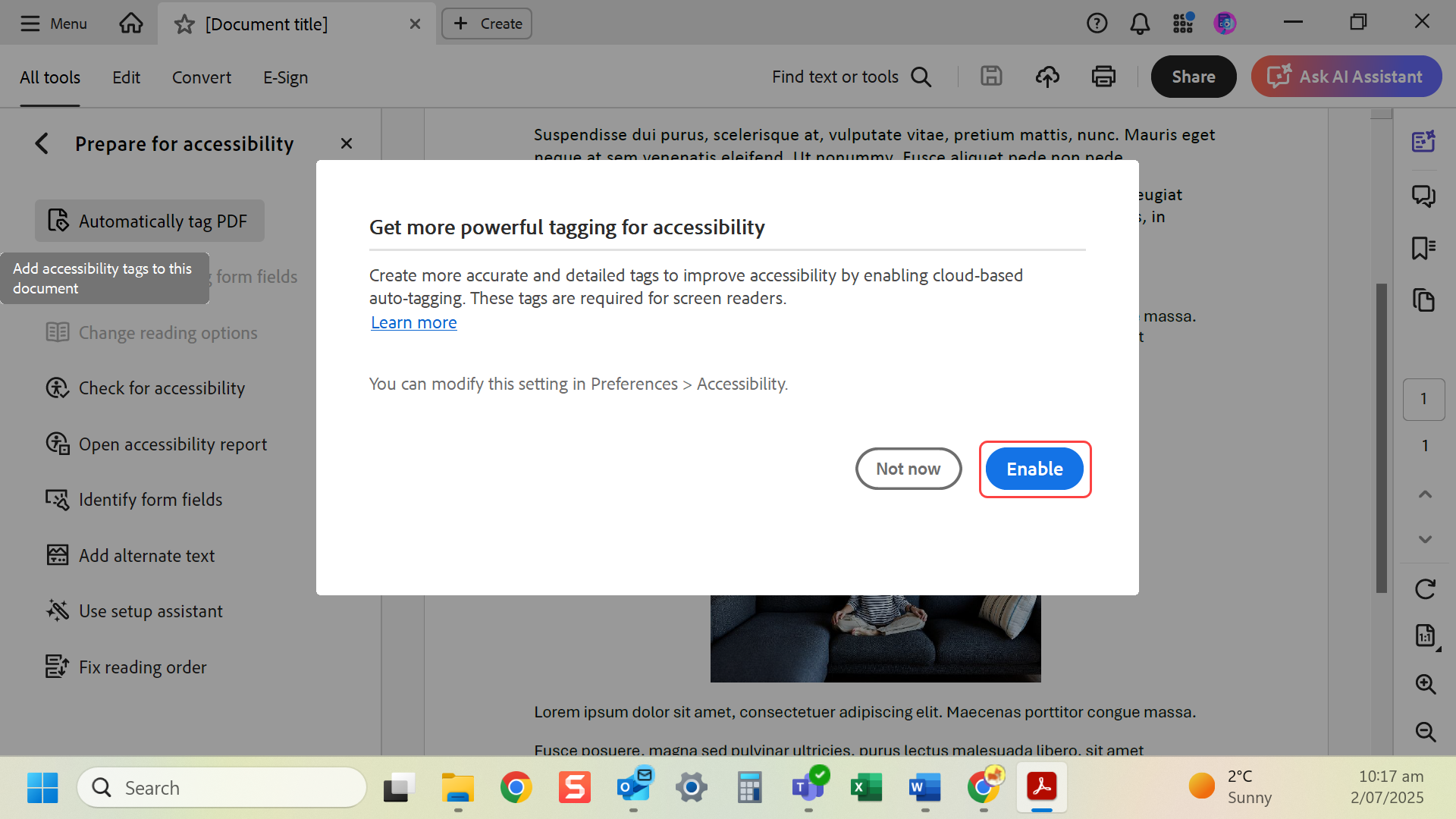
- Select Enable to create more accurate tags.
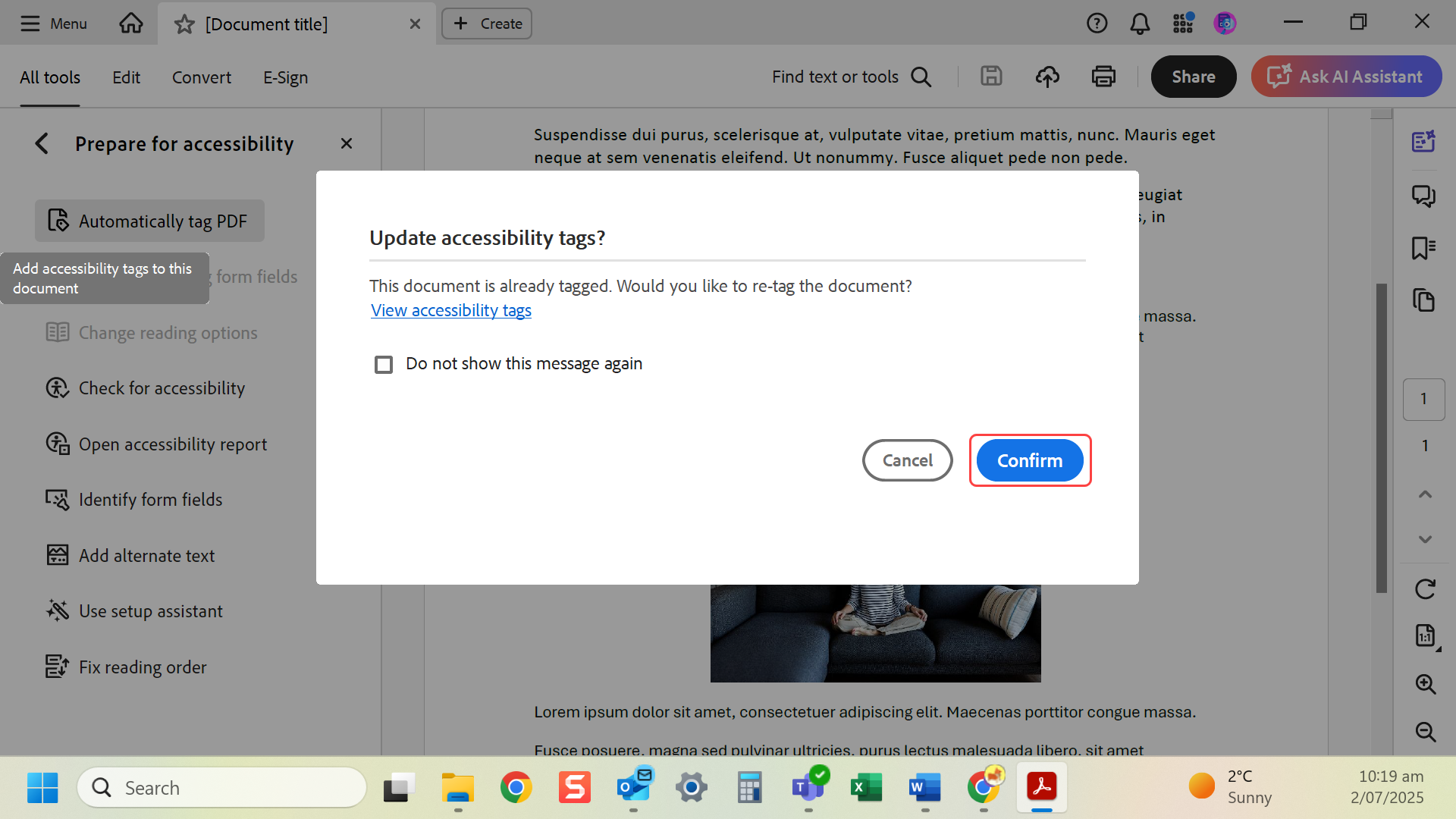
- If document is already tagged you can re-tag the document, by selecting Confirm.
- Acrobat adds structure (headings, paragraphs, lists).
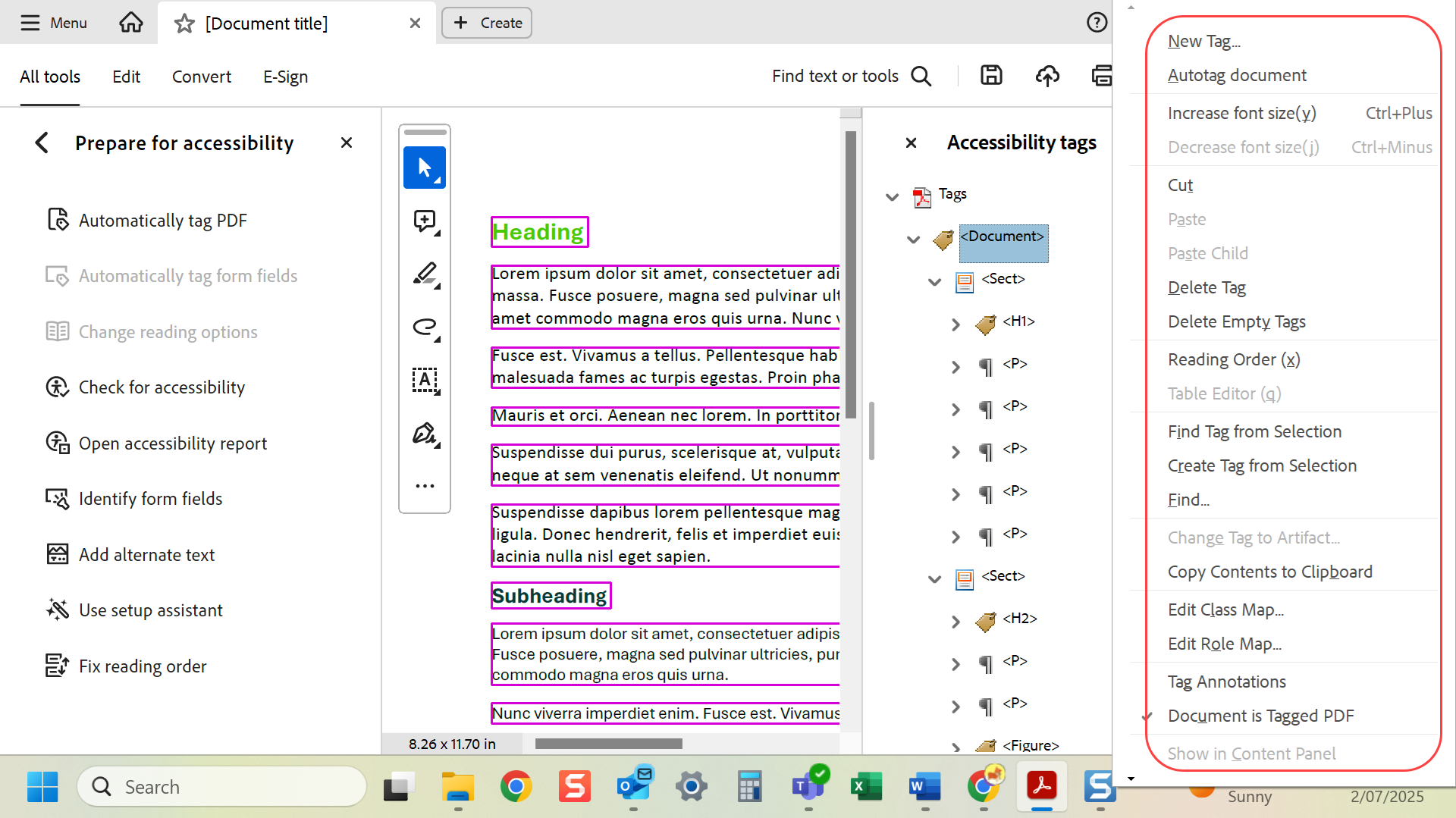
- You can select more (…) to adjust the tags.
Last modified: Friday, 29 August 2025, 8:09 AM