

Microsoft Teams: How to turn on Live Captions during a meeting
Instructions
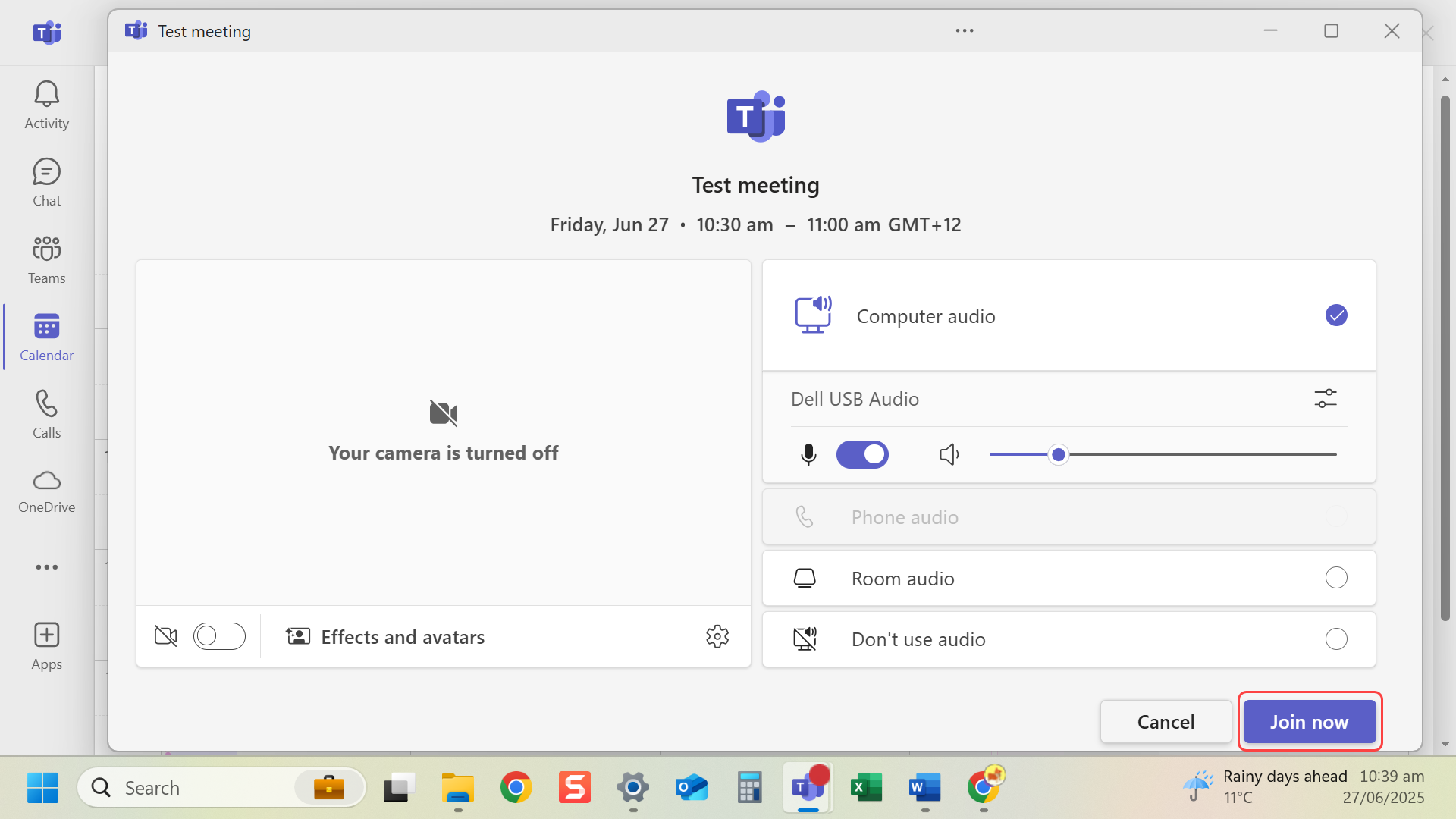
- Join or start a meeting.
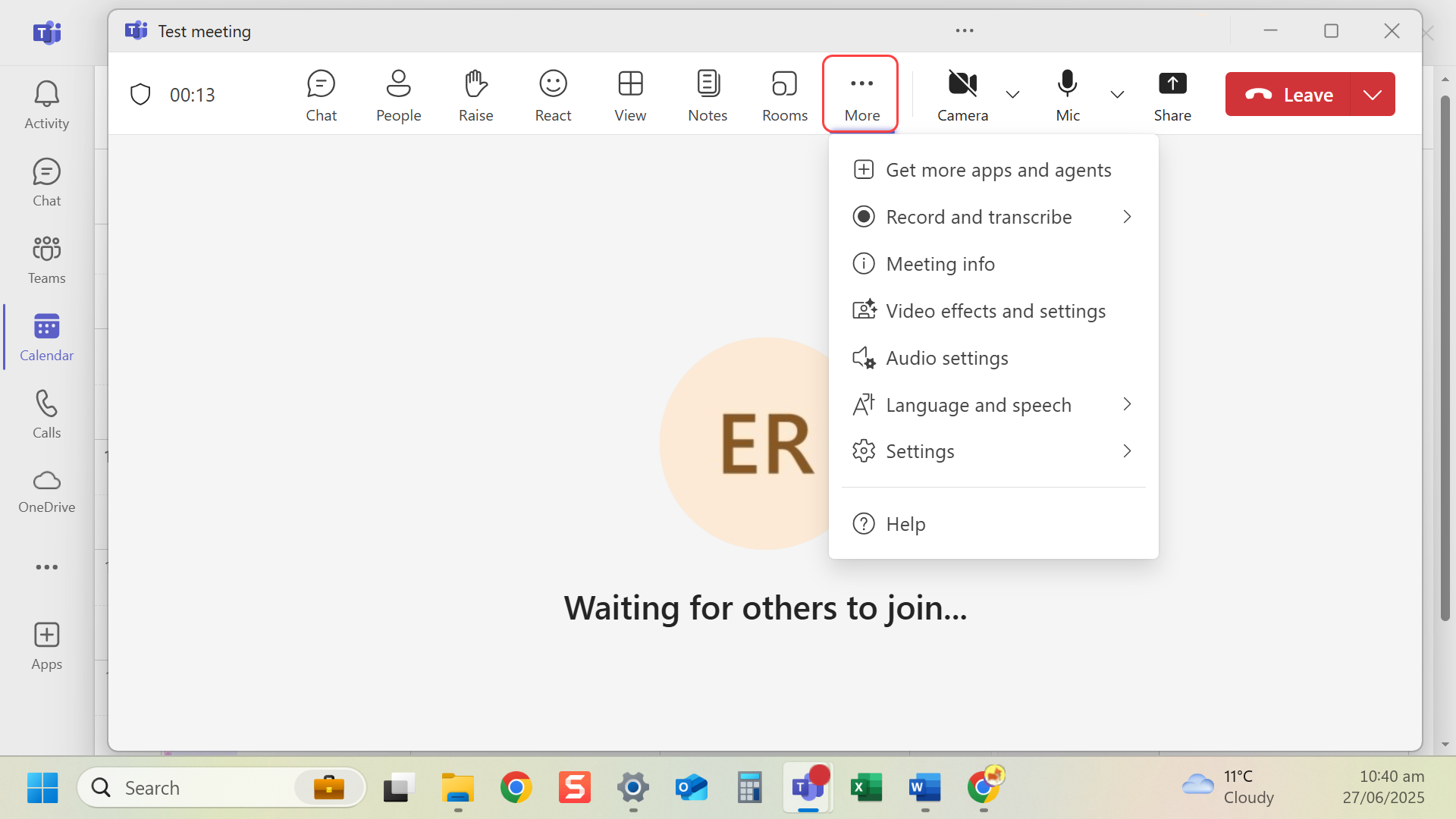
- Select More actions (… icon) on the top menu.
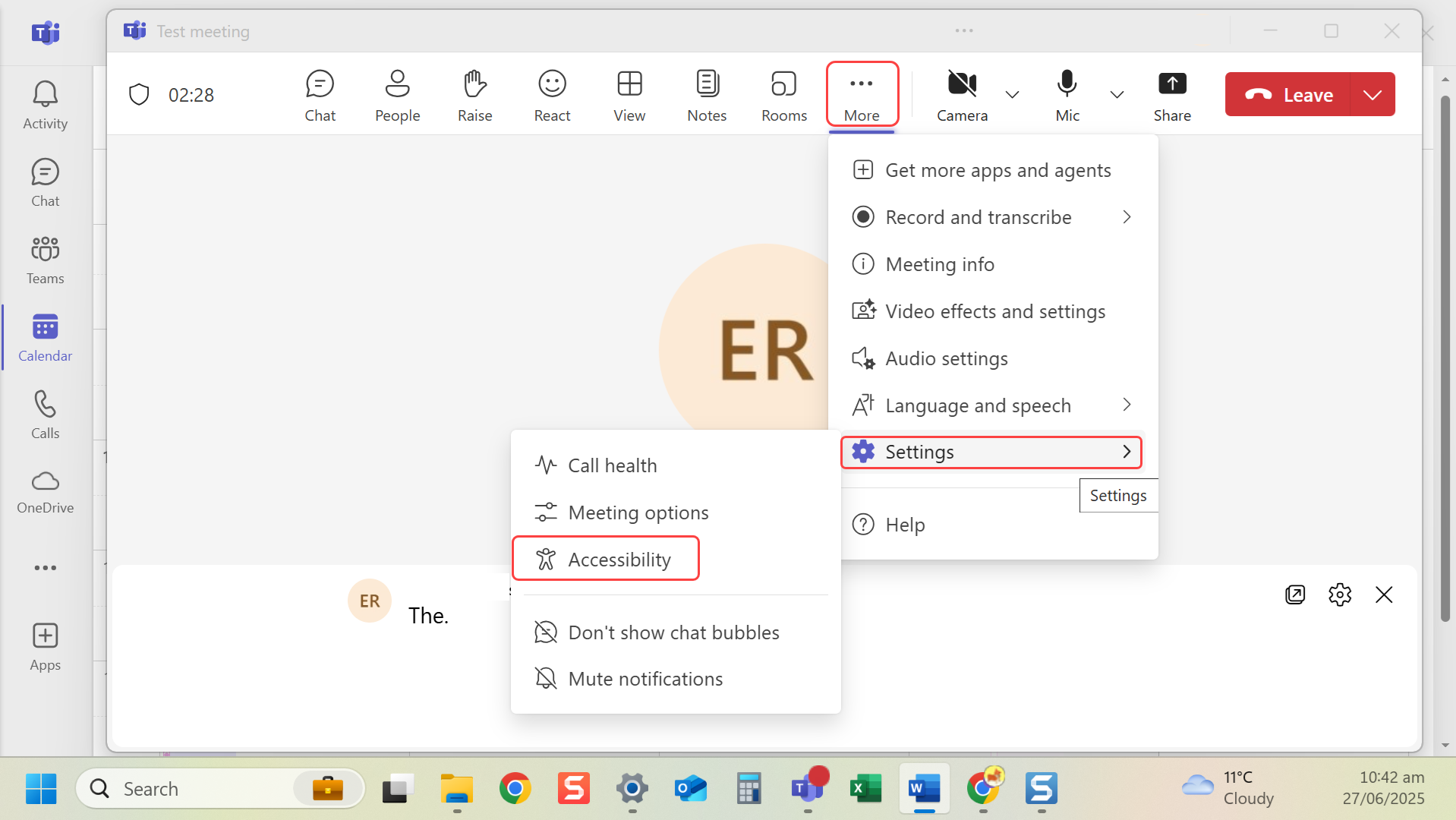
- Select Settings and then Accessibility.
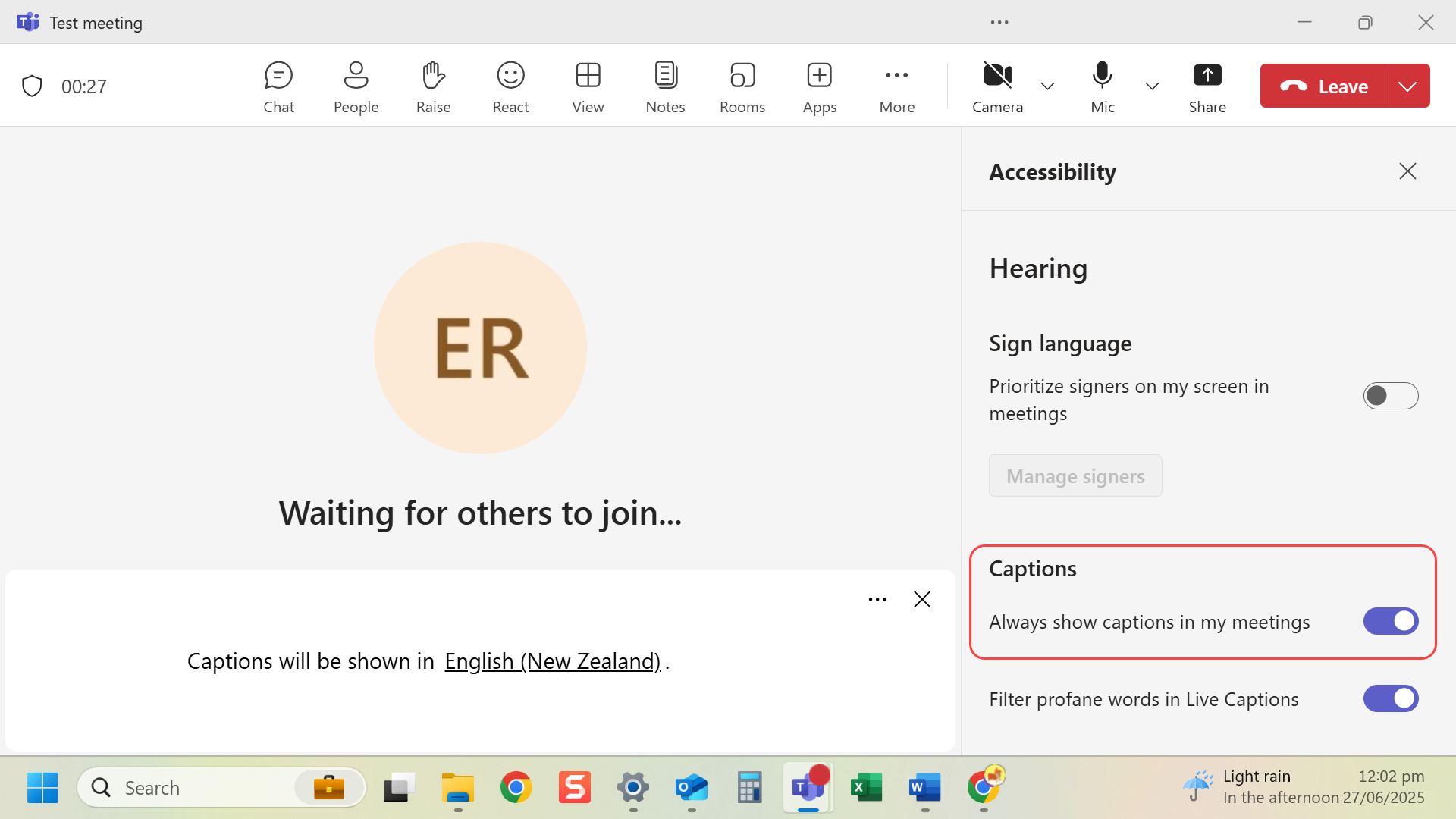
- Under Captions, toggle on Always show captions in my meetings.
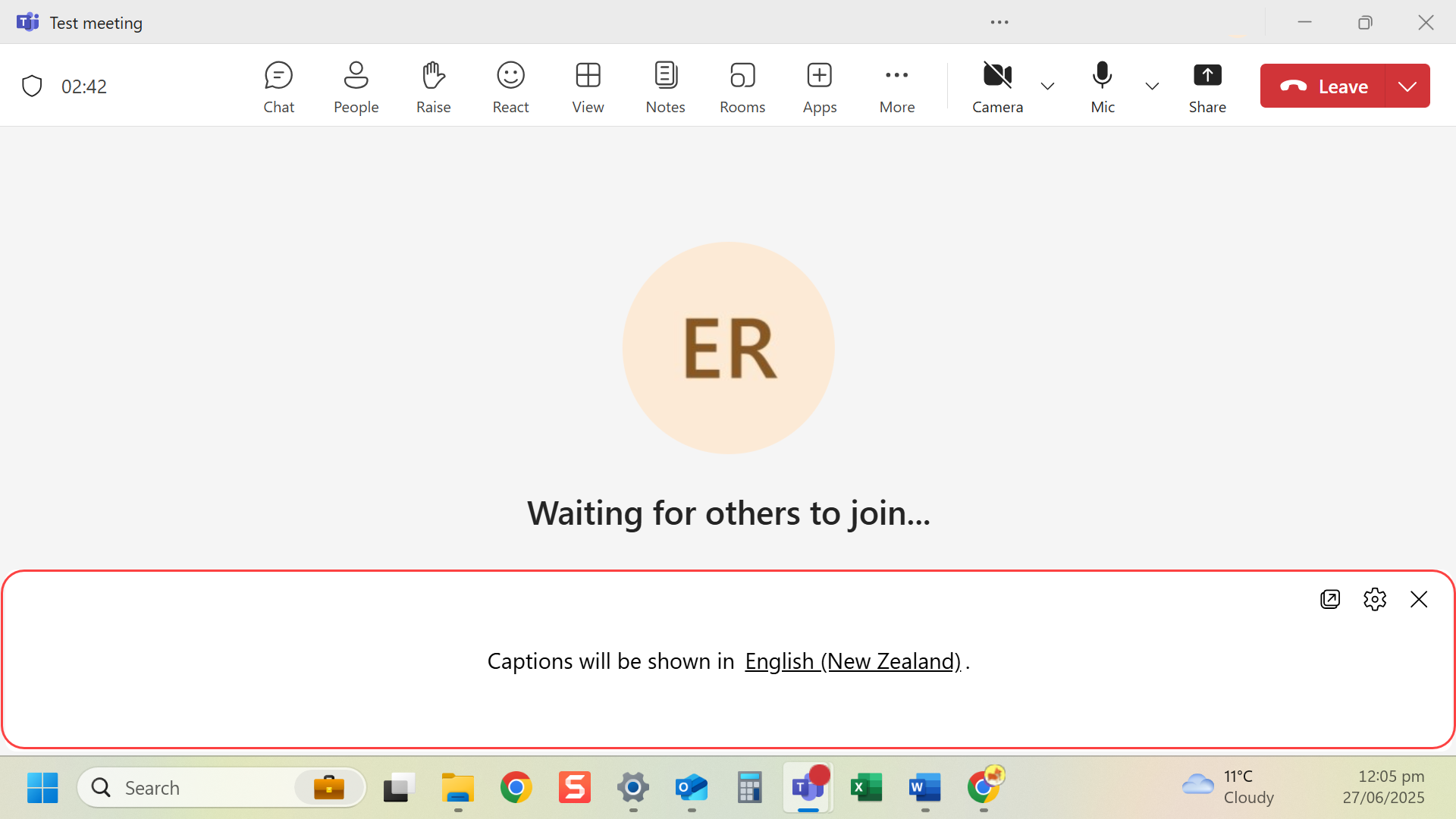
- Captions will appear at the bottom of the screen as people speak.
Last modified: Friday, 29 August 2025, 8:08 AM