

Microsoft Teams: How to use Immersive Reader
Instructions
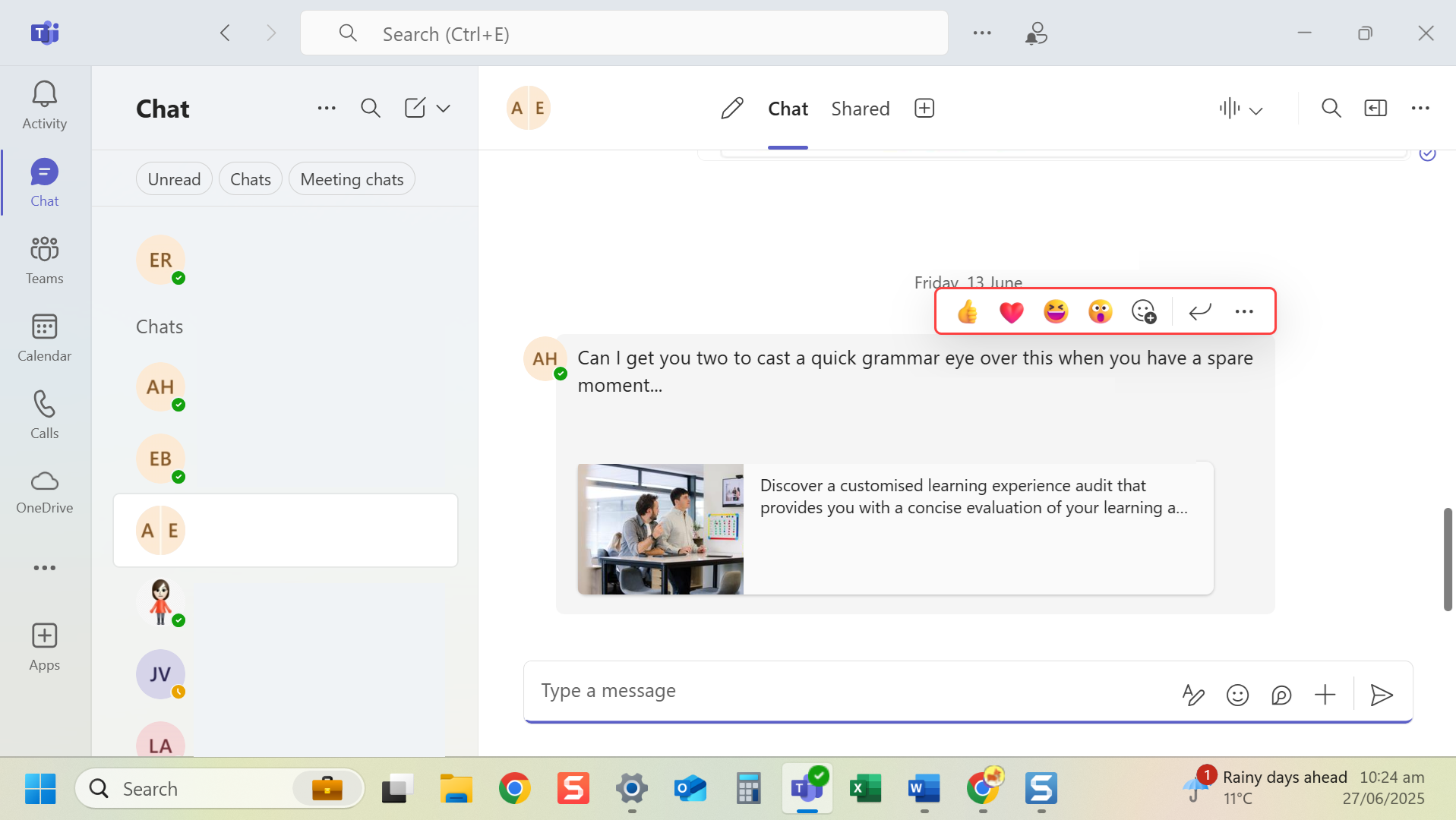
- Hover over or select a message in chat or channel.
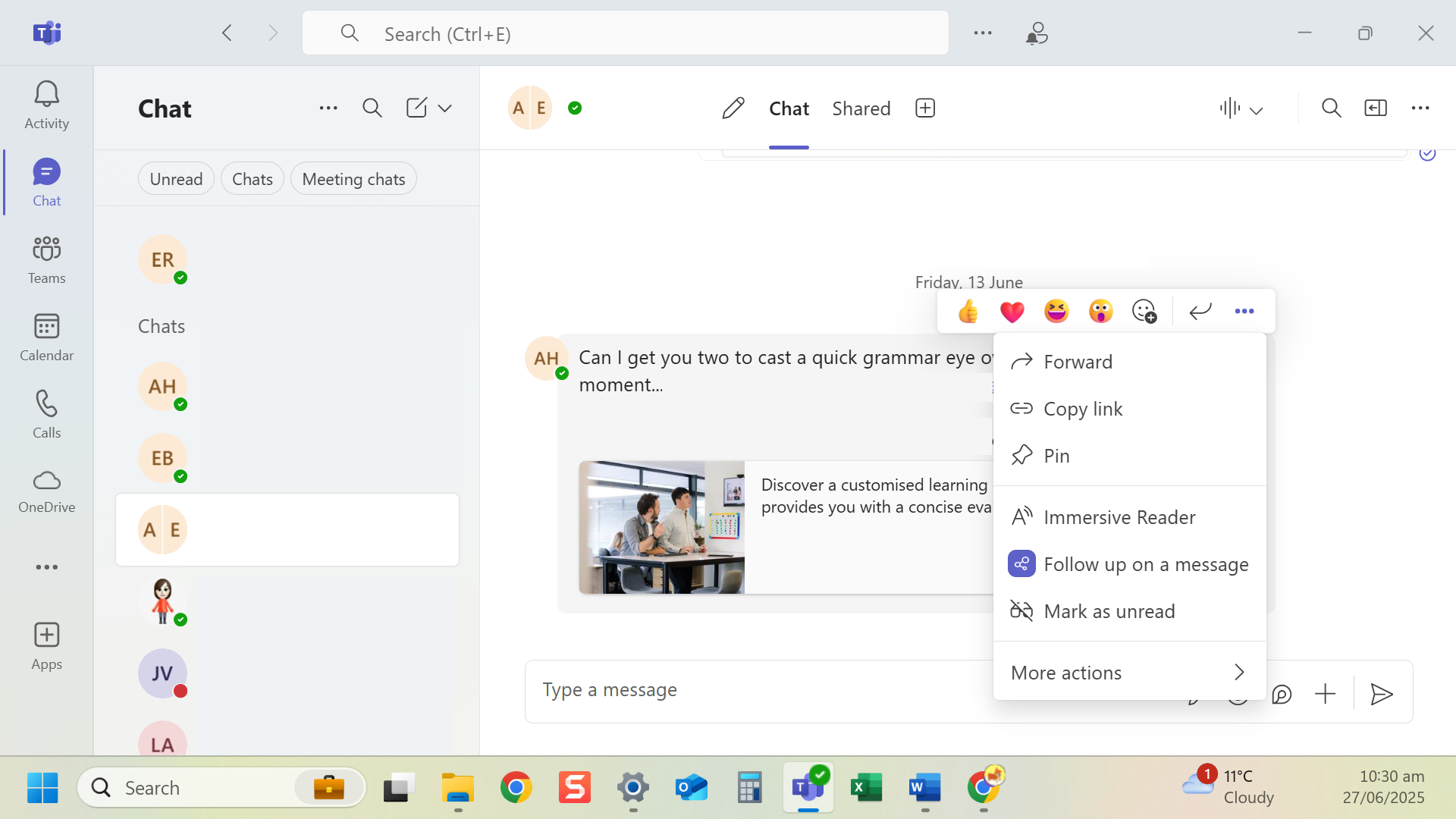
- Select the three dots (…) then Immersive Reader.
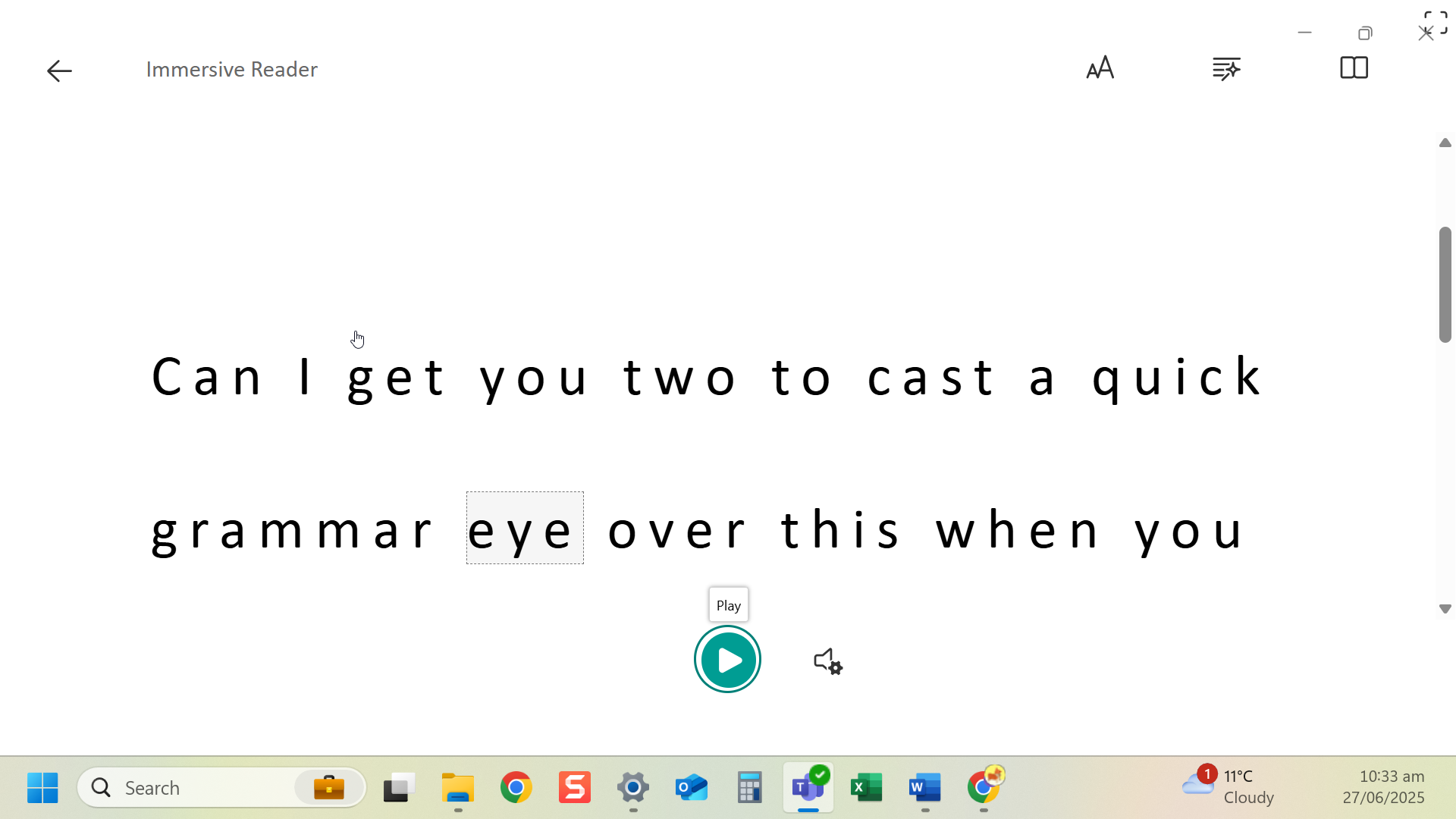
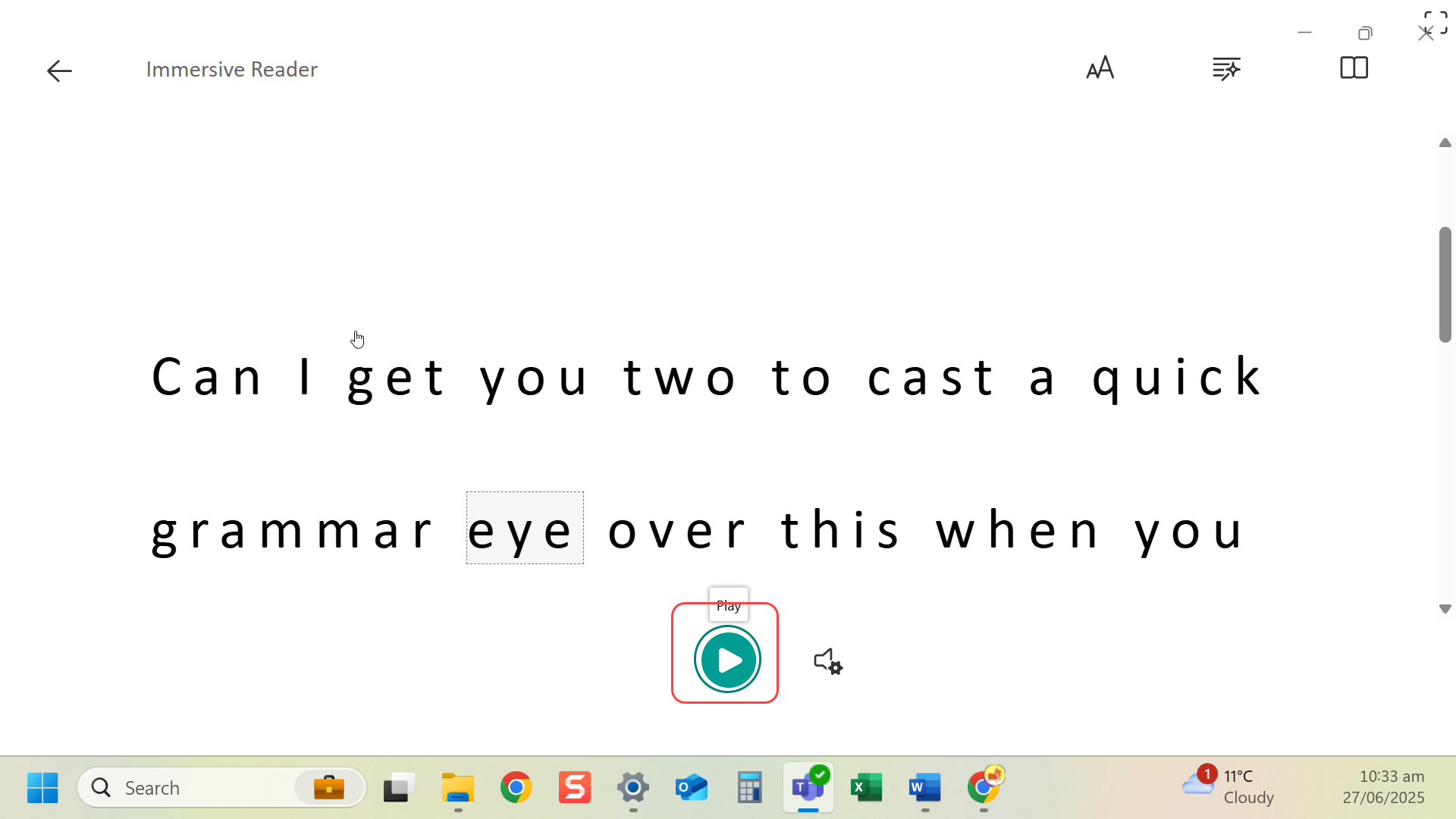
- The message opens in a full-screen reader view.
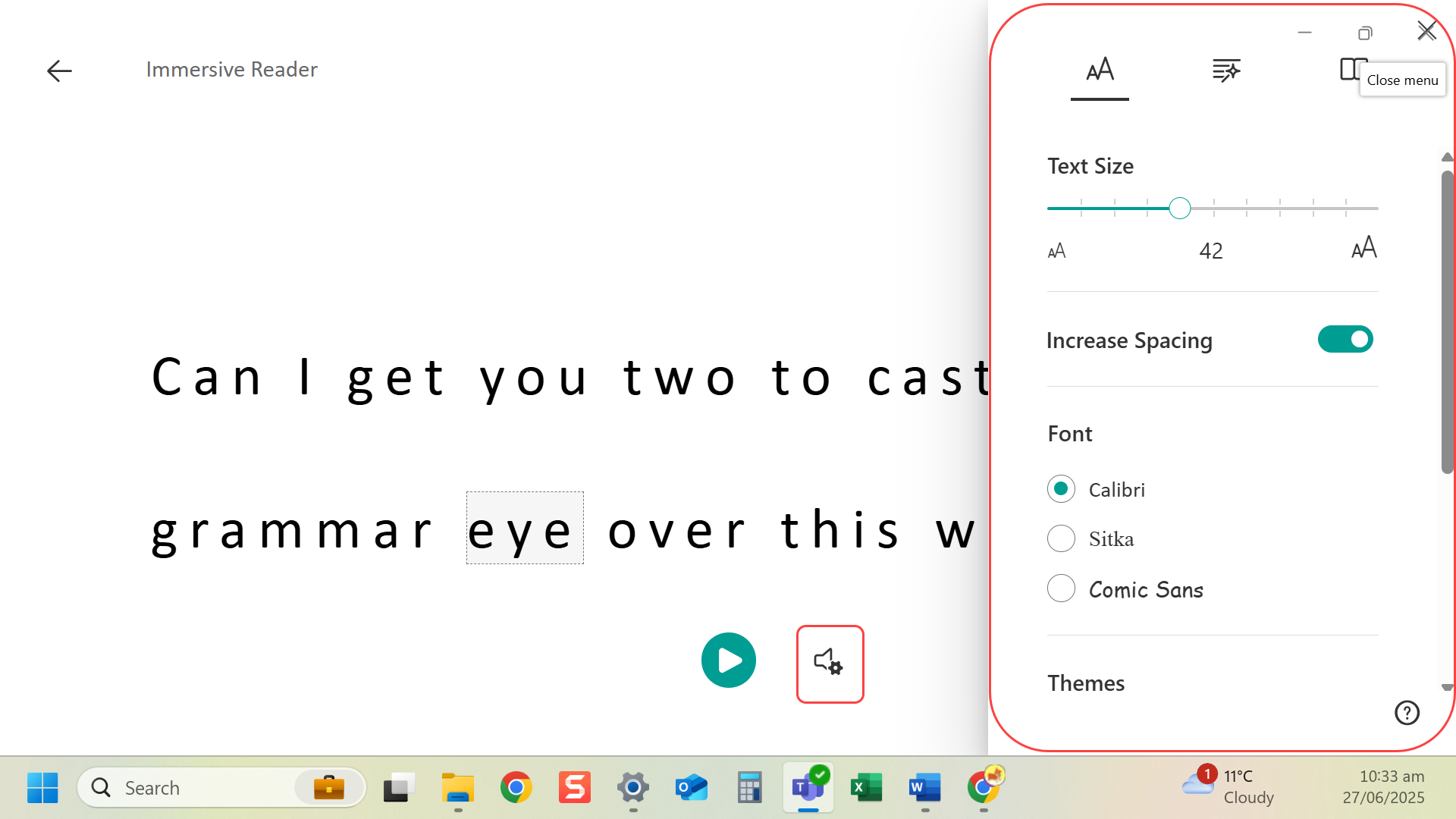
- Use options to change font size, spacing, background colour, and voice.
- Select Play to hear the message read aloud.
Tip: Use Immersive Reader to reduce visual clutter and support focus.
Last modified: Friday, 29 August 2025, 8:08 AM