

Built in MacOS: How to adjust System-wide Contrast Settings
Instructions
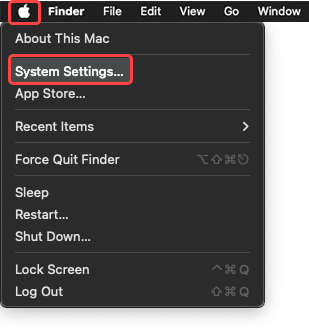
- Navigate to System Settings through the Apple menu.
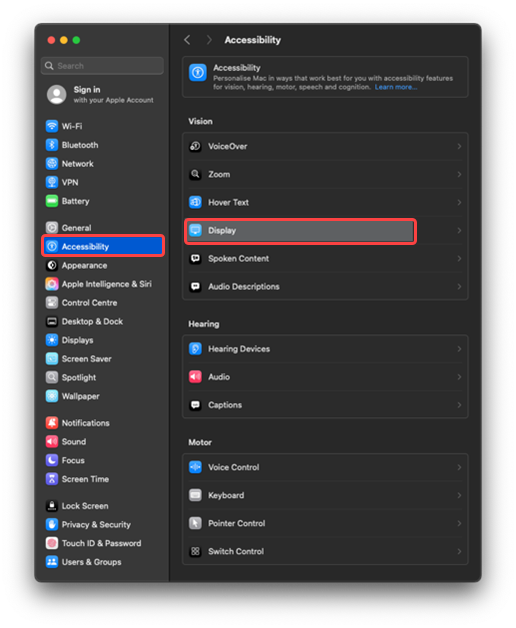
- Navigate to Accessibility and select Display.
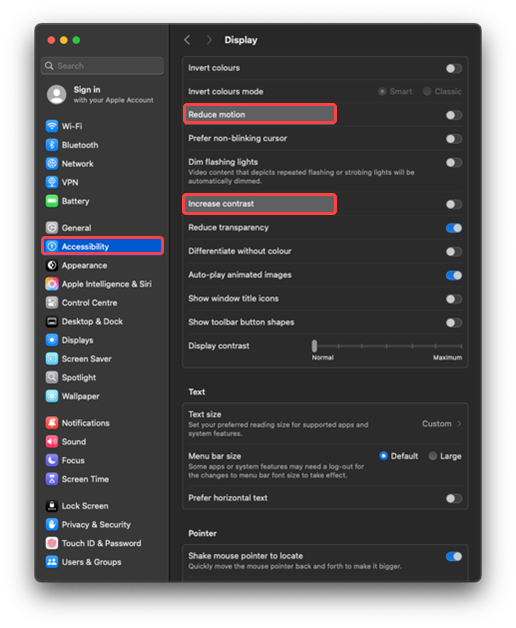
- Turn on Increase contrast or Reduce motion/transparency.
Tip: These settings affect all apps, helping maintain a consistent, readable interface. Test with apps to ensure visibility is improved across the system.
Last modified: Friday, 29 August 2025, 8:08 AM