

Built in MacOS: How to increase contrast or use inverted colours
Instructions
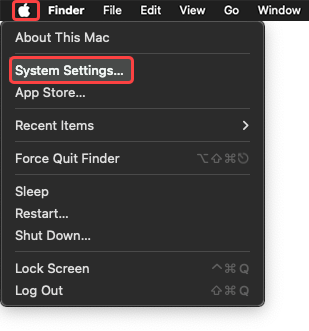
- Navigate to System Settings through the Apple menu.
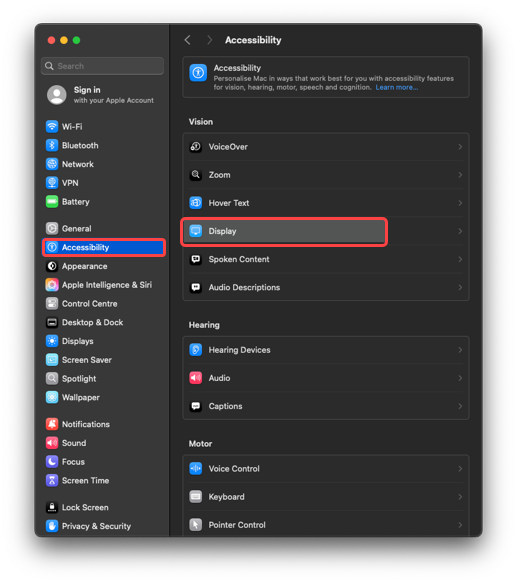
- Navigate to Accessibility and select Display.
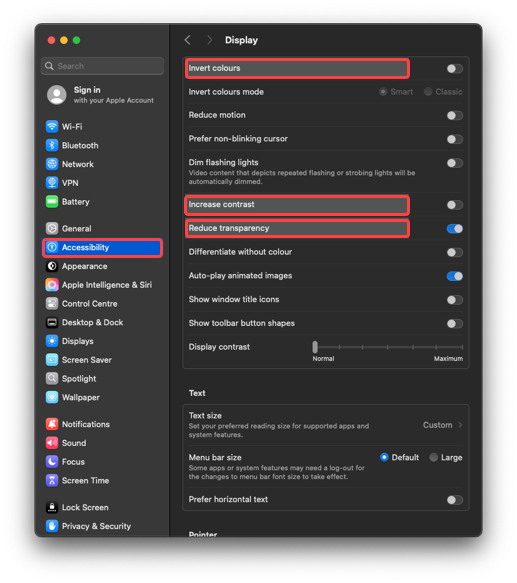
- Toggle Increase contrast, Reduce transparency, or Invert colours.
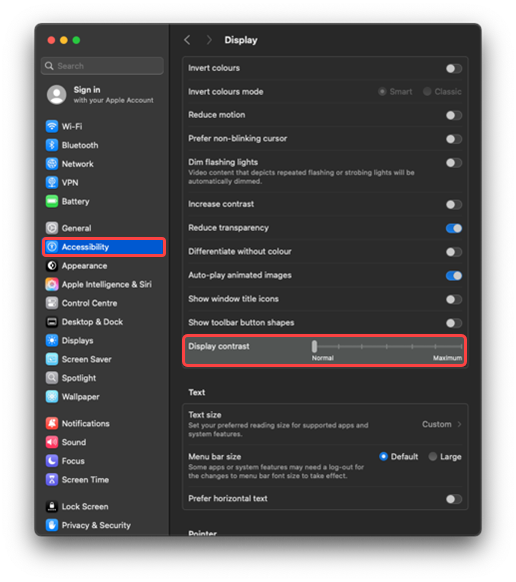
- Adjust intensity with sliders if available.
Last modified: Friday, 29 August 2025, 8:08 AM