

Built in MacOS: How to turn on Dictation (Speech to Text)
Instructions
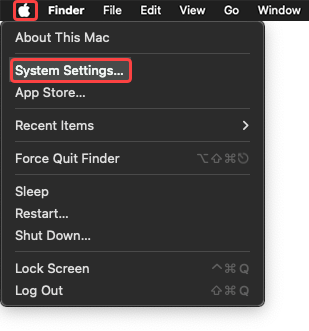
- Navigate to System Settings through the Apple menu.
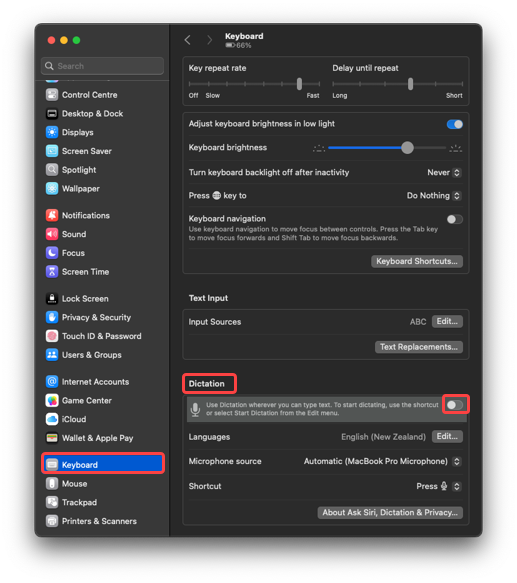
- Navigate to Keyboard and select Dictation.
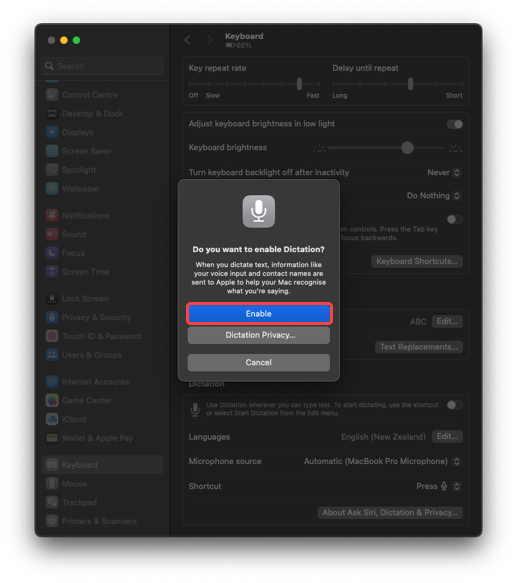
- Turn Dictation on.
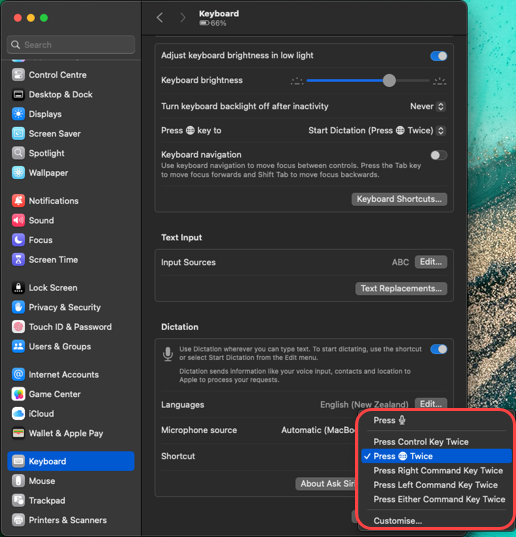
- Press Fn (Function) key twice to start dictating.
Tip: Punctuation commands like “full stop” or “new line” help structure speech. Speak clearly; text appears where your cursor is.
Last modified: Friday, 29 August 2025, 8:08 AM