

Built in MacOS: How to turn on Zoom (Screen Magnification)
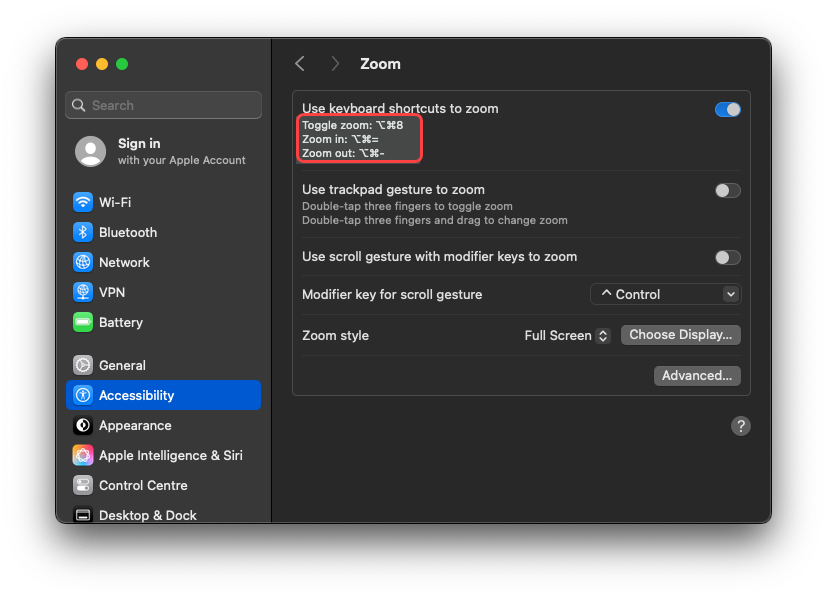
Instructions
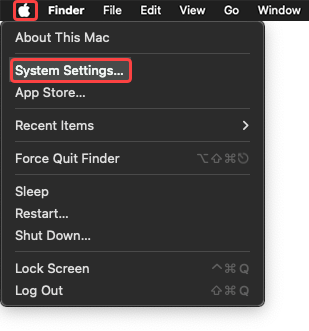
- Navigate to System Settings through the Apple menu.
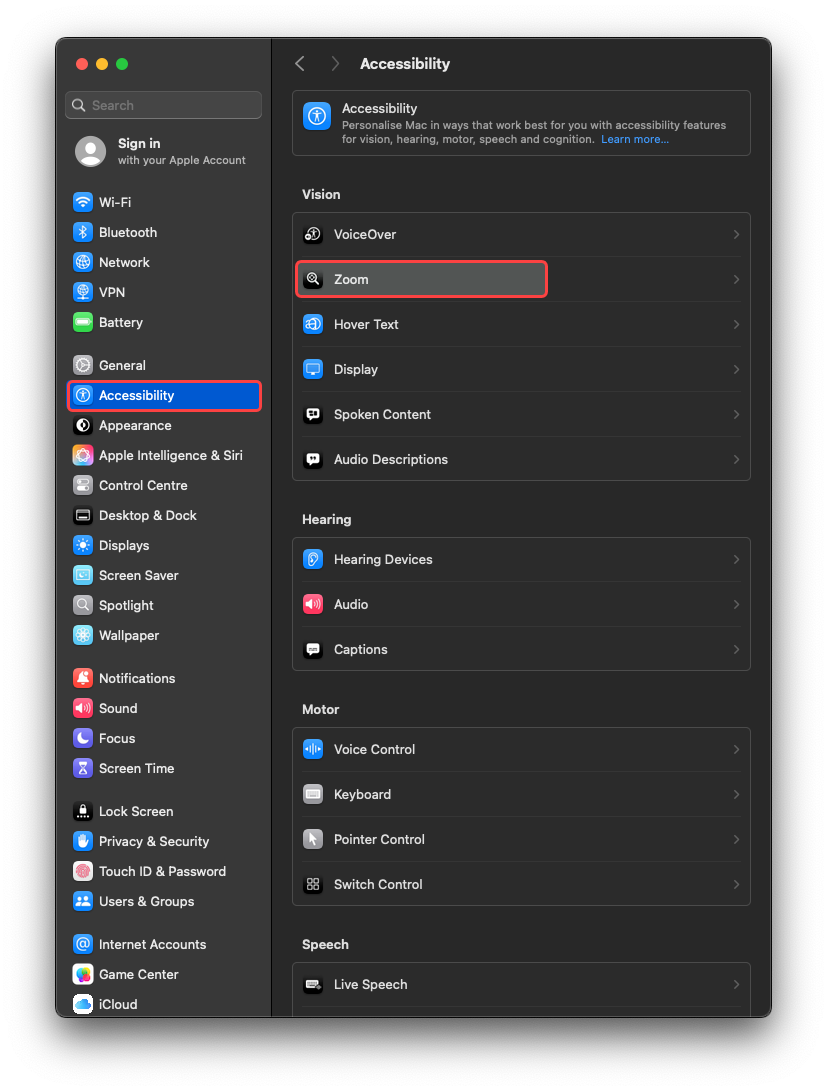
- Navigate to Accessibility and select Zoom.
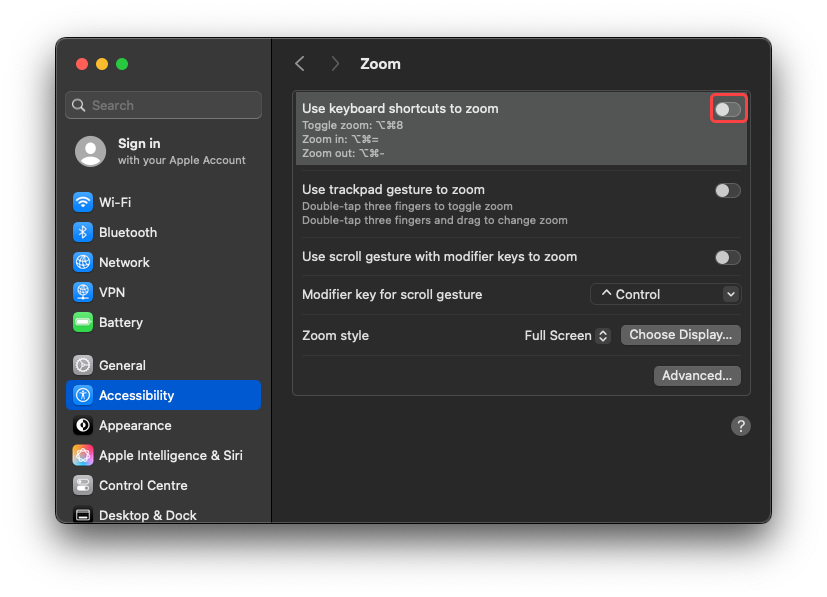
- Toggle Use keyboard shortcuts to zoom.
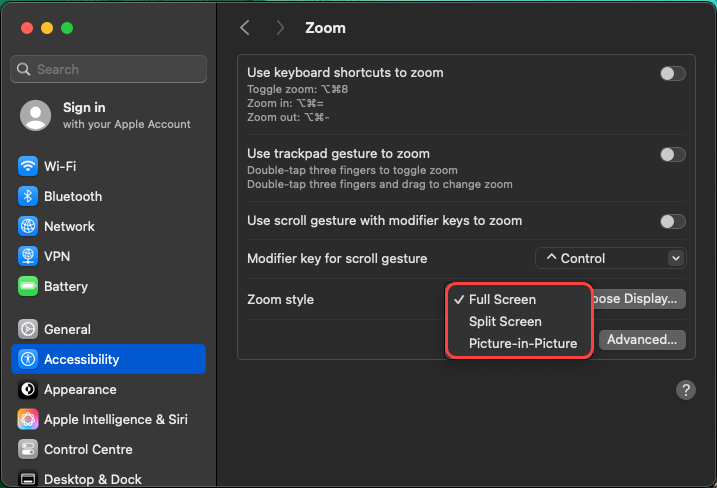
- Choose Full screen, Split screen or Picture-in-picture.
- Use Option + Command + 8 to toggle zoom on/off.
Last modified: Friday, 29 August 2025, 8:08 AM