

Built-in Windows: How to adjust Display Scaling and Brightness

Instructions
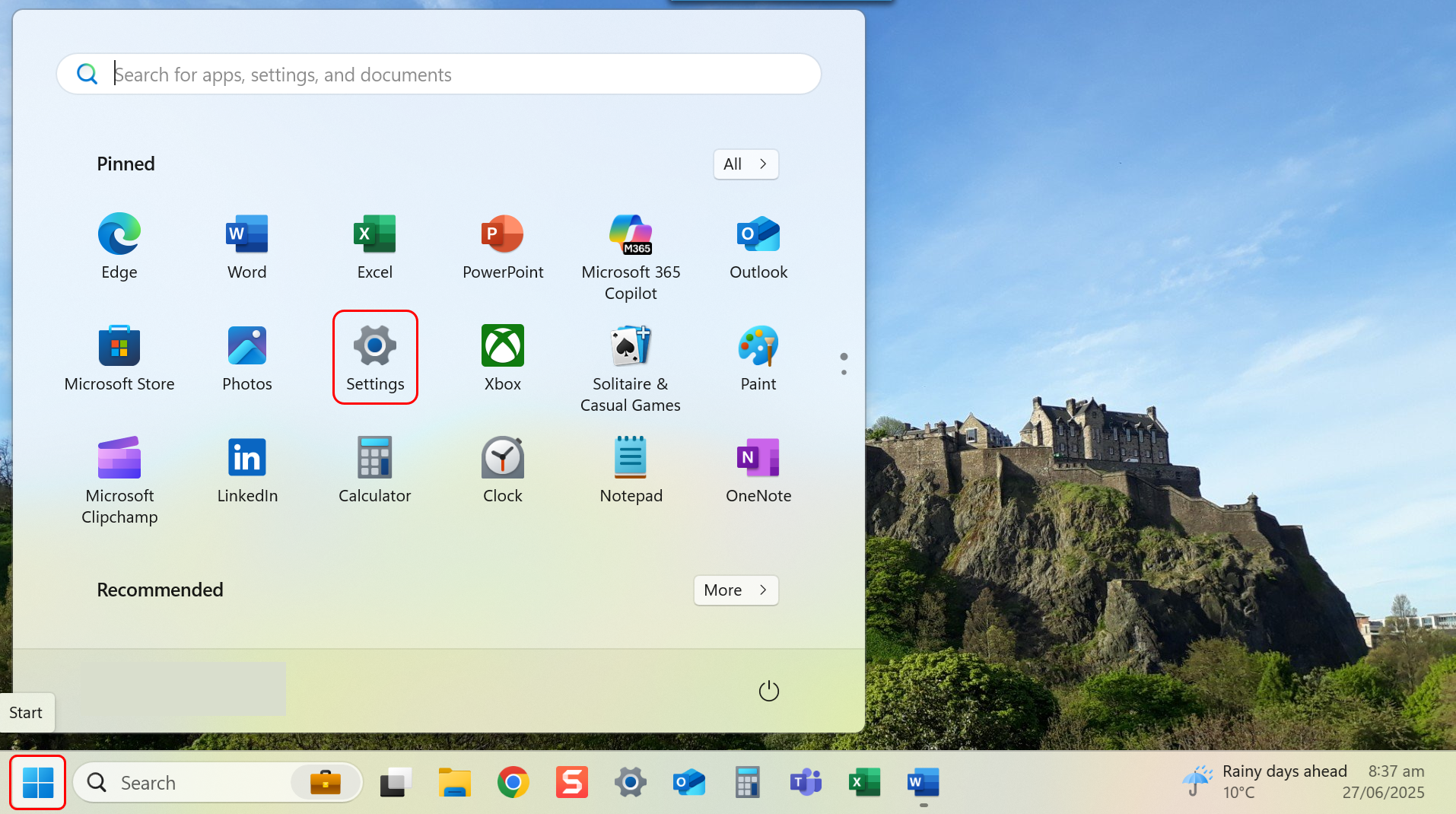
- Navigate to Settings through the Start menu.
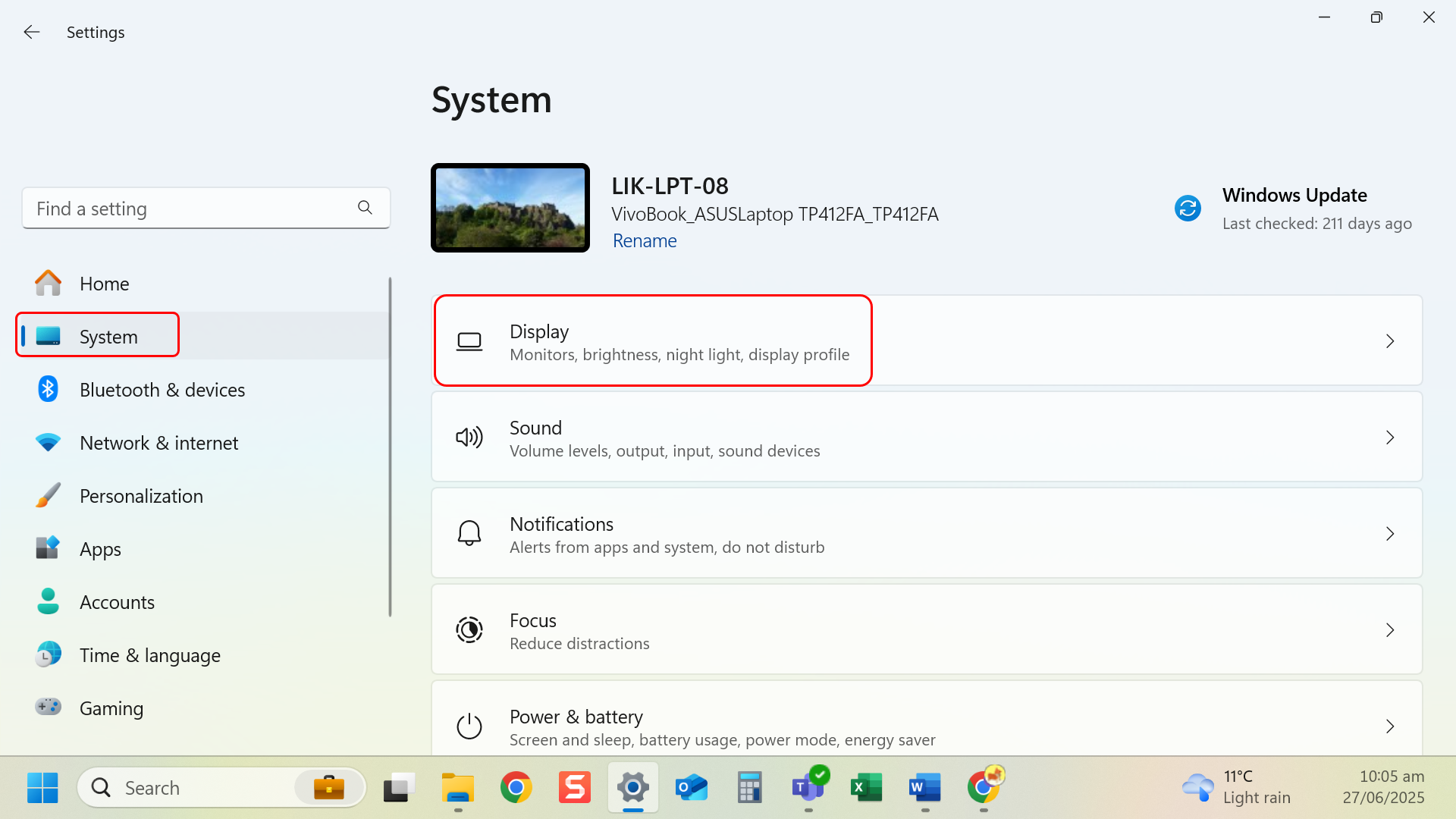
- Navigate to left-hand side menu and select System.
- Select Display.
- Under Brightness and color, use the slider to adjust the screens brightness.
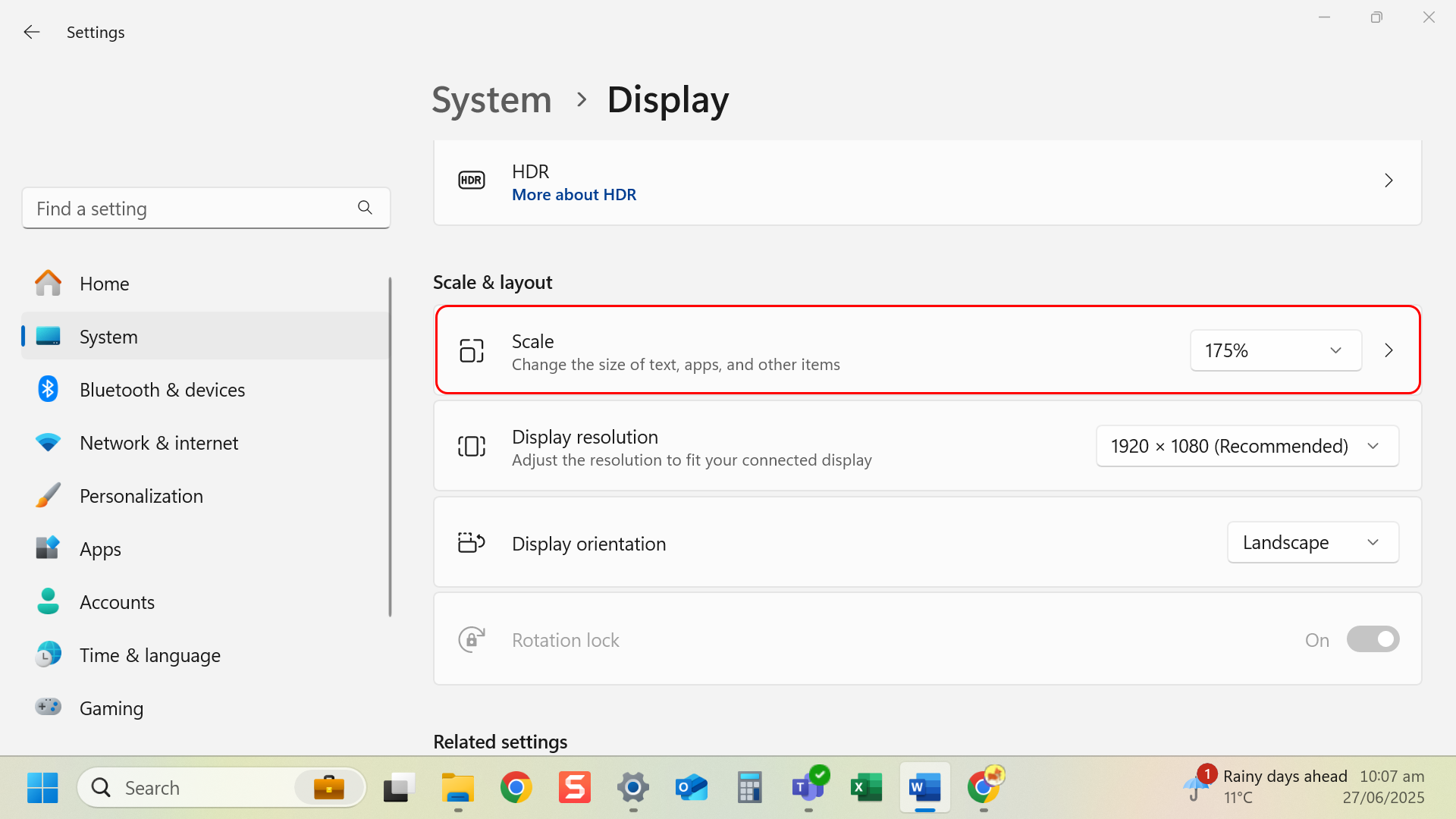
- Under Scale & layout, choose a percentage (e.g. 125%, 150%) for Scale.
Tip: Larger scaling helps reduce eye strain and makes reading easier.
Last modified: Friday, 29 August 2025, 8:07 AM