

Built-in Windows: How to use Magnifier
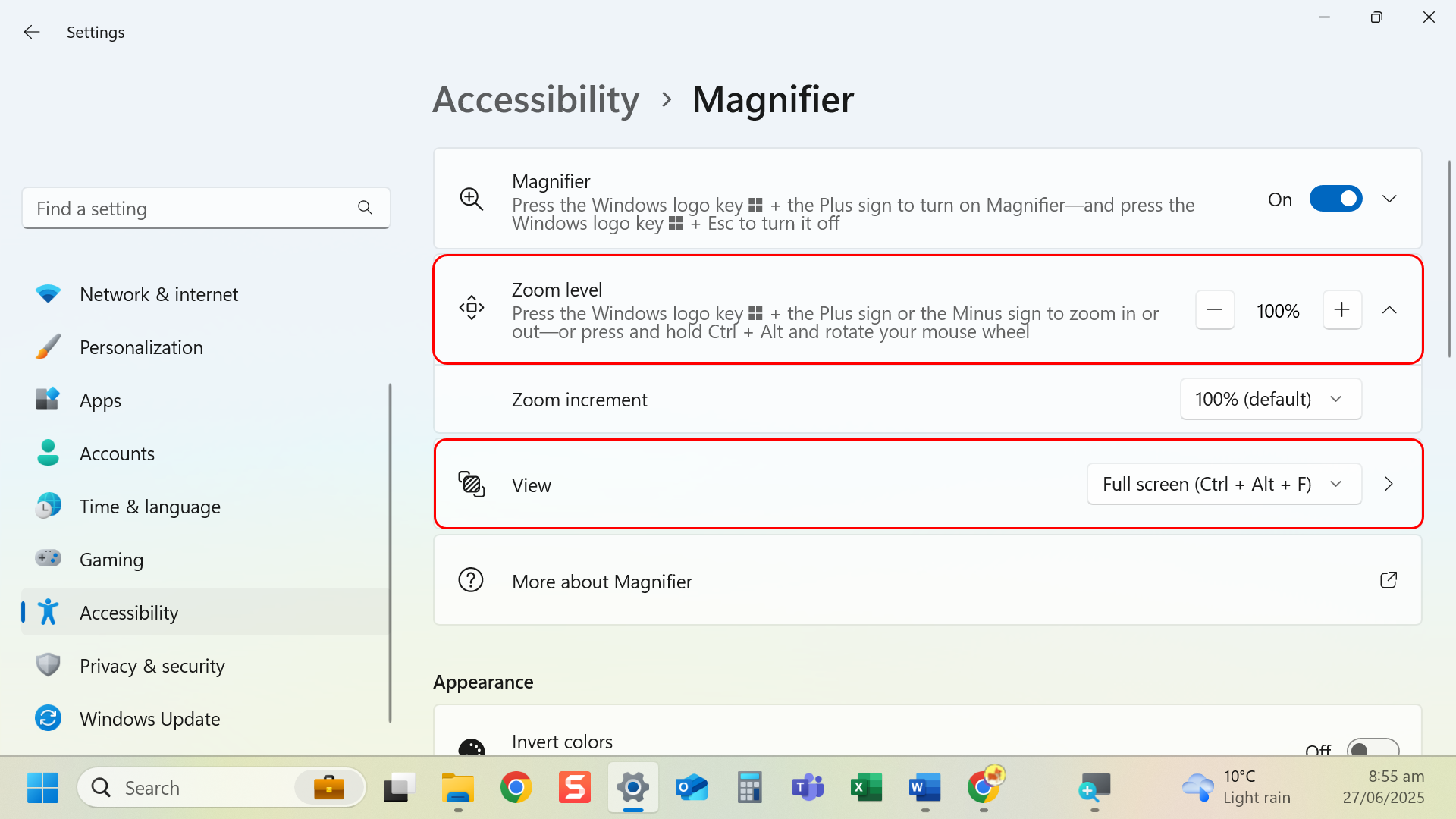
Instructions
- Keyboard shortcut: Press Windows + Plus (+) to turn on Magnifier.
- Mouse shortcut: Press Ctrl and use the mouse’s scroll wheel.
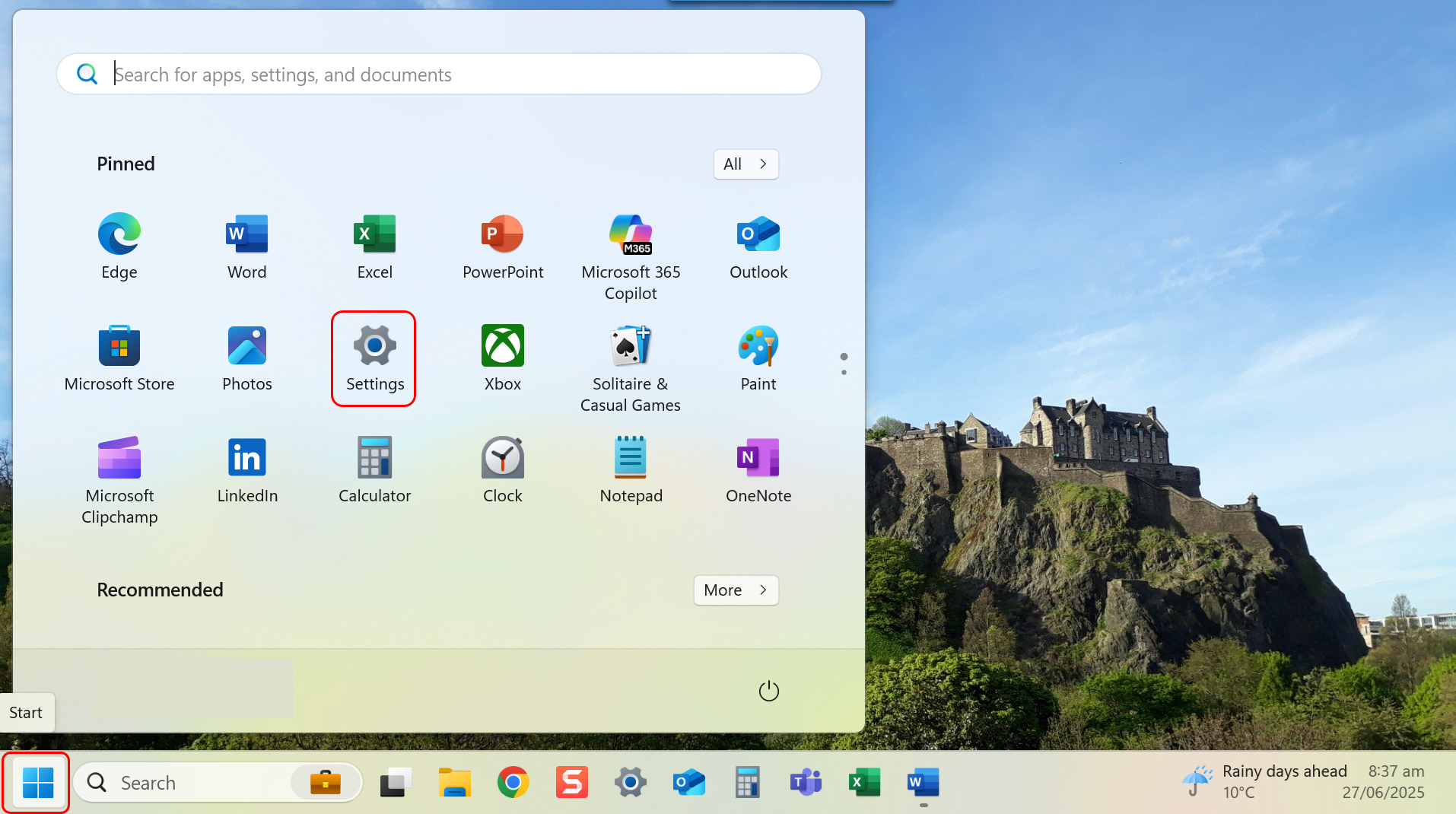
- Navigate to Settings through the Start menu.
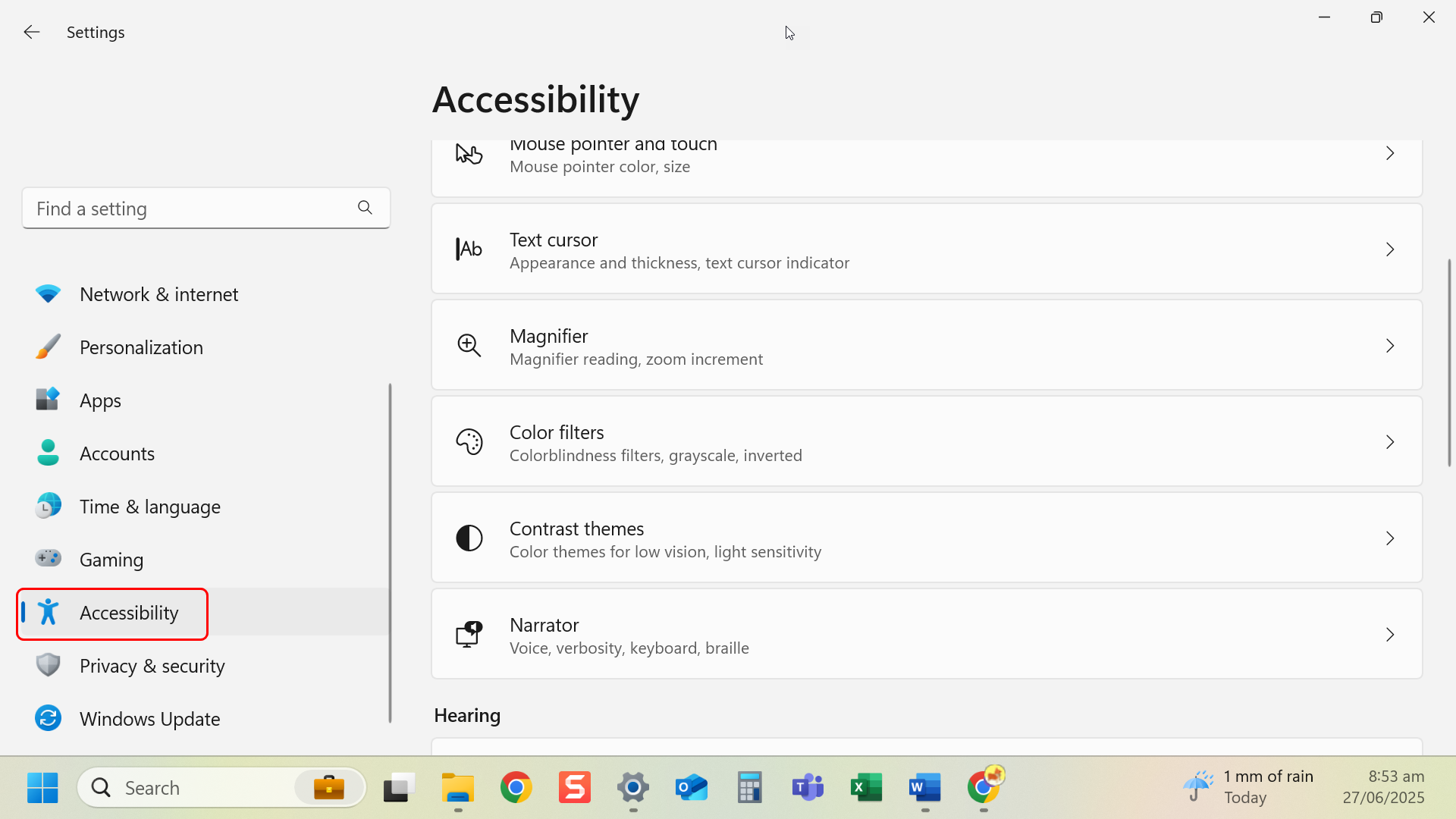
- Navigate to left-hand side menu and select accessibility.
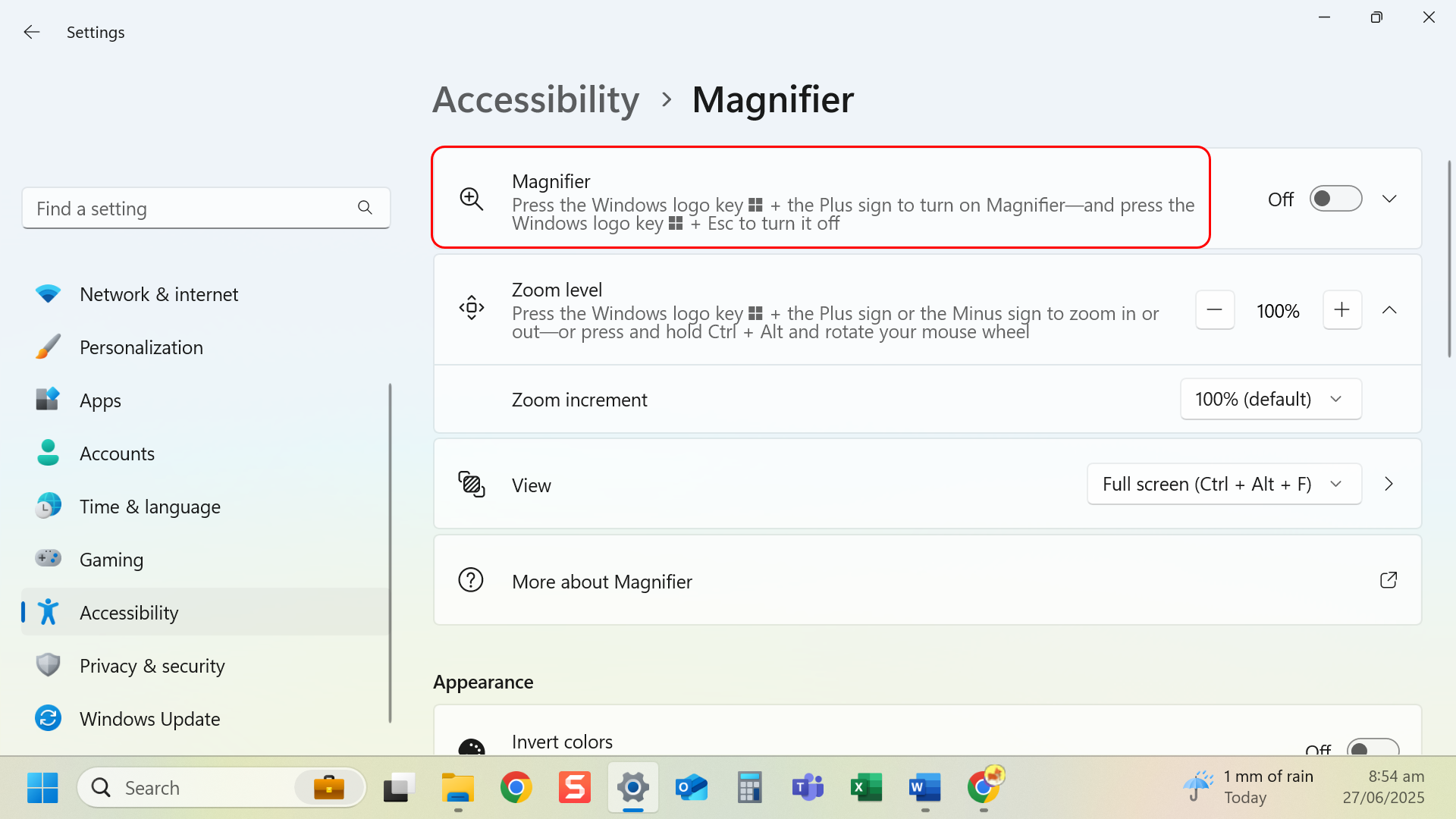
- Select Magnifier.
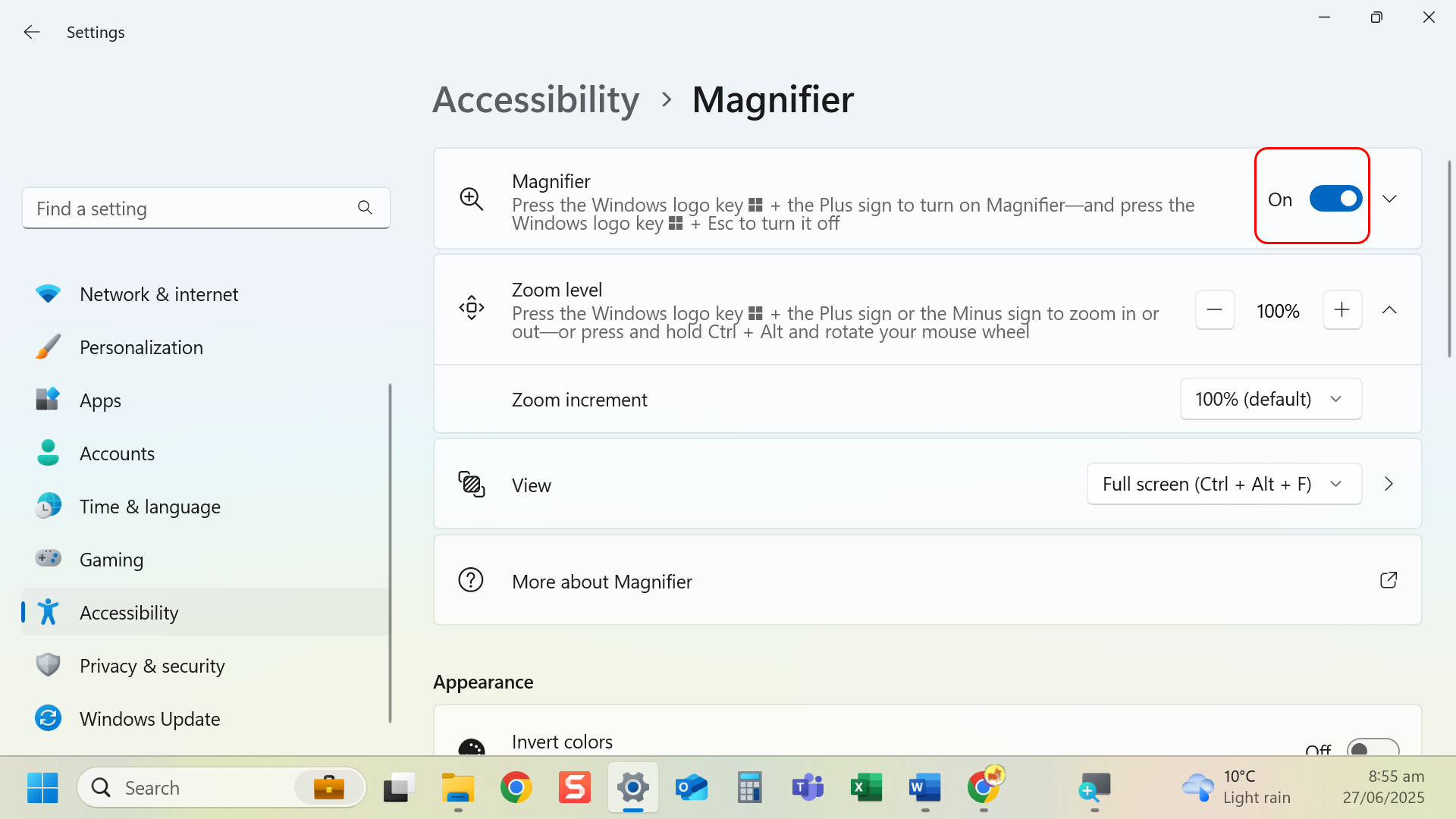
- Toggle Magnifier on.
- Choose a zoom level and view mode (full screen, lens or docked).
Tip: Magnifier follows your mouse and typing, helping you stay focused.
Last modified: Friday, 29 August 2025, 8:07 AM