

Built-in Windows: How to turn on Narrator
Instructions
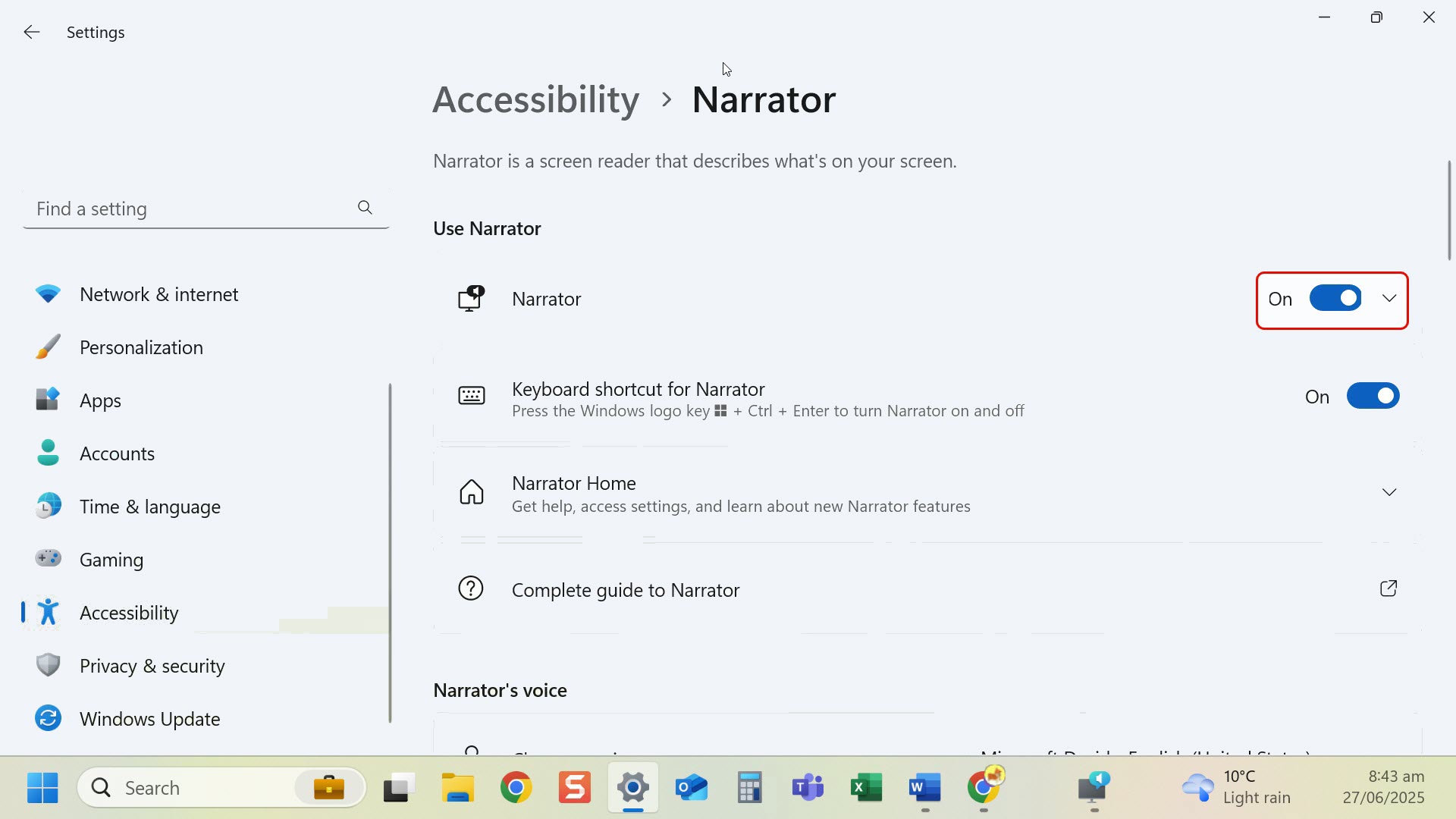
- Keyboard shortcut: Press Windows logo key + Ctrl + Enter to start Narrator.
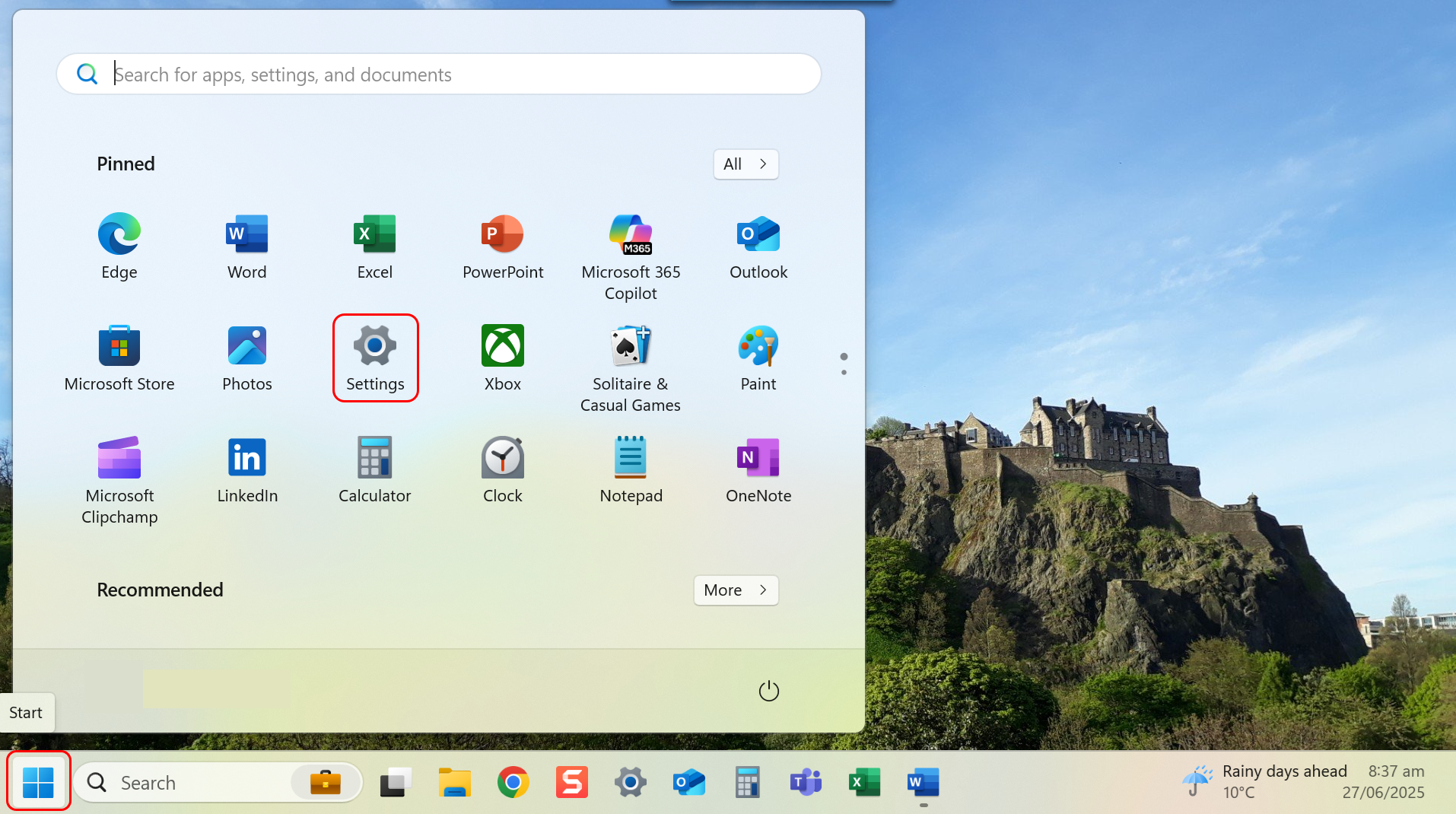
- Navigate to Settings through the Start menu.
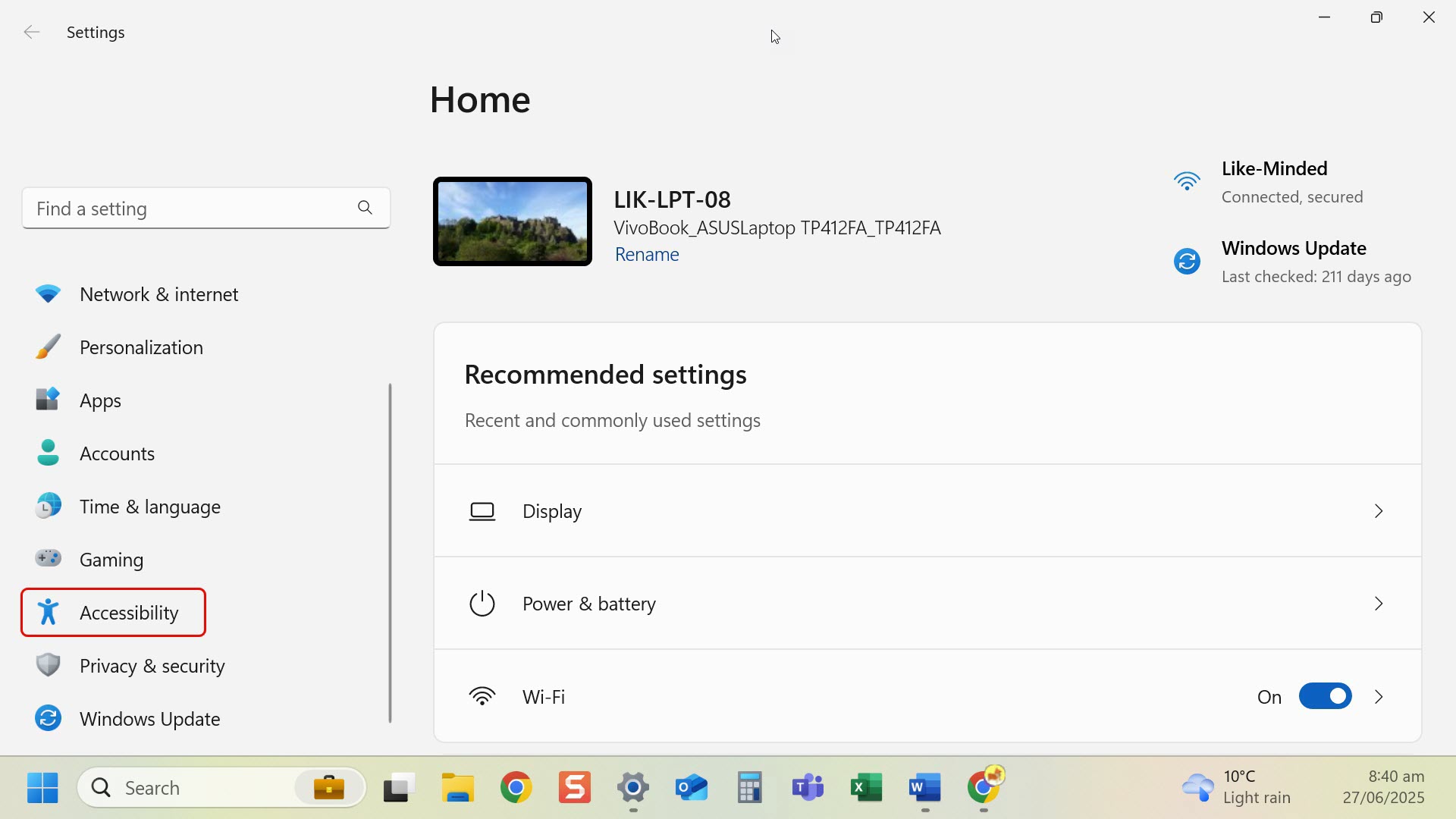
- Select Accessibility from the left-hand menu.
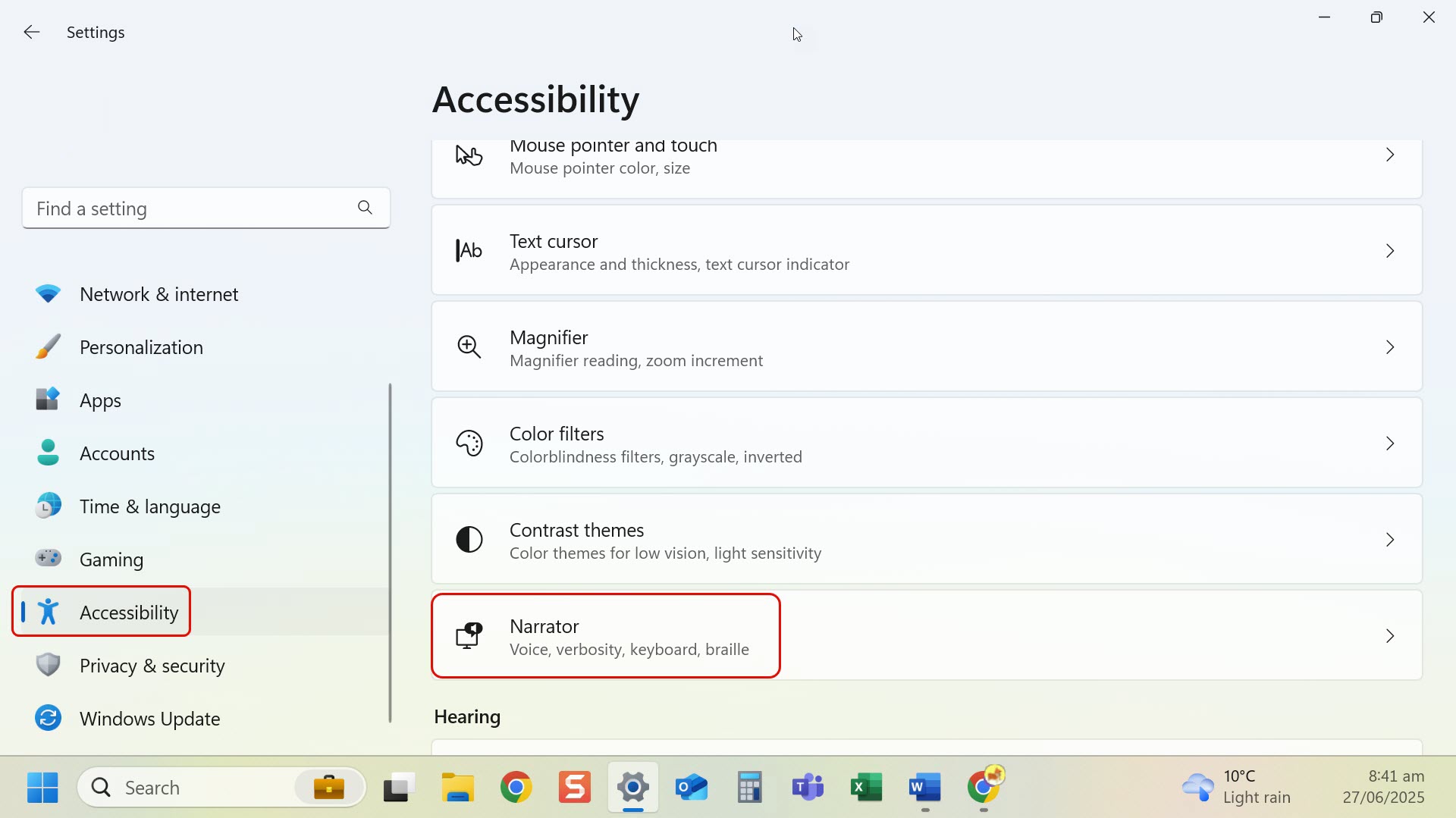
- Select Narrator.
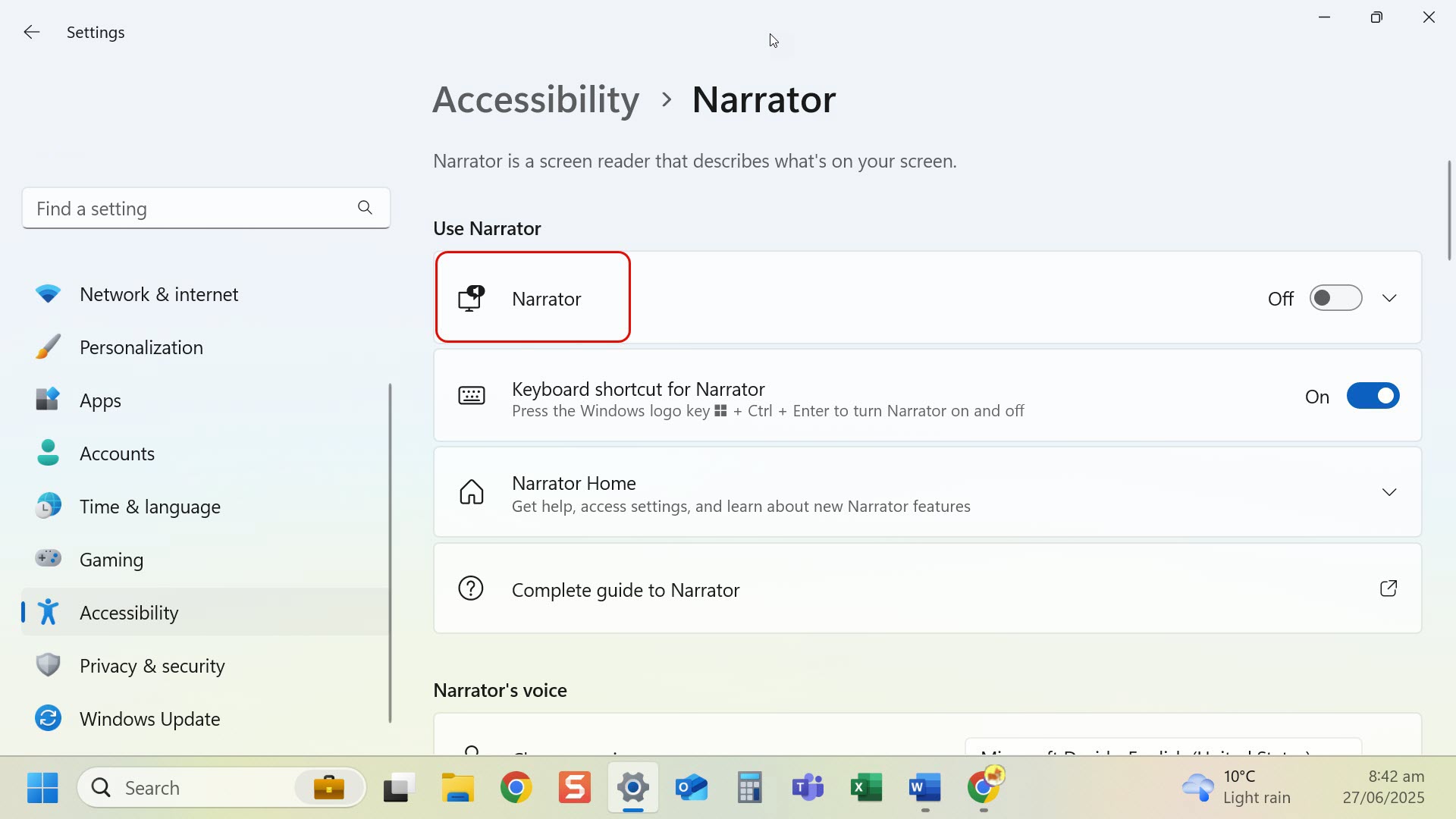
- Toggle Narrator on.
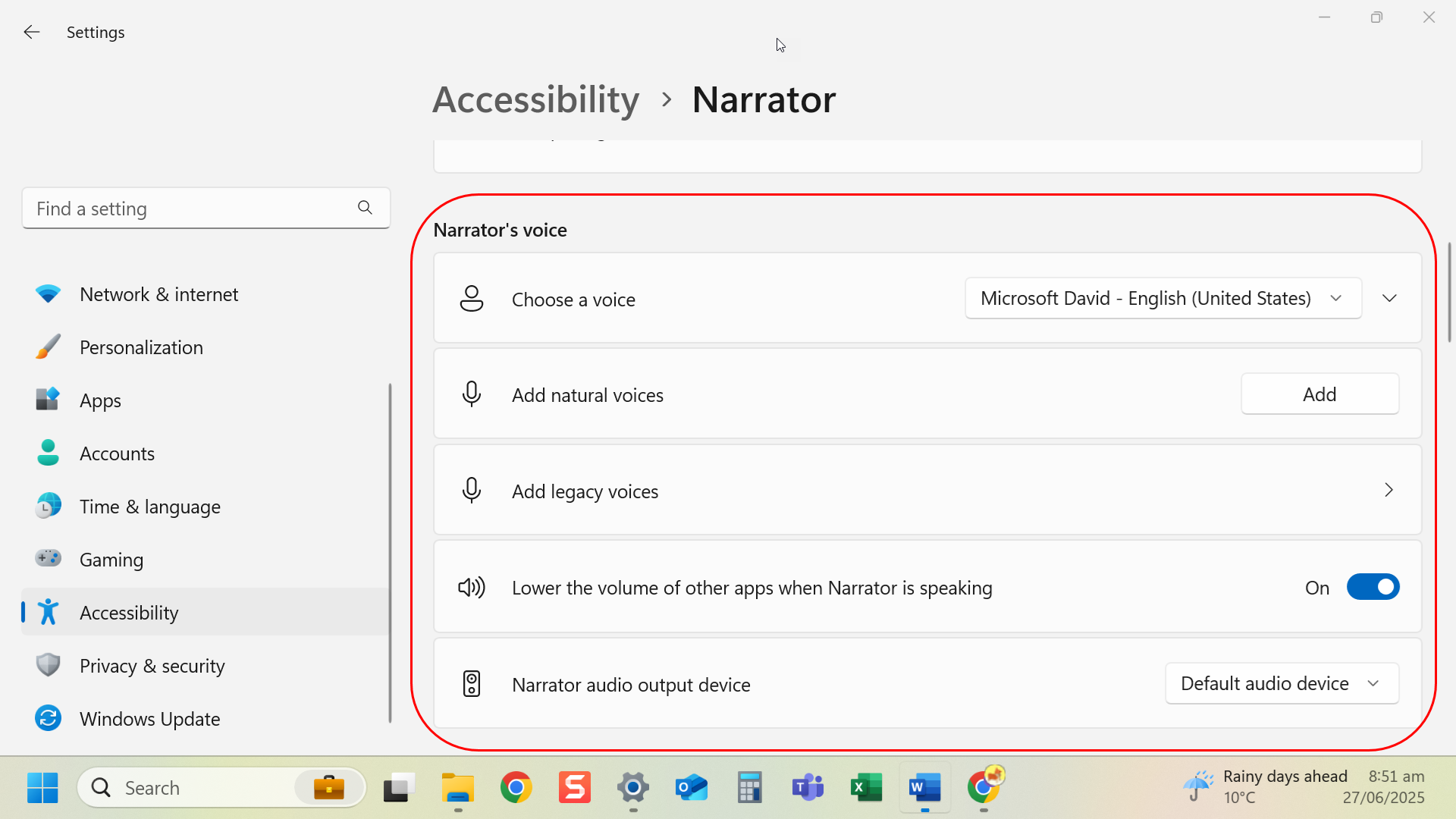
- Adjust voice, speed, pitch and verbosity if needed.
Tip: Use Tab and Arrow keys to move through the screen when using Narrator.
Last modified: Friday, 29 August 2025, 8:07 AM